Hello Gokul,
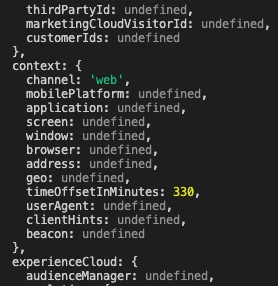
I am now able to see the content from the Adobe Target to our server-side using prefetch but how do I then execute the script using prefetch is what I am confused about. If you see the screenshot in my last message you can see the response has the script that needs to be executed on the page but I don't know how to get that executed on the actual page?
It would be really helpful if you could help me apply the script on the actual page. Thanks!
For windows.targetglobalsettings below is what I set:
  window.targetGlobalSettings = {
    overrideMboxEdgeServer: true,
    clientCode: props.target.client,
    imsOrgId: props.target.organizationId,
    serverDomain: props.target.serverDomain,
    serverState: JSON.stringify(props?.target?.serverState || {}, null, ' ')
  };;
Thanks
Praveen
Hi Praveen @pravinrams1
Sorry for delay in response . As next steps you can use the method called sendNotifications(). This method must be used for prefetched experiences for incrementing impressions and conversions.
on below link - there is sample code where you need to provide mbox name and state field to sendNotification() method.
https://experienceleague.adobe.com/en/docs/target-dev/developer/server-side/node-js/send-notifications
So you can use the those attribute from your response ( refer screenshot you added ) you received in Prefetch.
So basically, Prefetching allows clients like mobile apps and servers to fetch content for multiple mboxes or views in one request, cache it locally, and later notify Target when the visitor visits those mboxes or views.
You can read more about Prefetch and Notifications.
Let me know how its goes.
Hope this helps.