
Understanding Merges in Marketo | Community
Skip to main content
Grant_Booth
Level 9
May 20, 2015

Understanding Merges in Marketo

  • May 20, 2015
  • 10 replies
  • 17697 views

Here it is: Your guide to understanding merges in Marketo, in Salesforce, and how the two interact.

Merging Two Leads

We begin with two records in Marketo which have been synced to Salesforce. Both are leads in Salesforce, not contacts.

Lead A, Marky Marky, has a Marketo ID of 1001446 and an SFDC ID of 00Qi000000vJ0hK.

Lead B, Markee Marquee, has a Marketo ID of 1001447 and an SFDC ID of 00Qi000000vJ0hU.

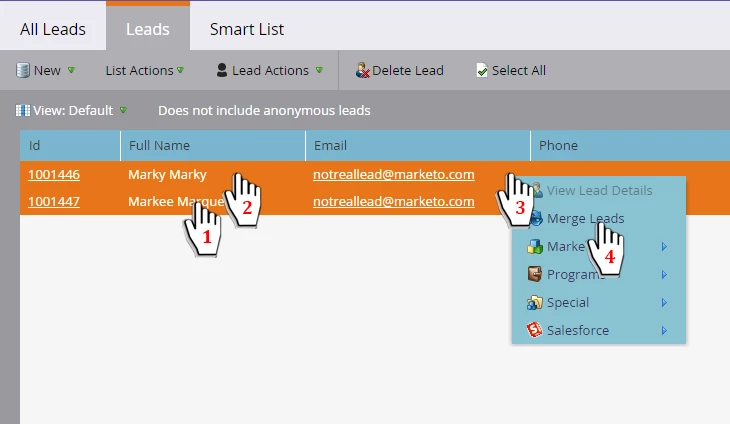
We wish to merge these leads in Marketo. In this example, I first select Lead B, and then hold SHIFT to select Lead A as well. Then right-click in the highlighted area to bring up the Lead Actions drop-down (or click Lead Actions at the top of the screen), and select Merge Leads from the choices.
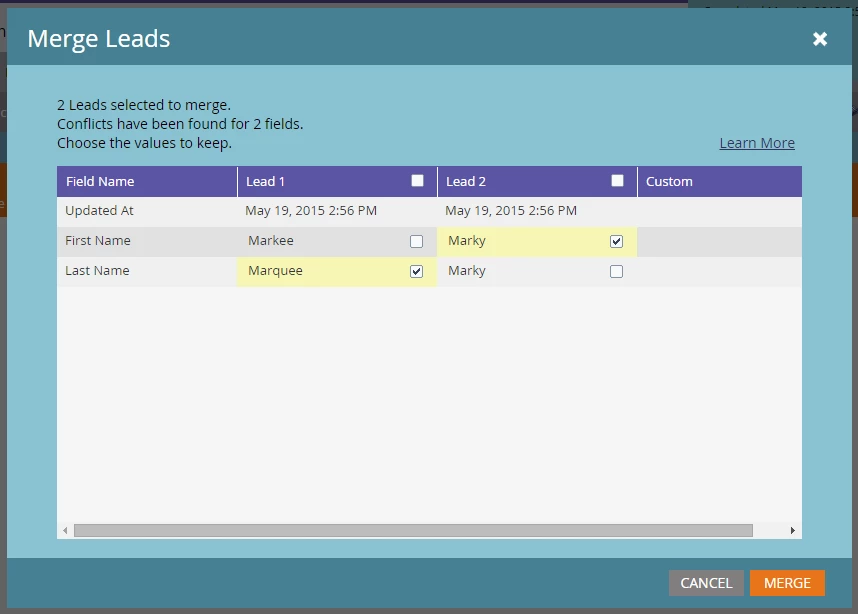
Now I see the Merge Leads dialog box, where we decide which conflicting field values we want to win. We could click the box next to "Lead 1" if I want all of Markee Marquee's values to win. Instead we check the box next to "Marky" because we want that to be their first name, rather than "Markee". Then we click merge.

Note: whichever record was most recently updated will be pre-checked to win field conflicts.
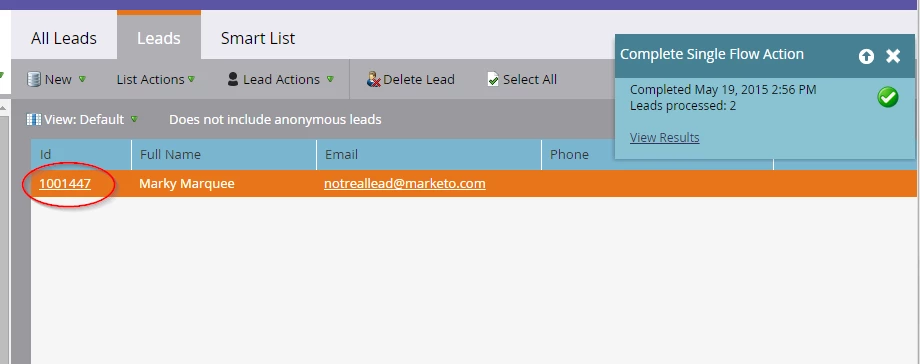
Here's the result. Note how the remaining single lead has the ID 1001447, that of Lead B, the first one we selected. The first record you select is the target record - this records remains while the other record is deleted, it's field values, activities, and program memberships merged into this winning record. The leads are also merged in Salesforce, and the remaining record there has the ID 00Qi000000vJ0hU (Lead B) as we would expect.
Merging Leads and Contacts

Here we begin with a lead and a contact.

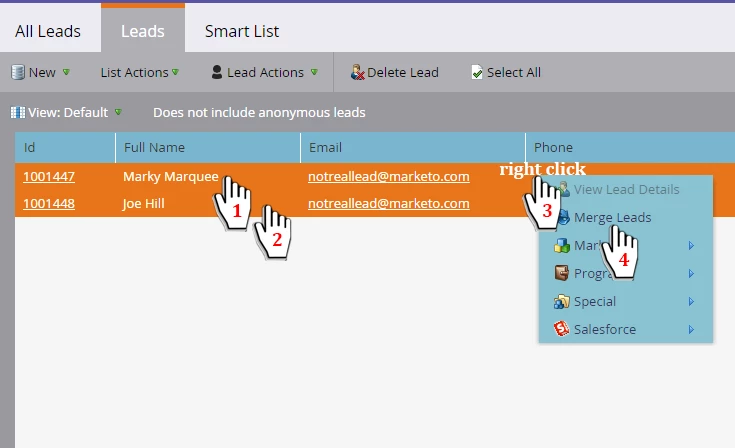
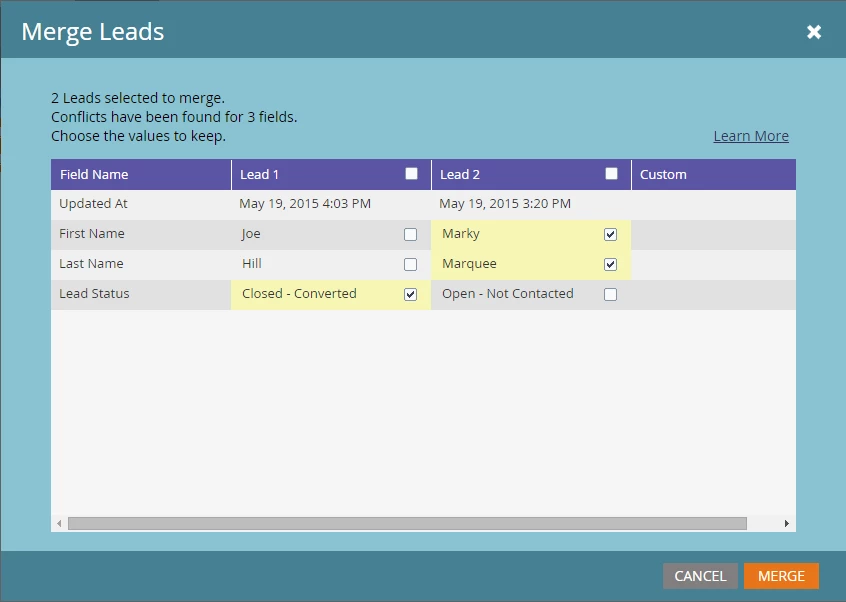
We have a lead, Marky Marquee (Marketo ID1001447, SFDC ID 00Qi000000vJ0hU), and a contact, Joe Hill (Marketo ID 1001448, SFDC ID 003i000002KAFGa). We first select Marky Marquee (the lead) and then select Joe Hill (the contact), and conduct the merge as we did above.
This time, however, the second record we clicked, Joe Hill, shows up as "Lead 1". This seems to contradict what we said earlier, but it's happening because the second record is the contact, and the contact is always going to be the target record. I want Marky's name to win out, so I check their First and Last Name and then click Merge.

Note: this will cause an error if the Marketo sync user in SFDC doesn't have the Convert Leads permission.
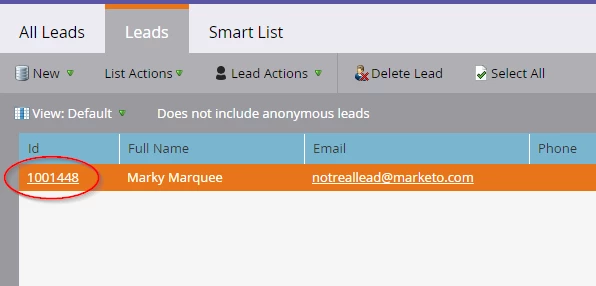
Note that the remaining record has the ID 1001448, the ID of the contact, even though that wasn't the first record we selected in Marketo. The contact is always the one which remains.
Program Memberships

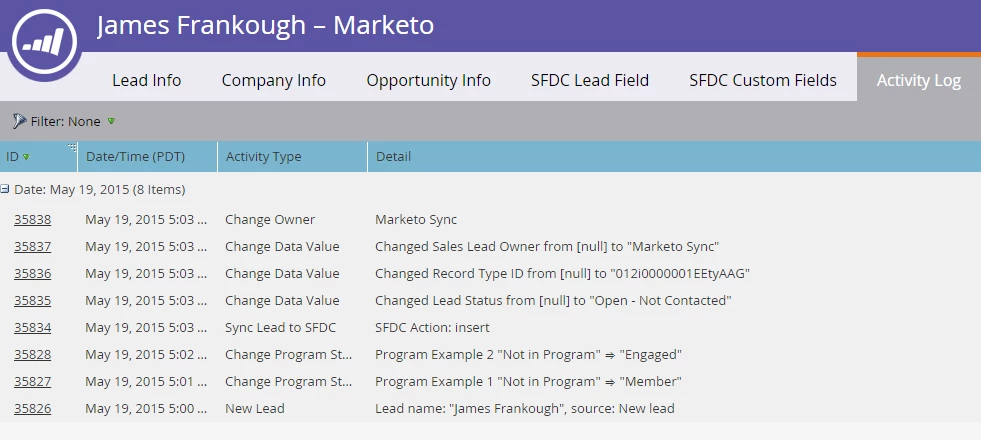
Here we have two leads: Dexter Science (ID 1001451) and James Frankough (ID 1001452). We add James to two programs, Program Example 1 and Program Example 2. We can see this in their activity log:
Now we merge the records, selecting Dexter first (so they'll be the winning record), but we check James's values for the First and Last Name. Below is their activity log after the merge. Notice that there are new Change Program Status activities - because the target record in the merge was 1001451, but the programs were associated with 1001452, the system has to copy their program statuses over during the merge.
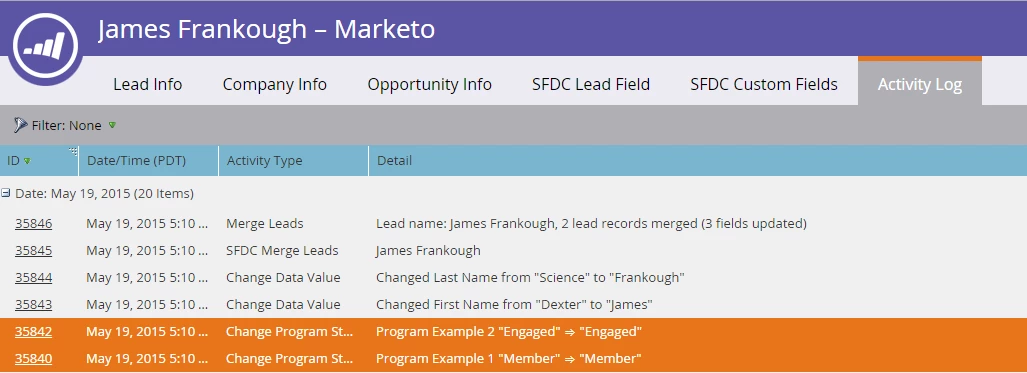
If you double-click one of those activities, it gives "Lead merge transferring program membership (transfer)" as the activity's Reason.
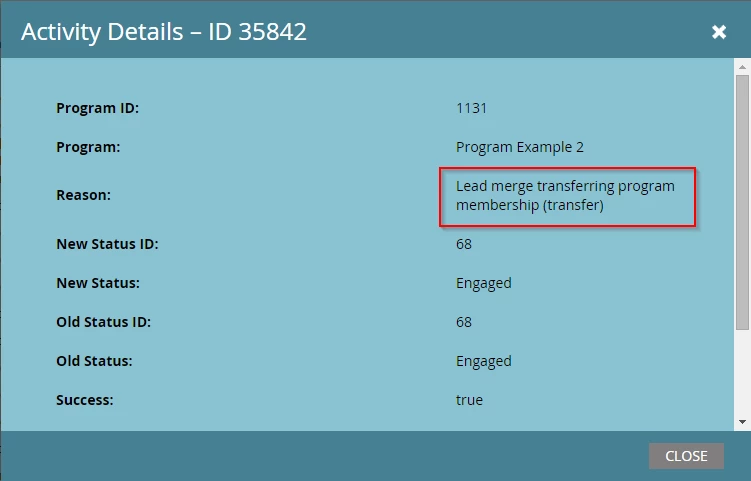
Activities caused by merges can trigger campaigns. For example, suppose there is a smart campaign with the trigger Program Status Changes, for an old program with no activity in months. Activities caused by a merge like this could trigger such a campaign. To prevent this from triggering campaigns, we can add Reason as a constraint:

Campaign Memberships

Next, we have two leads: John Doe (ID 247) and Johnathon Doe (ID 248). We've associated John Doe with two SFDC Campaigns: Campaign Example 1 and Campaign Example 2.
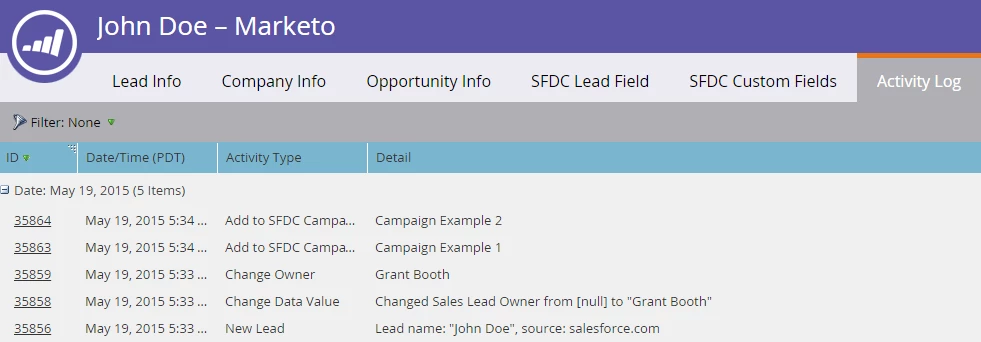
When we merge John Doe into Johnathon Doe, since the target lead is ID 248 and the campaigns are associated with ID 247, it has to copy them over - just like it did with campaign memberships.
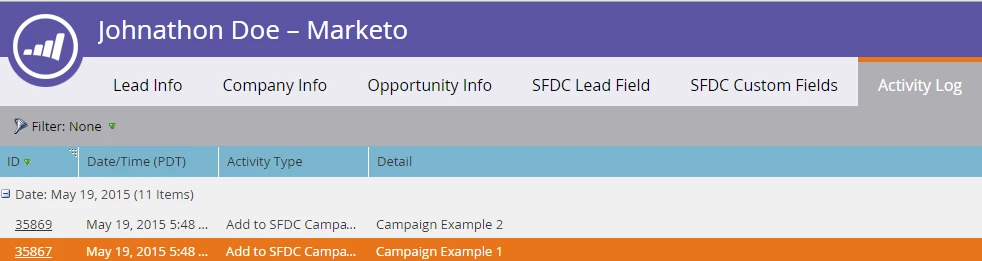
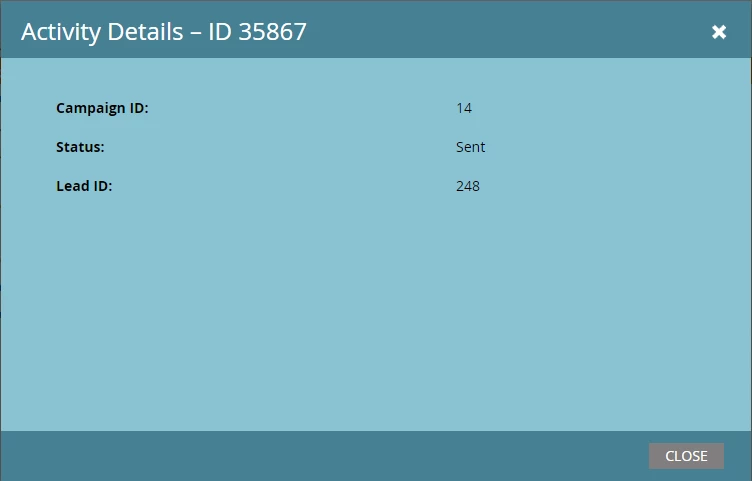
However, unlike with program memberships, it does not provide a Reason in the Add to SFDC Campaign activity following the merge, meaning there's no easy way to prevent this from triggering campaigns which use the Added to SFDC Campaign trigger.
This post is no longer active and is closed to new replies. Need help? Start a new post to ask your question.

10 replies

July 9, 2015

@Grant Booth​ , thanks for sharing this overview. Was curious whether you (or anyone else reading) knows whether the merge strategy performed when an anonymous & known lead are merged can be altered to let the older values take precedence. My question stems from the following problem we have encountered:

I'm trying to preserve some scoring field values on our leads (used to help drive our campaigns), but still want to track their anonymous activities using Munchkin. However, at the time a user authenticates and we merge the anonymous lead (identified by Marketo tracking cookie) with our known lead), the recently-updated values overwrite our existing values. I did not see any option for altering the merge strategy within the Munchkin API definition.

Thanks in advance,

Frank

Jenna_Weinerman
Level 2
December 18, 2015

@Grant Booth​ Thanks for this. Is there a way to merge a contact record and a lead record, but allow the Lead to win out, instead of the contact?

Scenario: we had about 1,000 contacts that were actually supposed to be leads. In SFDC, we deleted the contact records and re-imported them as leads. I know that's not best practice, but we had to do it. Now, we're left with 1,000 Marketo contacts for the original records and 1,000 Marketo leads for the new records.

If we want to merge the records, your article says contacts are the default, but can we swap that to leads for this instance? Thanks so much!

Grant_Booth
Level 9
December 18, 2015

Jenna, when you delete records in Salesforce, Marketo should pick up on it and mark them as deleted in Sales, and clear out their SFDC Type field, in which case Marketo no longer considers them a contact. Did you see something different when you tried to merge them?    

January 28, 2016

Hi @Grant Booth​ When a lead is merged and their program status changes from one status to the same status I see they still come up as having a success for the new date.

For example this lead was merged and their status was changed from Visited Booth to Visited Booth and now their success date is for the day the merge happened -which obviously shouldn't be right. Does this update the previous success date or would they still retain the history of that previous success date?

Grant_Booth
Level 9
February 4, 2016

Hi @Crissy Vetere (CS2 Marketing) This happened because the "winning" lead during the merge was the one which was not associated with that program, so Marketo had to copy over the program association on the back end. It's not desirable behavior, but I'm skeptical that it would get changed any time soon and might require a big infrastructure change. You'll see this is identical to my "James Frankough" example above, under the Program Membership section of the article.


Grant

Loren_Posendek
Level 4
August 30, 2016

Great article, @Grant Booth​! I'm reading through the thread, and it seems like we have a scenario similar to the one above this comment. My questions are a bit different, though.

1. To confirm - when two leads are merged, and the "winning" lead is not a member of a program, the Program Status will show up as below upon a merge. If two leads are merged who are both members of the program with the same status, would the program status "change?"

2. Will this (same status to same status update, like above) trigger the "Program Status is Changed" in the smart campaign?

Thank you in advance!

Loren

Grant_Booth
Level 9
August 24, 2017

Did you actually see that activity happening in your instance? I'd be surprised if it made such an activity if the winning lead is already a member of the program. I haven't tested that personally though.

lorie_witmer4
Level 2
February 7, 2018

Hi Grant, I was just asked this question and your post is relevant.  Two questions:

1) If two leads are merged in SFDC, does the one lead that merges into the target lead show up as "Is SFDC Deleted" in Marketo? 

2) If two leads are merged in SFDC, one has is Marketo cookied, the other has campaign activity like opened email. Will both marketing activities and cookie get assigned to the merged lead? 

Since your post is mainly about merging in Marketo, wasn't sure if behaviors are different if merged in SFDC.

Grant_Booth
Level 9
February 7, 2018

Hi Lorie,
1) I don't believe it will be marked as "Is SFDC Deleted". When Marketo sees the leads merge in SFDC, it should merge the corresponding records in Marketo, which will still be synced to a record in SFDC. That should only get checked if the record in SFDC is actually deleted (as opposed to a merge).

If you're using some kind of third party tool to "mass merge" in SFDC, I strongly recommended testing with a small list to see the effect in Marketo. Some mass merge tools might be set up as more of a "mass delete, then mass update", instead of truly merging records. If that's the case, Marketo wouldn't merge its corresponding records.
2) Correct. All cookies and activities of both leads should get combined into the activity log of the winning lead.

lorie_witmer4
Level 2
February 7, 2018

Thank you Grant, much apppreciated