
Legacy Rich Text Editor and Form Editor 1.0 are Being Deprecated August 1st | Community
Skip to main content
Mike_Reynolds2
Level 10
February 21, 2017

Legacy Rich Text Editor and Form Editor 1.0 are Being Deprecated August 1st

  • February 21, 2017
  • 24 replies
  • 28006 views

Included in this article:

Overview

To provide world class product support, Marketo occasionally disables old areas of the product that have been replaced by newer, improved versions. As previously announced with the Winter ’17 release, we’re updating the way you’ll edit text and create new forms in Marketo. After August 1st, our legacy text editor will be retired and we’re deprecating the Form Editor 1.0. Here’s what you’ll see in your Marketo Engagement Platform:

  • New Rich Text Editor: Enjoy a more modern experience and even more capabilities when editing text in Marketo. We’re retiring the Legacy Text Editor and transitioning all Marketo customers to the new editor – no action is required and your existing assets will not be impacted.
  • Form Editor 2.0: Create all your new web forms with the Form Editor 2.0, giving you an improved WYSISYG editor, the ability to create draft forms and more. We’re deprecating the older Form Editor 1.0, making Form Editor 2.0 the way you’ll create all new forms in Marketo. Any forms previously created in Form Editor 1.0 will remain functional and editable, however these v1.0 Forms will no longer be officially supported by Marketo. To continue receiving support for your Marketo forms, we encourage you to create new forms in Form Editor 2.0 to replace your v1.0 forms.
  • Email Editor: There are no changes to the Email Editor experience. The changes above do not impact the Email Editors. Rest assured, both Email Editor 1.0 and Email Editor 2.0 remain available for your use.

For more information, please see our Innovations Update: New Text Editor & Form Editor 2.0 recorded session.

Note: This change is not tied to a Marketo Release.

Legacy Rich Text Editor

On August 1, 2017, we’re switching all subscriptions to the new text editor. This change won’t have any impact on your day-to-day work. The new editor can do everything the old one can—and more. See Using the Rich Text Editor for details. After the change, nothing will happen to your existing assets, but you’ll see the new editor whenever you edit text in Marketo.

How do I know which text editor I’m using?

Open an editable text section in any Marketo editor to see which one you’re currently using.

Here’s the old editor:
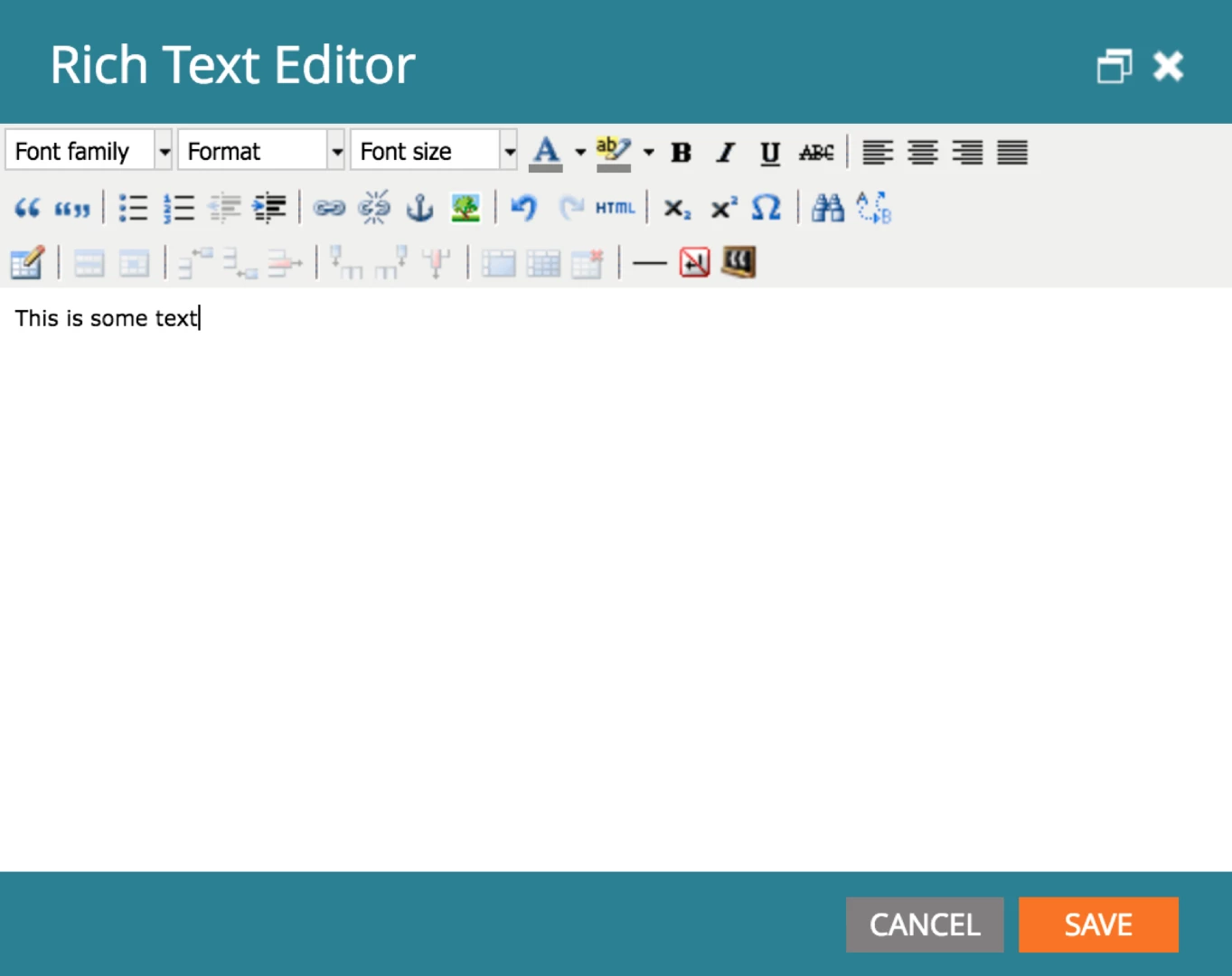
Here’s the new one:
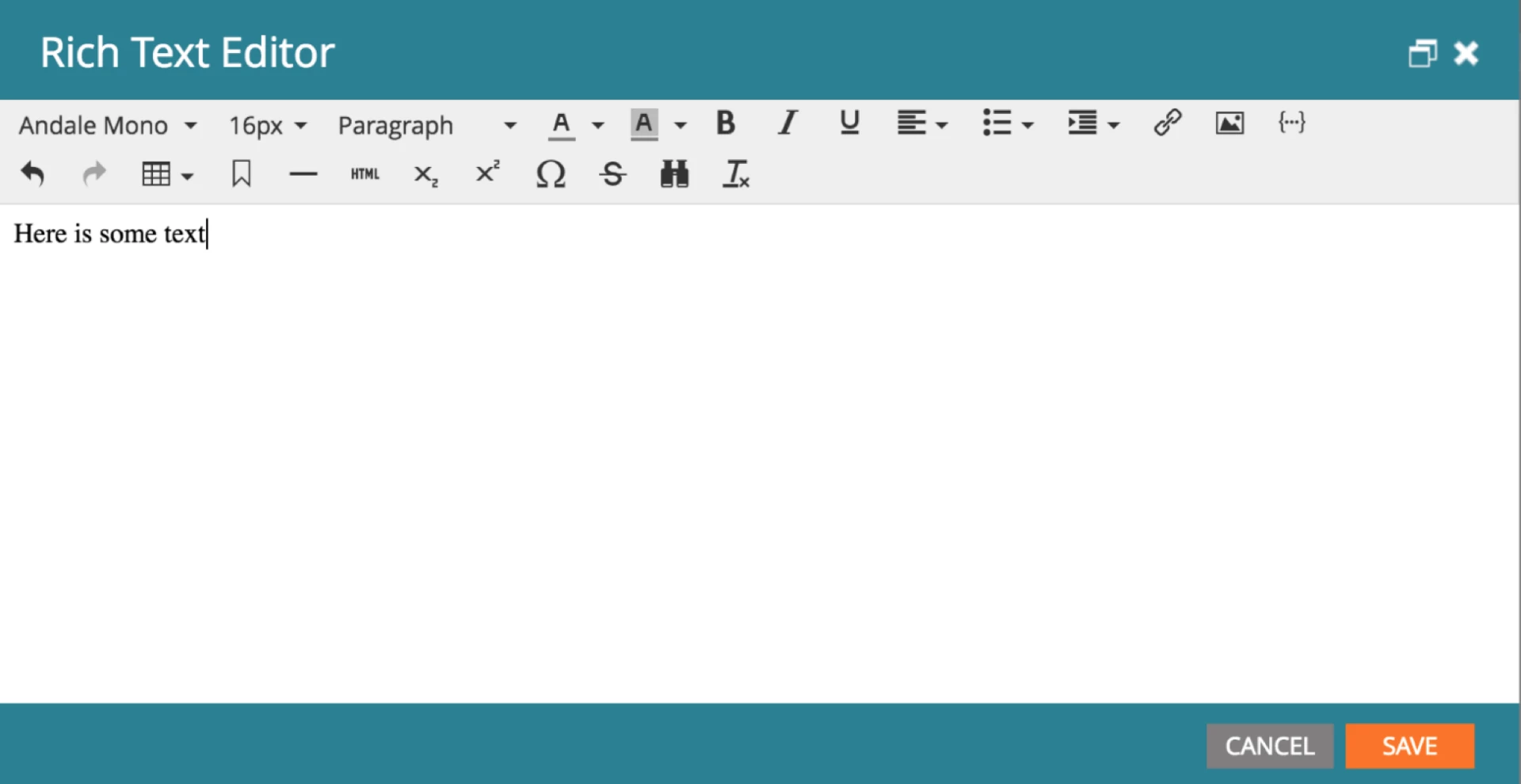
Note: The legacy text editor used default root block settings of <p> for email/snippets and <div> for landing pages. If you’re upgrading for the first time to the new text editor, it will continue to have those settings. Click here to learn more about the root block setting.

Form Editor 1.0

When creating a new form, some older Marketo customers have a choice of using the original Form Editor 1.0 or the newer Form Editor 2.0, which is the default selection. After August 1, all customers will only be able to create new forms using Form Editor 2.0, which contains additional functionality.

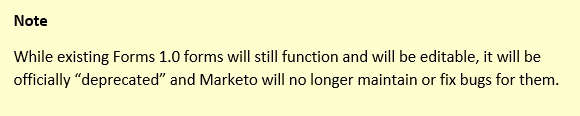
After the change, any forms you created in Form Editor 1.0 will remain in your subscription and still function. However, you won’t be able to create any new forms with Form Editor 1.0.
Recommendation

We recommend that before the sunset date (August 1, 2017), you make sure that your team is up to speed on the newest text editor and form editor, to be sure they’re comfortable continuing to build new assets in Marketo.

This post is no longer active and is closed to new replies. Need help? Start a new post to ask your question.

24 replies

June 22, 2017

Hey, @Mike Reynolds​​! Any word on this? We're not on E-mail 2.0 yet and had problems the last time the new WYSIWYG was switched on, so, with the August 1st implementation date looming, we're wondering whether we're going to need to get in there and start changing templates.

Mike_Reynolds2
Level 10
June 22, 2017

@Osman Erzinclioglu​,

Honestly I don't know well enough to say one way or the other. Best recommendation would be to Contact Marketo Support and open a case to investigate.

June 22, 2017

Thanks, @Mike Reynolds!

The problem is that there's nothing to investigate at this point, so there's no basis for a support case. Nothing is broken. We haven't turned it on and we don't want to unless we're sure there won't be an issue. It's a question of what the new WYSIWYG will do to any code that's placed in it. (Because the last time it was turned on it was a big problem for us.)

Could you refer someone from Marketo with some knowledge on this subject to this thread to comment on how they've configured TinyMCE in Marketo and what we can expect it to do to code? The older version of TinyMCE allowed you to configure settings related to code clean-up. I've been searching for documentation that might allow me to determine whether the version of TinyMCE Marketo is using allows for that and whether Marketo has turned code clean-up on or not without any luck. I'm certain someone at Marketo knows the answer. If they could provide it that would help a lot.

Very hesitant to create a support case, as you've suggested, as I'm certain the first thing they'll ask is where the error is occurring. I'll really have nothing to point to. (Other than an old case that was marked resolved.)

Whatever you could do to help would be great.

Mike_Reynolds2
Level 10
June 23, 2017

Hi @Osman Erzinclioglu​ I sent you a direct message separately to get you in contact with one of our product managers

June 23, 2017

Thanks, @Mike Reynolds​! Much appreciated!​

Dan_Stevens_
Level 10
June 24, 2017

There seems to be some confusion with this announcement.  This is specifically for the rich-text/html editor and forms 1.0 - not email editor 1.0.  Mike can you confirm that's the case here?  Everyone does not need to migrate to Email Editor 2.0 by August 1st.

June 26, 2017

No confusion on my part. Our previous problems were not related to E-mail 2.0, which we haven't implemented in production yet. Our problem was specifically with the new WYSIWYG. (When it was first rolled out, and before we turned it off in favor of the legacy WYSIWYG editor.)

Mike_Reynolds2
Level 10
June 26, 2017

@Dan Stevens​

You're correct on the first part -- this is regarding the rich text editor and forms 1.0. However, with regards to the new rich text editor, it will automatically change to the new version on August 1st. These are functionally the exact same, the only difference being the look of the toolbar buttons.

Dan_Stevens_
Level 10
June 26, 2017
July 14, 2017

So then, with respect to how the new and old WYSIWYG editor handles code, there's no difference? (No differences in how it will treat the code I add through the HTML view, do code clean-up, et cetera?)

That was why we turned on the legacy version. The new editor, when it was first implemented, was altering our code in ways the old version didn't. (Perhaps there were differences in how they were configured at the time but there aren't any differences now?)

This is my main concern with respect to this update.

Or should I still be speaking with @Justin Cooperman about this?