Finding Junk Leads
Marketo has built-in spam lead filtering for leads who fill out Marketo forms on your landing pages. However, junk leads may still get into your Lead Database. You can use a Smart List to find these junk leads or other leads who you might not want in your database.
Here are some examples of leads you might not want:
- missing company name or last name
- email address bounced
- has a personal email address (like yahoo.com)
Say you want to find all leads who use a personal email address. You could build a Smart List that checks by using the Email Address and looks for leads whose email address contains a non-commercial domain:
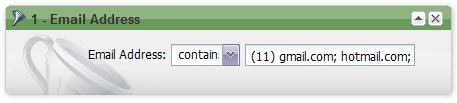
| Common personal email domains |
|---|
| gmail.com |
| hotmail.com |
| live.com |
| msn.com |
| rocketmail.com |
| yahoo.com |
| ymail.com |
| sbcglobal.com |
| comcast.com |
| aol.com |
| netzero.com |
Is this article helpful ?
After that, it's up to you how you want to handle those leads. You could:
- ask them to provide a commercial email address (with an email, landing page, and form)
- stop their emails with Marketing Suspended or Blacklisted (using Change Data Value)
- delete those leads (using Delete Lead)
You can build similar Smart Lists to find potential junk leads such as:
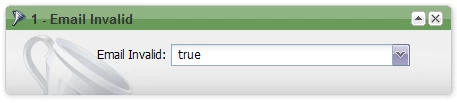
- undeliverable email addresses -- filter on Email Invalid is true
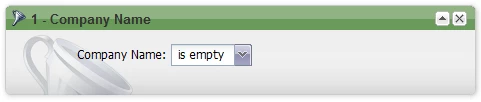
- missing a company name -- filter on Company Name is empty