
Changes to Marketo Salesforce Sync – Under The Hood
Included in this article
Highlights
- The MLM package in SFDC’s AppExchange is being retired.
- The MLM package itself doesn’t do much, but was responsible for installing 16 custom fields (16 on the Lead object and 16 on the Contact object) that sync data from Marketo to SFDC like Lead Score and Acquisition program.
- The configuration update will shut off the sync of data to the MLM package and these fields, so the data in those fields in SFDC will become stale and won’t update.
- You can keep syncing this data to SFDC but it requires creating new custom fields. When the fields are re-created, a drip process will be triggered to backfill existing data from Marketo into the new fields in SFDC.

No Data Will Be Lost
Marketo is the source of this data, and the data inside of Marketo will not be touched. The data in Marketo will continue to stay current as it always has. The change being made is in how it is passed into SFDC. No matter what, the data will be preserved inside of Marketo.
What is the MLM Package?
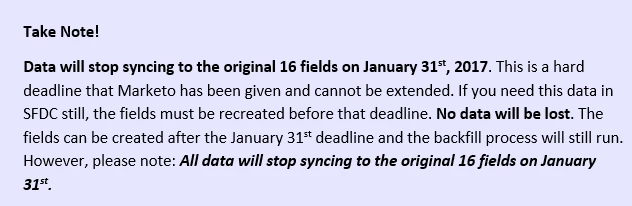
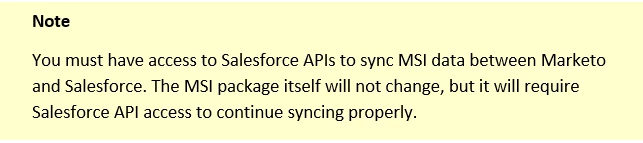
The MLM package doesn’t actually do a lot on its own. It has been a prerequisite that had to be installed during the Marketo > SFDC integration setup before the MSI package could be installed but it’s a pretty safe bet that hardly anyone actually uses it. It’s the fields that were installed during its installation that get the most usage.
The fields that the MLM package created are frequently used by sales teams inside of SFDC. Data from the Marketo fields passes into these fields in SFDC where it can be viewed on Lead and Contact records (if you’ve added it into the page layout).
Telling the Difference Between MLM and MSI in SFDC
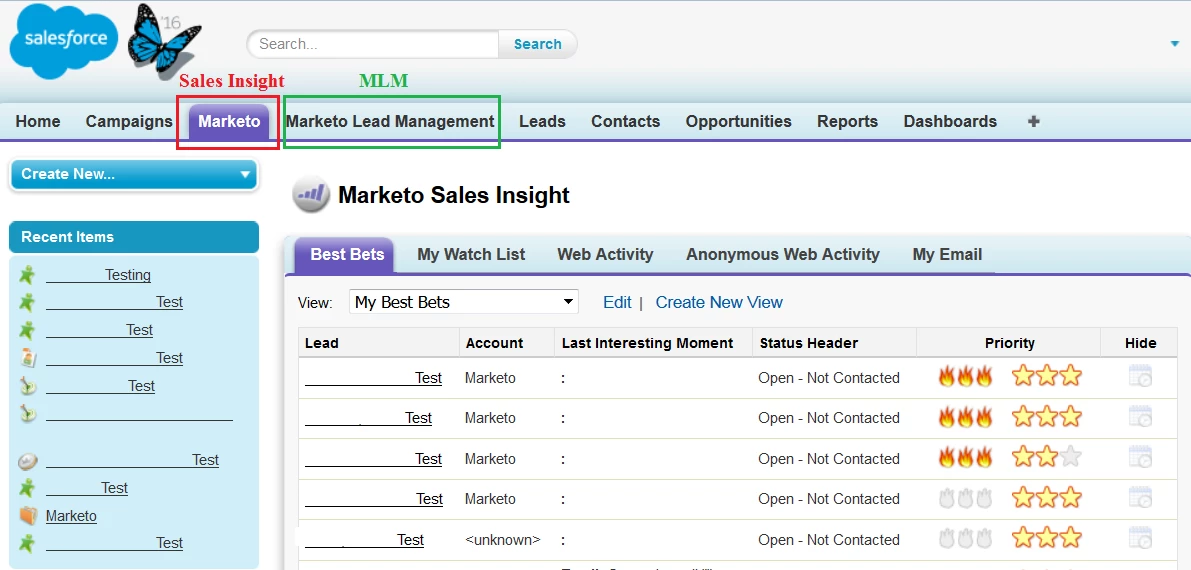
MLM and MSI are two different tabs inside of SFDC. It’s important to know which is which.
- The Sales Insight tab is the tab labeled “Marketo”.
- The MLM tab is labeled as “Marketo Lead Management”
Fields Affected
When the configuration change happens, no data will be synced from these 16 fields in Marketo to the 32 corresponding SFDC fields (16 on the Lead object, 16 on the Contact object).
Lead Score Acquisition Program Acquisition Program Id Acquisition Date Original Search Phrase | Original Source Info Original Source Type Original Referrer Original Search Engine Inferred Company | Inferred Metropolitan Area Inferred Phone Area Code Inferred State Region Inferred City Inferred Postal Code Inferred Country |
The Changes Being Made
For most customers, the only fields commonly used are Lead Score and Acquisition Program. While these fields will stop updating in the Lead detail pages, it’s important to remember that the Lead Score data will still be available through Sales Insight without any changes being made.
Effects on Sales Insight
MSI will have very little change made. The Stars and Flames will still function the same way, and lead scores will still update and display current information. Only one change will affect MSI, and it will have a very limited scope.
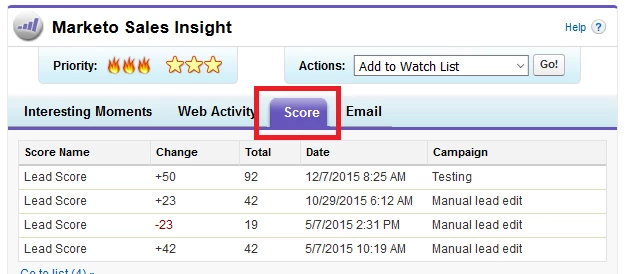
Scoring Still Displays in MSI
The Sales Insight Score tab on Lead records in SFDC will continue to show up to date score information. This view will not be impacted in any way.
Stars and Flames Still Function the Same Way
MSI’s Stars and Flames will still update with data the same way that they did before, even if you have set them up to work with custom score fields on the Marketo side.
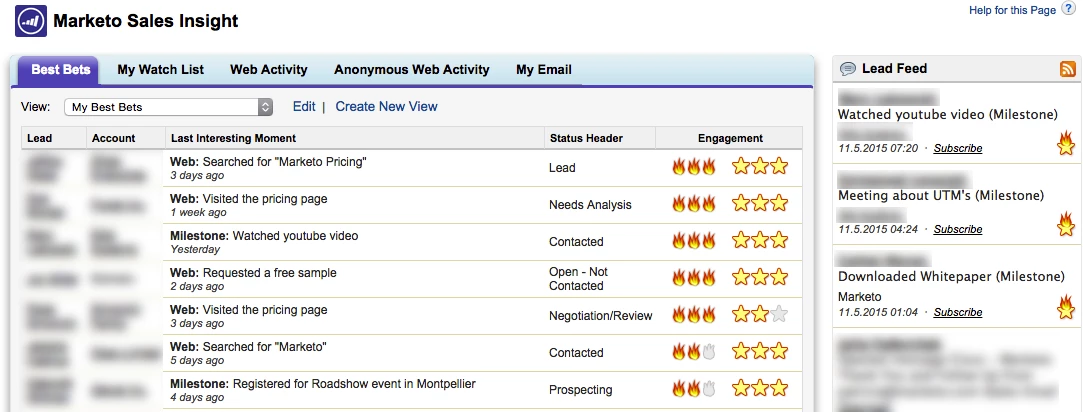
For more information about Sales Insight’s Stars and Flames, please check out the documentation here:
- Priority, Urgency, Relative Score, and Best Bets - Marketo Docs - Product Docs
- Customize Stars and Flames - Marketo Docs - Product Docs
- Set Score Fields to be used for Stars and Flames in Sales Insight - Marketo Docs - Product Docs
The Only Change Inside of MSI
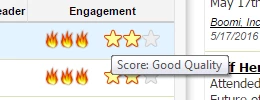
There is only one small change to the MSI package. If you have "Debug Mode" enabled in Sales Insight Config (pretty rare), then inside of Sales Insight, if you mouse-over the Stars, you’ll see a label that gives the score.
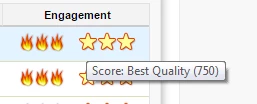
This functionality relied on a dependency between MSI and MLM that has been patched and removed now. As a result of that change, the score can’t be displayed in the hover-over label. Again, this score only ever appeared if you had debug mode enabled, which is very uncommon.
Exceptions to MSI Patch
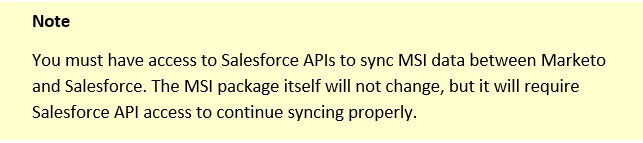
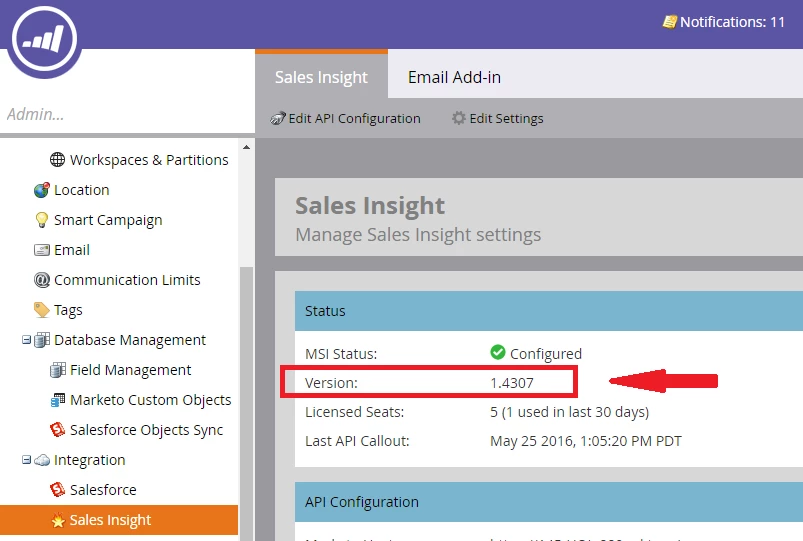
The MSI patch wasn’t able to upgrade every version of MSI. A very small number of customers who have an older version of MSI currently can’t be updated by the patch and will need to manually upgrade their MSI installation. If your company uses Marketo Sales Insight version 1.38 or below, you will be required to manually upgrade to the newest MSI package version.
Identifying Your MSI Version
To check what version of MSI you’re currently using, navigate to Admin > Sales Insight, then look for the Version info in the Status box in the middle of the page.
Manually Upgrading Your MSI Package
If you find that you are using MSI Version 1.38, you’ll need to manually upgrade your Sales Insight package. The directions on how to upgrade MSI can be found here: Upgrade Marketo Sales Insight for Salesforce1 - Marketo Docs - Product Docs
If you’d like help with this installation, please feel free to reach out to Marketo Support with the directions found here: Contact Marketo Support
Effect on Fields in Lead Layout Page
The change that will be noticed will be to the fields shown in the Lead detail pages in SFDC. If you have any of these fields like Lead Score added to the layout of your Lead detail page, these are the fields that will no longer update and will begin displaying stale data.
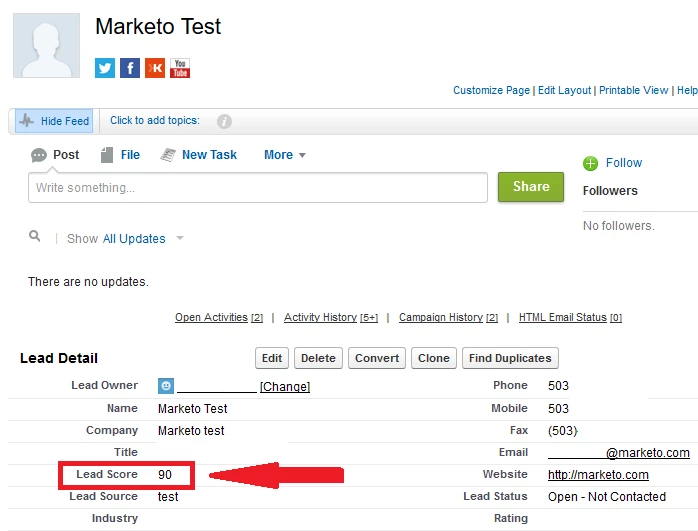
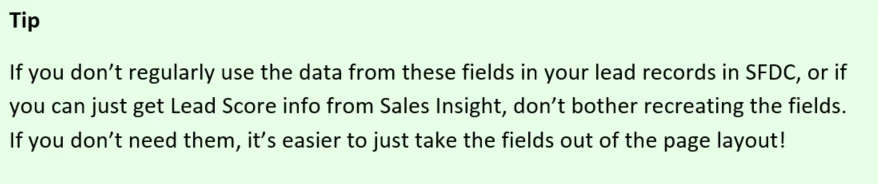
If your sales teams utilize any of this data, you’ll want to recreate the fields in SFDC to pull in the updated data from Marketo.
Keeping Field Data in SFDC
The sync of data into these 32 fields (16 on the Lead object, 16 on the Contact object) will be shut off. If you want to keep syncing data from these fields to use it in SFDC, that can be done. You’ll need to create new custom fields in SFDC for the Marketo data to sync into, using specific API names to match up to the original Marketo fields.
There are different versions of Salesforce, but don't worry, all of the details on how to recreate the affected fields as well as a video tutorial can all be found in the documentation here: Adding Marketo Fields to Salesforce

Cut Off Date
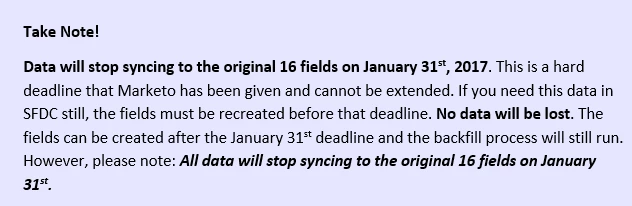
The MLM package will be officially deprecated as of January 31st, 2017. The data will stop syncing to the fields created by the MLM package after this date.
Backfilling Data
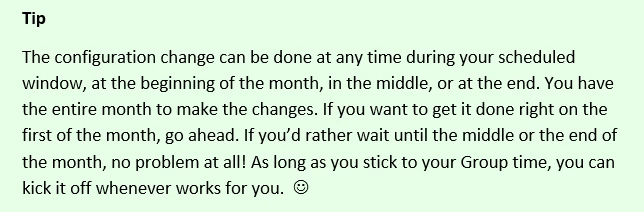
Creating the new custom fields will kick off a drip process to backfill the data from Marketo to SFDC. That takes all existing data for these fields from Marketo and pushes it back to SFDC into the new custom fields you’ve created. There are some important details to how this process works, so here they all are!
- The data backfill process will only initiate if you recreate the old fields using the proper API names as specified.
- The backfill process goes through a separate communication “pipeline” outside of the standard sync cycle.
- The backfill process will push data at roughly the same rate as the “Push Updates” rate we get now in the regular sync—somewhere between 7k to 12k records per hour.
- The total time it takes to update all records will vary depending on sync rate in the separate “pipeline” and the number of records being updated.
- Once the backfill process is complete, an instance notification will be posted in the Marketo notification center.
- The backfill process updates the new fields in SFDC records with the data that is in the 16 Marketo fields. When this update happens, it will create a SysModStamp on the record in SFDC. Any new SysModStamp will queue the record to resync back to Marketo.
- If a lead record is in line waiting for the backfill process to pass updates to SFDC and that record gets resynced through the standard SFDC sync cycle before the backfill is done for that lead, that record will be taken out of the queue of records waiting for the backfill process. This is done intentionally to prevent race conditions where old data could potentially overwrite more current data.

SFDC Sync Backlog
- Any time a large number of records are queued to resync between Marketo and SFDC, it could cause a sync backlog.
- A sync backlog is only a possibility, not a certainty. Most customers will not have any problems. The rollout schedule has been staggered out over time specifically to address this issue and to prevent sync backlogs.
- The backfill process passes data through a different channel, outside of the standard sync cycle, so it won’t cause a backlog in that process. It’s the resyncing of the records after the backfill that puts stress on the sync cycle. That standard sync cycle is where you may experience slowness if a backlog develops.
- The resulting resync of leads will increase volume and put a heavier load on the sync. However, whether or not it actually creates a backlog in the sync cycle depends on many factors like your existing sync volume and if you have any other large number of updates being made.
- If you think your sync cycle is experiencing a backlog, please reach out to Marketo Support. We can check the existing volume for both the standard sync cycle and the backfill process.
Cleaning Up SFDC
The MLM package and the 32 fields created by it (16 on the Lead object, 16 on the Contact object) will be orphaned and no data will continue to be synced to them, making them obsolete. Since they’ll be unusable, you may want to remove the MLM package and delete the fields. This process is optional, but can be done if you choose.

Uninstalling the MLM package deletes fields, data and workflows created by the package. Any dependencies like for reports or workflows inside of SFDC that you have created based off of these fields will need to be removed manually. If these other custom dependencies exist, they’ll need to be removed before uninstalling the MLM package.

For information on how to uninstall AppExchange packages from SFDC, please see their documentation here: Uninstalling a Package
For detailed information on how to avoid problems elsewhere in SFDC, please see our documentation here: Changes to Marketo Salesforce Sync – Preventative Troubleshooting
Preventing Problems in SFDC
Since the fields in SFDC are brand new fields that have just been created, everything in SFDC that references the original fields will need to be updated to point to the new fields instead. This includes all Workflows, Apex Triggers, AppExchange packages for 3rd party software and Reports.
As soon as the new fields are recreated in SFDC, the Marketo fields are remapped to those new fields. The backfill process begins and the sync is cut off to the older existing fields, so they immediately stop updating. This results in two important things to be aware of:
- Everything in SFDC referencing the older original fields will be referencing old data that is no longer updating.
- The backfilled values entered into the newly recreated fields will be seen by SFDC as brand new values, not the existing values that they are in Marketo.
This can cause your Workflows, Apex Triggers, AppExchange packages for 3rd party software and Reports to all behave differently. For full details on this, please see Changes to Marketo Salesforce Sync – Preventative Troubleshooting
Where to Go for More Information
Recap Summary
Now that the changes have been completed, and the deprecation date has passed, this doc will give you the overview of what has happened: Changes to Marketo Salesforce Sync - Recap Summary
Frequently Asked Questions
Check out our FAQ for the answers to the most commonly asked questions. Changes to Marketo Salesforce Sync – Frequently Asked Questions
Discussion thread
We've created this discussion thread in the community to address any questions you may have. This discussion thread will be monitored by the Marketo team to ensure you get answers to your questions. Changes to Marketo Salesforce Sync – Questions and Discussion
Overview Documentation
This doc will give you a high level overview of what the configuration changes are and what to expect moving forward: Changes to Marketo Salesforce Sync - Overview
Release Schedule
The release is being staggered over the course of 6 months. This doc will give you exact details so you can know precisely when your Marketo instance will be updated. Changes to Marketo Salesforce Sync – Release Schedule
Recreating Affected Fields
There are different versions of Salesforce, but don't worry, all of the details on how to recreate the affected fields as well as a video tutorial can all be found in the documentation here: Adding Marketo Fields to Salesforce
- Preventing Problems In Salesforce
Recreating the new fields in Salesforce can cause your Workflows, Apex Triggers, Reports and AppExchange apps behave differently. They'll need to be updated and this doc will show you what to watch out for: Changes to Marketo Salesforce Sync – Preventative Troubleshooting
Contact Marketo Support
If you would prefer to talk to someone live, please contact Marketo Support over any of the channel listed here: Contact Marketo Support