Mark_Kalamaridi
Level 2
Nov 14, 2022 5:19 PM UTC
Solved

Prevent oversized images in email templates

Hi

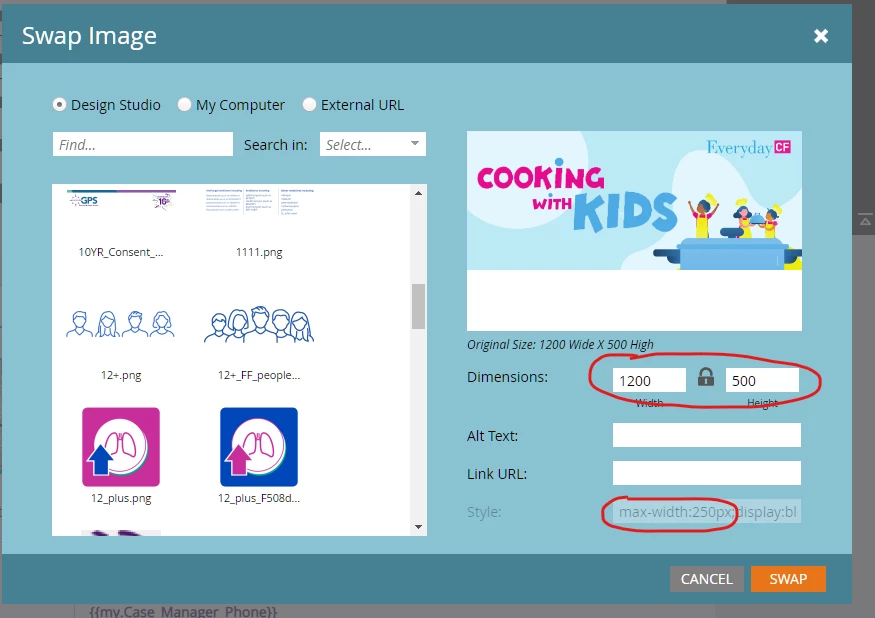
Does anyone know of a good way to handle situations where someone inadvertently 

inserts an oversized image into an email through the mktoImg ImagePicker?
Even though I have a max-width hard-coded and locked, Outlook will still render the

original width and blow out the template.

I know I could hard-code the image width for Outlook clients but I also need to handle
smaller widths as well.

Any help would be appreciated. Thanks.
 

This post is no longer active and is closed to new replies. Need help? Start a new post to ask your question.
SanfordWhiteman
SanfordWhitemanAccepted solution
User Group Leader
Nov 14, 2022 8:16 PM UTC

Don’t see how such a measure (even if it superficially existed) could be enforced, since you could just swap the image in Design Studio and break it all the same.

9 replies

SanfordWhiteman
User Group Leader
SanfordWhitemanUser Group LeaderAccepted solution
User Group Leader
Nov 14, 2022 8:16 PM UTC

Don’t see how such a measure (even if it superficially existed) could be enforced, since you could just swap the image in Design Studio and break it all the same.

Translate
Mark_Kalamaridi
Level 2
Nov 18, 2022 8:57 PM UTC

Thank you. True about swapping images. I'm actually looking for a code work-around that'll

prevent the email from breaking when the large images sneak in. This problem does come up a lot here.

Setting a max-width works but not on Outlook. I could target Outlook with a fixed width but the images uploaded

aren't always the same width. 

So I'm really looking for a max-width work-around for Outlook.


Translate
Disha_Goyal6
Community Advisor
Community Advisor
Nov 15, 2022 4:14 AM UTC

Hi @mark_kalamaridi,


Max-width CSS will not work in outlook email clients. For that, you have to give fixed width to the images.


Hope this helps!


Thanks,

Disha

Translate
Mark_Kalamaridi
Level 2
Nov 18, 2022 8:59 PM UTC

Thank you. Unfortunately the uploaded images are of varying widths so setting a fixed width for Outlook won't always work.

Translate
Disha_Goyal6
Community Advisor
Community Advisor
Nov 21, 2022 4:16 AM UTC

Hi @mark_kalamaridi, you have to give fixed width in code like width="600". In this case, images will automatically adjust to this width and outlook email client will not create any issue. 


Make sure, your width size should be locked at template level. 


Thanks,

Disha

Translate
