Webpage not visible in Smartlist filters after migrating to new instance | Community
Skip to main content
October 14, 2014
Question

Webpage not visible in Smartlist filters after migrating to new instance

  • October 14, 2014
  • 2 replies
  • 929 views
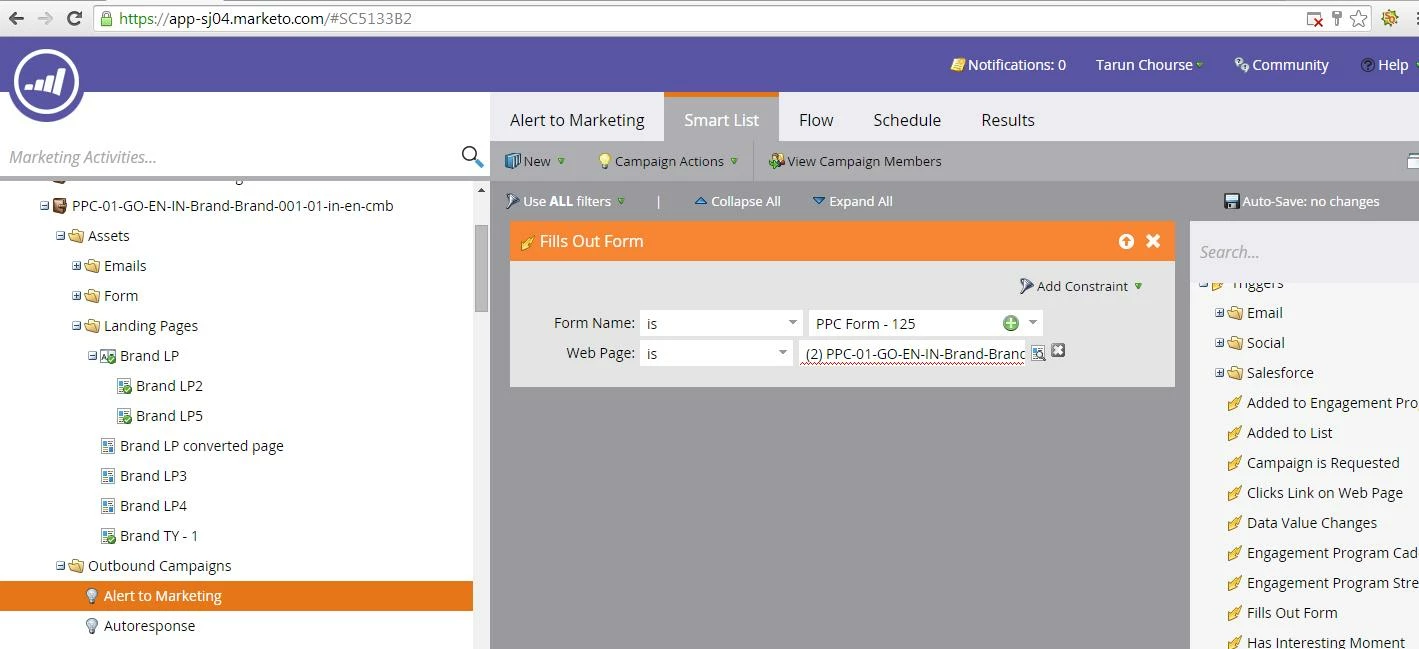
We have just migrated to new instance app-sj04.marketo.com and migrated all the landing pages from old to this one. For test group landing pages, when I try to activate the trigger for alert is shows error and says the landing page is not found. But in the program, the landing pages are present and approved but not visble on webpage in filters inside smartlist. How to make it visible so that I can activate the trigger.

This post is no longer active and is closed to new replies. Need help? Start a new post to ask your question.

2 replies

Josh_Hill13
Level 10
October 14, 2014
Did you try selecting the Test Group Name or main page?

Kenny_Elkington
Adobe Employee
Adobe Employee
October 14, 2014
Hi Tarun,

How were these created in the new instance?  If it was via program import, there's a current bug related to LPs in test groups not being properly created.  Cloning and approving new versions will make working versions.