Using Parentheses in Advanced Filters suppression | Community
Skip to main content
Level 2
October 1, 2024
Question

Using Parentheses in Advanced Filters suppression

  • October 1, 2024
  • 3 replies
  • 1160 views

Hi All,


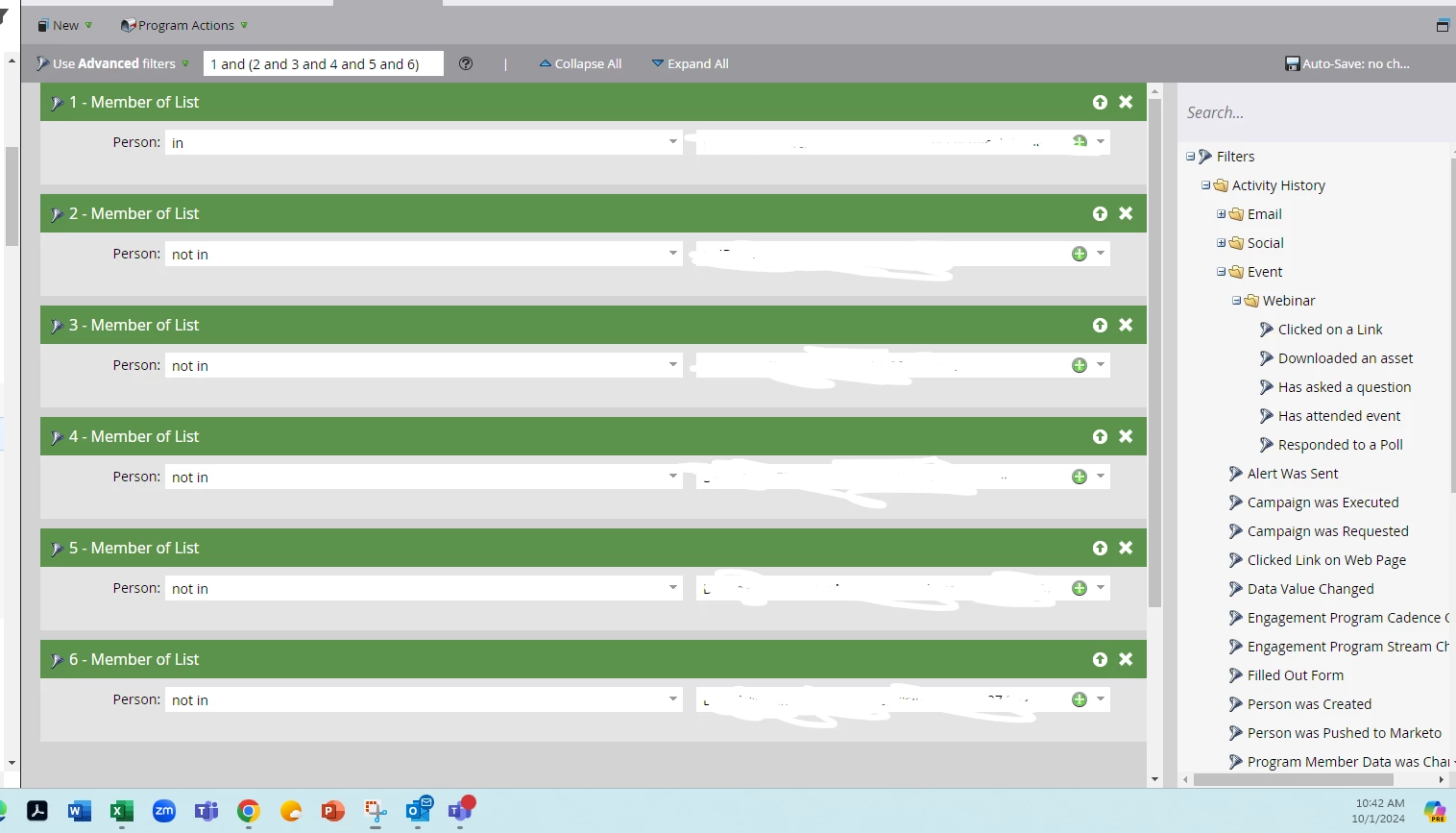
Can someone please assist with a filter/formula for the advanced filter ( see screenshot attached).


I want the following: 

- they must must be a member of list 1

AND 

- they CANNOT be a member of list 2

AND

- they CANNOT be a member of list 3

AND

- they CANNOT be a member of list 4

AND

- they CANNOT be a member of list 5

AND 

- they CANNOT be a member of list 6


List 1 only has 671 people, I want to be sure that everyone in list 1 are not in lists 2 through 6.


Right now, this is the filter I have: 1 and (2 and 3 and 4 and 5 and 6)


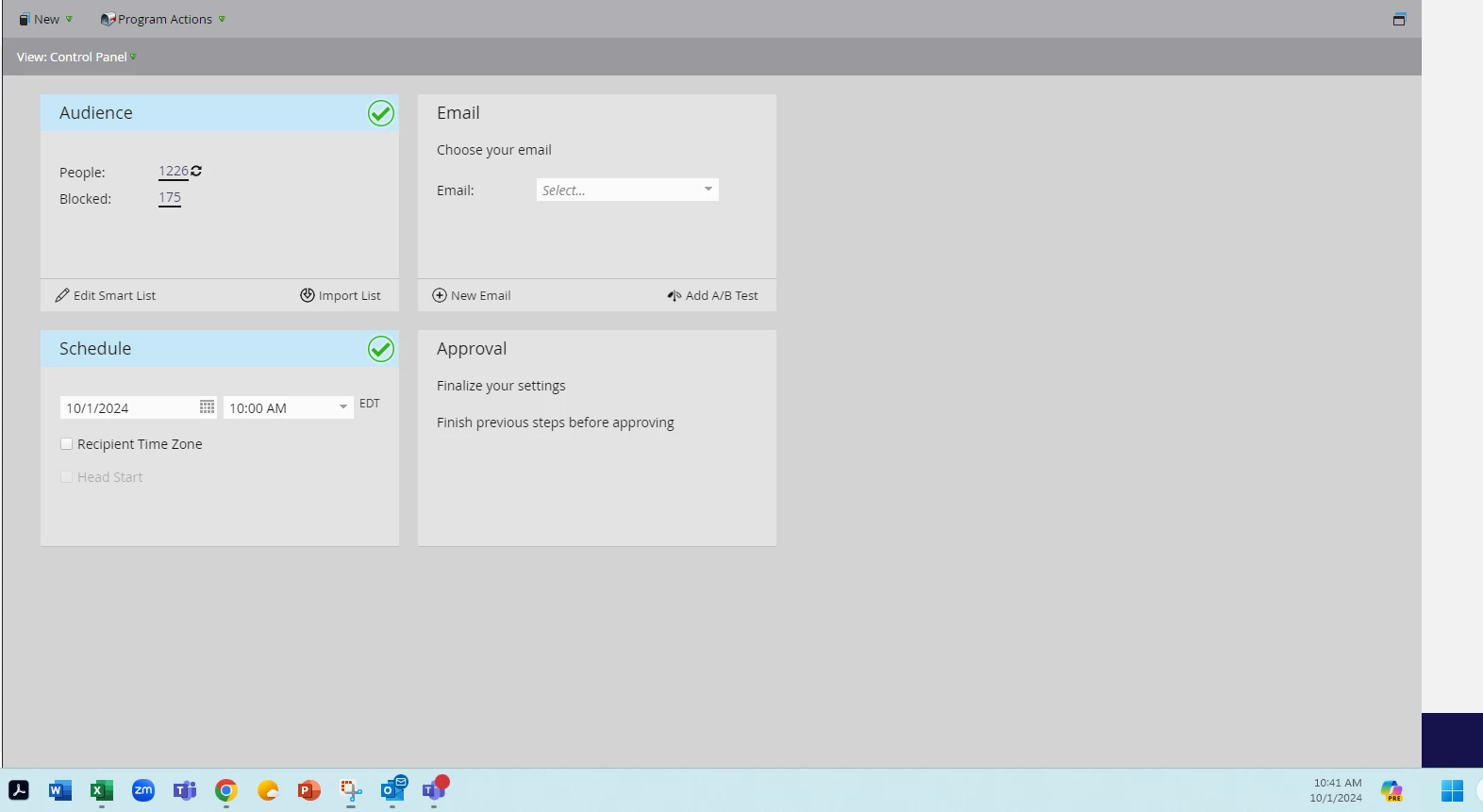
Currently it says 1,226 people will receive the email, when there are only 671 people in list 1.


I just want to be safe and make sure the formula suppresses the correct records.
This post is no longer active and is closed to new replies. Need help? Start a new post to ask your question.

3 replies

namattison-2
Level 2
October 1, 2024

Try updating the filter logic to "ALL", since all filters should be applied; and see if it results in 671 (or fewer) people qualifying to receive the email.

Community Advisor and Adobe Champion
October 1, 2024

Another way to do something like this and avoid all the additional SL filters is to create a SL that either comprises lists 2-6 or has the filters that make up what's in 2-6, and use that in your comparison. So it might look like this:


  • Smart list name: Groups 2-6
  • Logic: Any
  • Filters:
  • Member is in Smart List 2
  • Member is in Smart List 3
  • Member is in Smart List 4
  • Member is in Smart List 5
  • Member is in Smart List 6


Then, in your program you called out below -->

  • Logic: All
  • Member is in Smart List 1
  • Member not in Smart List Groups 2-6


So in my example above, you're combining groups 2-6 to create a large parent list. Then in the list you're building, you're saying I want anyone who is in List 1 who does not appear in that other large group of people. I think that should get you where you need. If you're getting any number larger than what is in your Main Smart List 1, then there is an issue with your logic or your filters.


uditmathur
Community Advisor
Community Advisor
October 4, 2024

Hi @acpmpr ,


Looking at the screenshot & your requirement there is no need for you to use the advanced filter, since you want all the filters to be applied you can just use ALL.


Hope this helps 😊