Using Advanced Filters (I'm confused ><)
Hello,
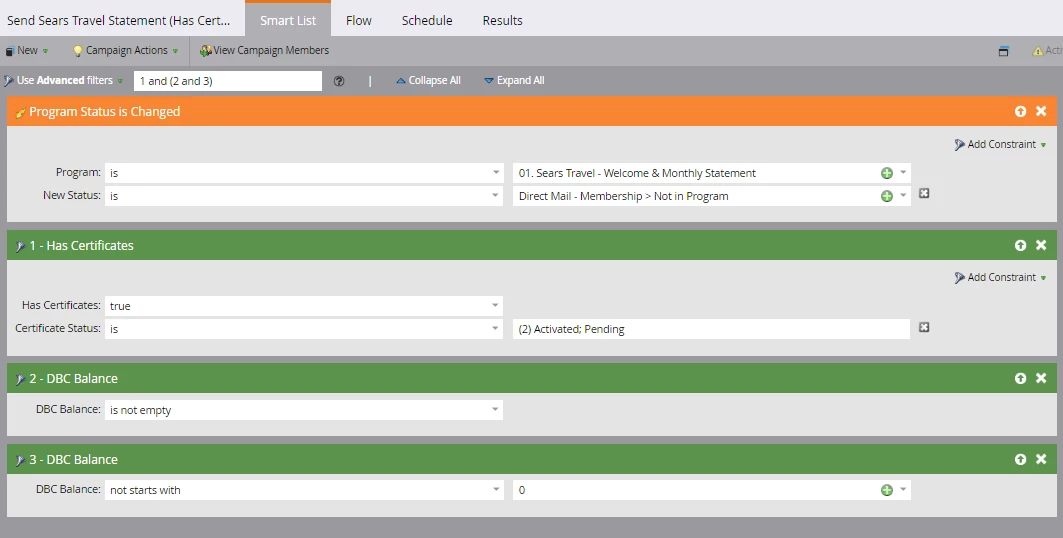
I have another question regarding Smart List Advanced Filters. I want to say that the people I want to qualify for this campaign Have Certificates that are Activated/Pending + their DBC Balance is not empty and that DBC Balance does not start with "0," which would mean it's actually no DBC balance (as we figured out). Is the way I have the Smart Filters currently set up unnecessary? Should it just be ALL Filters?
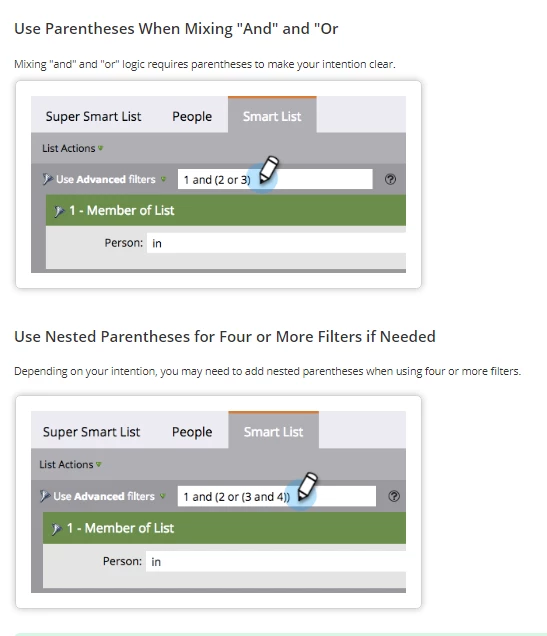
I went to the document on Smart Filters (Using Advanced Smart List Rule Logic - Marketo Docs - Product Docs ) and have a question about the examples below. Can someone provide an example of each of these types of set ups, "Using Parentheses to Mix 'And' and 'Or'' and also "Using Nested Parentheses for Four or More Filters"? The one I'm most confused about is the latter one....
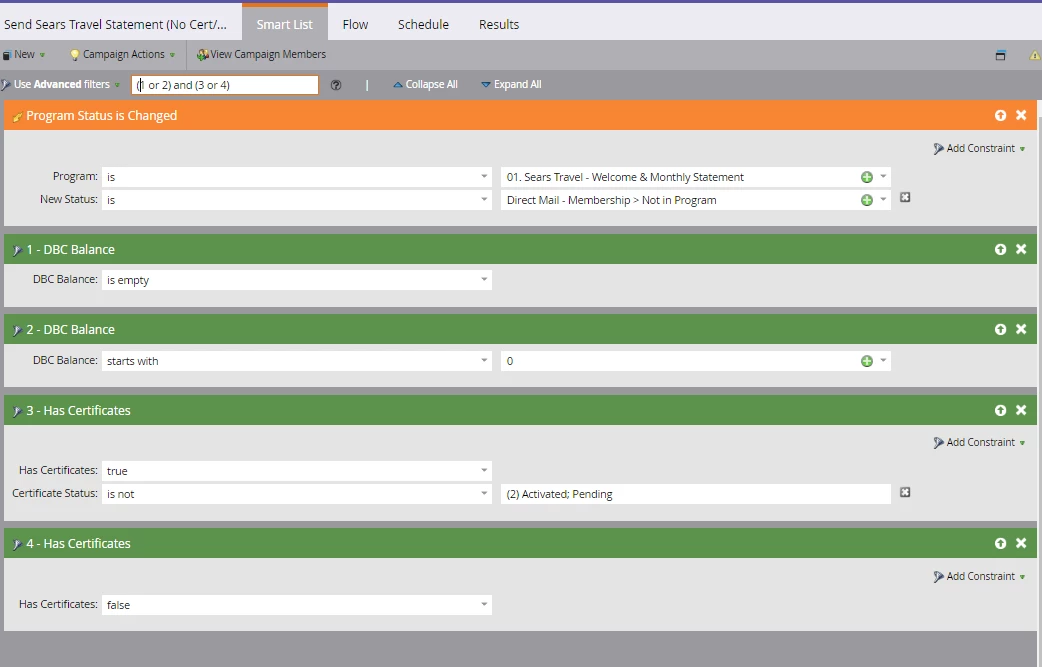
Another question....I have set up the Advanced Filters as (1 or 2) and (3 or 4) as shown below. The reason is that I want anyone who qualifies as either having a DBC Balance that is Empty or a DBC Balance that is 0 PLUS I want them to Have Certificates that are not Activated or Pending OR Have No Certificates (Has Certificates = False). Is this set up correctly to pull in people who meet those criteria?
Thank you much!
Laura Kimball