Use Marketo Custom Object tokens in Trigger Campaigns Flow Steps
Hi Marketo Community,
Recently went through one of the new things and wanted to share with the community.
Use Case- Want to Copy a value of Marketo Custom Object field while Trigger Campaign.
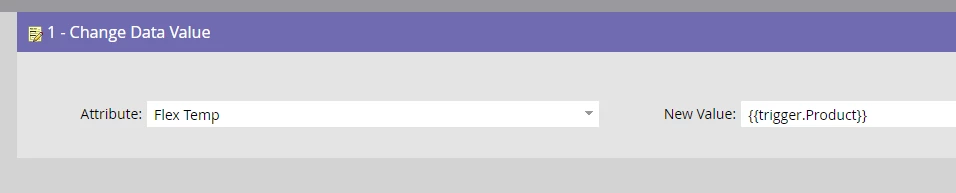
Solution- This can be achieved by using a Change Data Value Flow Step and using Trigger tokens in the New Value area.
Where the format of the token should be {{trigger.Custom Object Field Name}}. In the below example it is {{trigger.COField Name 1}} {{trigger.COField Name 2}}

Please Note- This will only work with Trigger Campaigns and work with the Trigger Campaign having a Trigger for the same custom object for which you want the fields in the Flow Step.
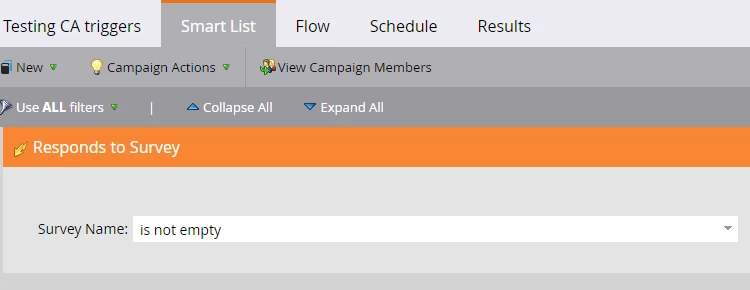
For example- Campaign Smart List- Added to ABC(custom object)
Campaign flow should be: CDV Attribute: Your Field and New Value should be {{trigger.Name of field under ABC object}}
Hope this helps. Feel free to share your suggestions as well, if I am mistaking somewhere.
Thanks 🙂