
Trigger Campaign and Using Same Email Twice 'clicks' and 'clicked' link in email | Community
Skip to main content
Shane_Rourke2
Level 4
January 23, 2026
Solved

Trigger Campaign and Using Same Email Twice 'clicks' and 'clicked' link in email

  • January 23, 2026
  • 3 replies
  • 60 views

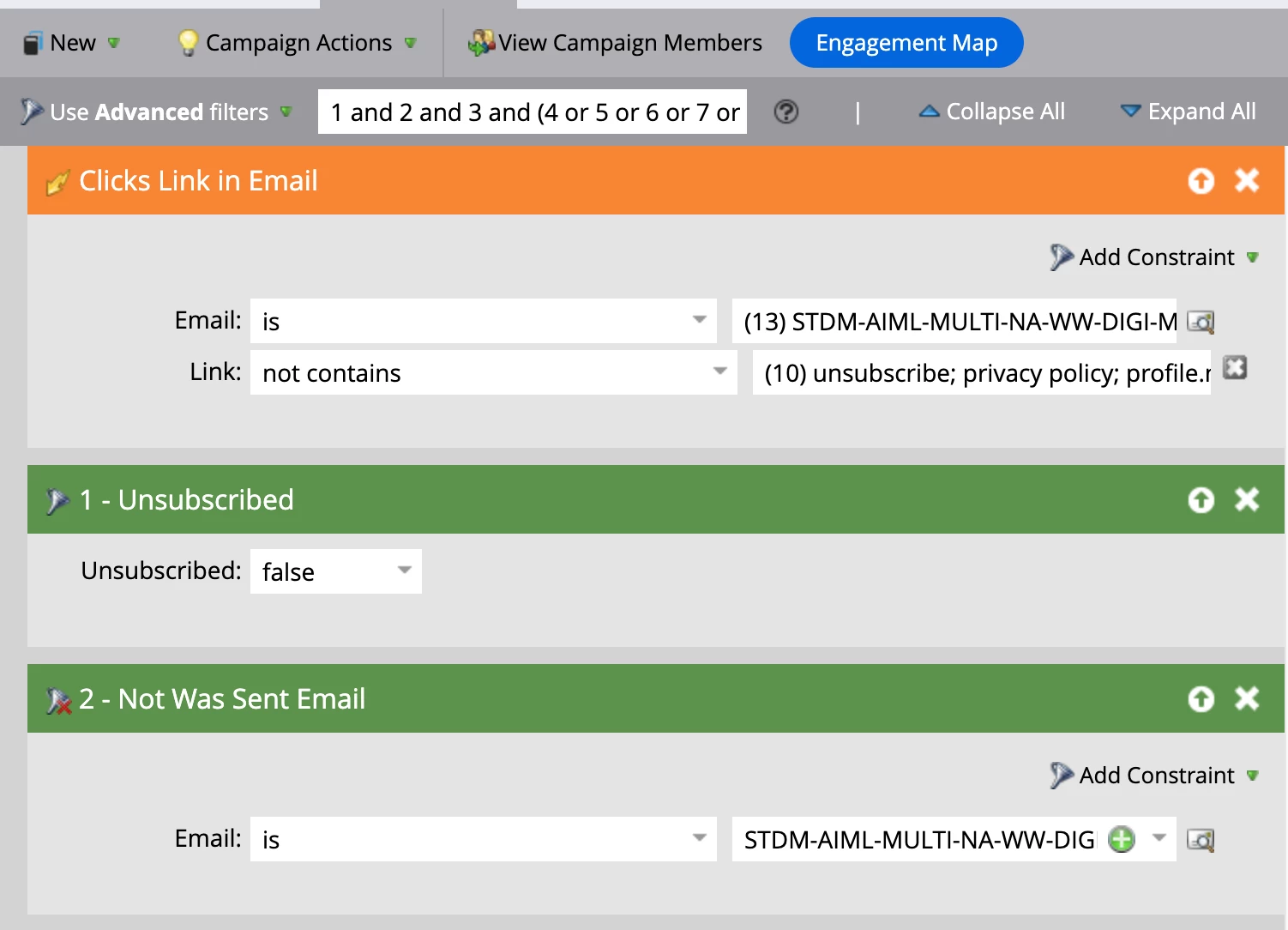
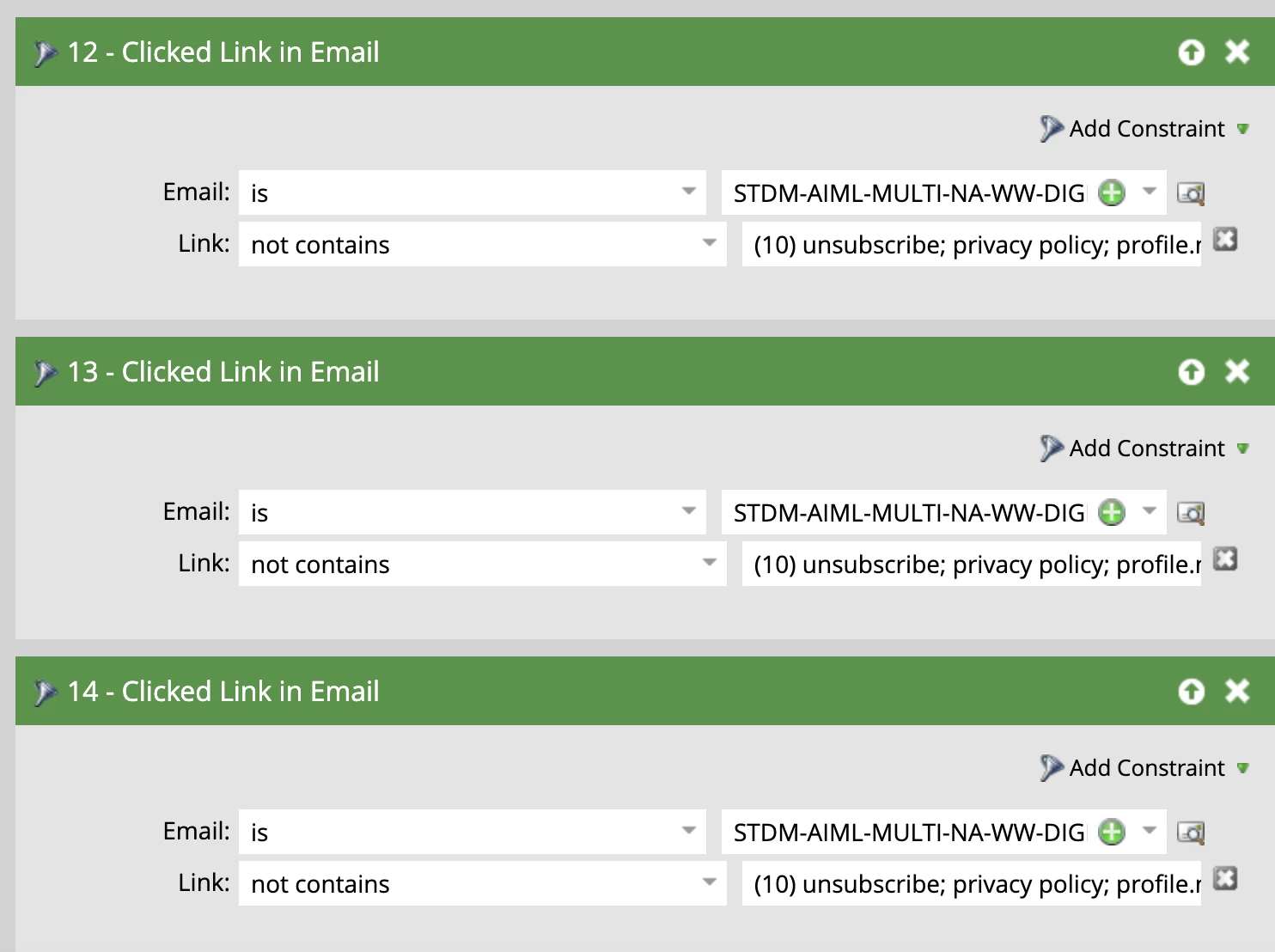
I’m working on an email nurture campaign that includes additional trigger emails based on engagement. Specifically, if a user clicks on two different emails, they receive a special trigger email. I’m trying to manage this within a single smart campaign, but I’m unsure if using the same email (e.g., Email 1) in both the “clicks link in email” and “clicked link in email” conditions would count as one click each. The nurture contains 13 emails, and the trigger email can be sent after any combination of two clicks across those 13 emails. In the following screenshots each email from the 13 in the ‘clicks link in email’ are also in the ‘clicked link in email’ filter. Is there a better way?


    Best answer by ss2026

    Marketo does not double-count clicks across “Clicks Link in Email” and “Clicked Link in Email.”
    However, Marketo also cannot natively detect “clicked two different emails” within one Smart Campaign.
    The correct solution is to track clicks via data fields or separate trigger campaigns.

    3 replies

    Sant_Singh_Rath
    Adobe Champion
    Adobe Champion
    January 23, 2026

    Hi ​@Shane_Rourke2,

    I would recommend using Program Status to handle the special trigger email in this scenario.

    Step 1: Update Program Status to “Engaged”
    Create a triggered smart campaign with:

    • Trigger: Clicks Link in Email

    • Email: Select all nurture emails

    • Constraint: Min. number of times = 2

    In the flow, change the Program Status to Engaged.

    Step 2: Send the trigger email
    Create a second triggered smart campaign based on Program Status Changes, where:

    • New Status = Engaged

    • Flow: Send the special trigger email

    This approach keeps the logic simple and should also give you cleaner reporting at the program level. I would still recommend testing this thoroughly before going live, just to confirm the behavior matches your expectations.

    ~ Sant Singh Rathaur
    SanfordWhiteman
    Level 10
    January 23, 2026

    Except that doesn’t meet the goal of “two different emails.” Someone clicking 2x on the same email will qualify for the Smart Campaign.

    SanfordWhiteman
    Level 10
    January 23, 2026

    Score field. One Trigger Smart Campaign for each email, letting people qualify 1x. When score hits 2, they’ve clicked 2 different emails.

    Sant_Singh_Rath
    Adobe Champion
    Adobe Champion
    January 23, 2026

    Thanks ​@SanfordWhiteman sir. That’s why I suggested to test it properly before going live because that was also my assumption. 

    ~ Sant Singh Rathaur
    ss2026Accepted solution
    Level 2
    January 23, 2026

    Marketo does not double-count clicks across “Clicks Link in Email” and “Clicked Link in Email.”
    However, Marketo also cannot natively detect “clicked two different emails” within one Smart Campaign.
    The correct solution is to track clicks via data fields or separate trigger campaigns.

    saurabh from miinfotech.com