Tracking conversions through an iFrame for Marketo embedded Form on Unbounce pop-up | Community
Skip to main content
Level 1
April 25, 2025
Solved

Tracking conversions through an iFrame for Marketo embedded Form on Unbounce pop-up

  • April 25, 2025
  • 5 replies
  • 1379 views

Hi there,

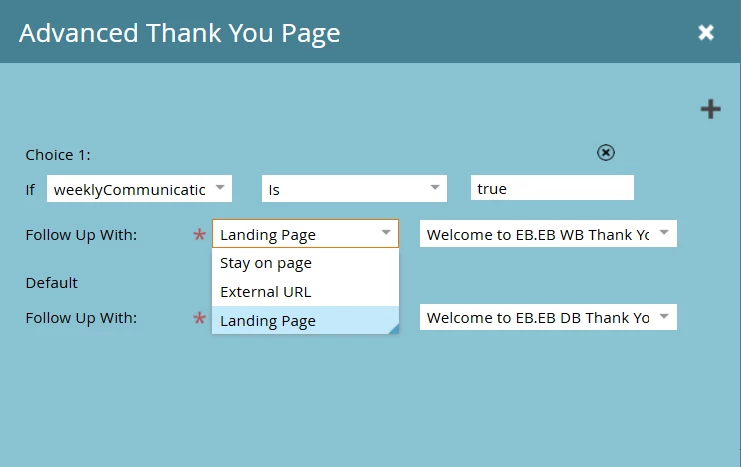
I am working on an exit-intent pop-up using Unbounce for our website and embedded a Marketo Form to track email subscriptions. Unfortunately, once I fill out the subscription form on the pop-up it opens the Marketo Landing Page (Thank You page for subscribing) within the pop-up's iFrame instead of opening a new browser. Any ideas on how to adjust the form settings to push them to a new browser for the page after they subscribe? I'd like to be able to track conversions through Unbounce and have an external conversion tracking script added to this thank you landing page but so far it isn't showing as a conversion. 

As an added note, the conversion tracking script is working through other pages, so I know this is set up properly.


Best answer by NiharikaGoyal

Hi @kpaintereab I have checked your above query and you should add form onSuccess Javascript to your main landing page where the popup with the Marketo form appears. Below is the syntax that you can use:


<script> MktoForms2.whenReady(function(form){ form.onSuccess(function(values, followUpUrl){ // navigate parent window to your target URL return false; // Prevent default Marketo form submission behavior }); }); </script>


Hope that would helpful.

Thanks!!

5 replies

SanfordWhiteman
Level 10
April 25, 2025

This has come up on previous threads — it’s the standard browser behavior when you use an IFRAME!


In order to break out of the IFRAME and redirect the top-level window, you need to use the Forms JS API onSuccess. There’s no setting in Form Editor that knows you want to do this, it needs to be done w/JS on the page hosting the form.


In general, IFRAME-ing Marketo forms isn’t recommended because it also affects attribution — e.g. you must also copy the query string to the IFRAME query string. You should strive to use the form embed in all cases.

NiharikaGoyal
NiharikaGoyalAccepted solution
Level 3
April 28, 2025

Hi @kpaintereab I have checked your above query and you should add form onSuccess Javascript to your main landing page where the popup with the Marketo form appears. Below is the syntax that you can use:


<script> MktoForms2.whenReady(function(form){ form.onSuccess(function(values, followUpUrl){ // navigate parent window to your target URL return false; // Prevent default Marketo form submission behavior }); }); </script>


Hope that would helpful.

Thanks!!

SanfordWhiteman
Level 10
April 29, 2025

@kpaintereab please return to your thread and check responses.

SanfordWhiteman
Level 10
May 13, 2025

@kpaintereab please return to your thread and check responses from our volunteer community members.

Level 1
May 15, 2025

Hi all, I resolved to use the Unbounce form and integrate it with Marketo through a static list that maps to the correct fields. It was the simplest option. Thank you for your insights! 

SanfordWhiteman
Level 10
May 15, 2025

OK. That’s still not the correct solution to your problem. The correct answer is what @niharikagoyal provided, a simple JS redirect.