Smart Campaign Not Running (SFDC campaign Flow Steps) | Community
Skip to main content
Level 2
February 25, 2021
Question

Smart Campaign Not Running (SFDC campaign Flow Steps)

  • February 25, 2021
  • 3 replies
  • 5418 views

Hi,


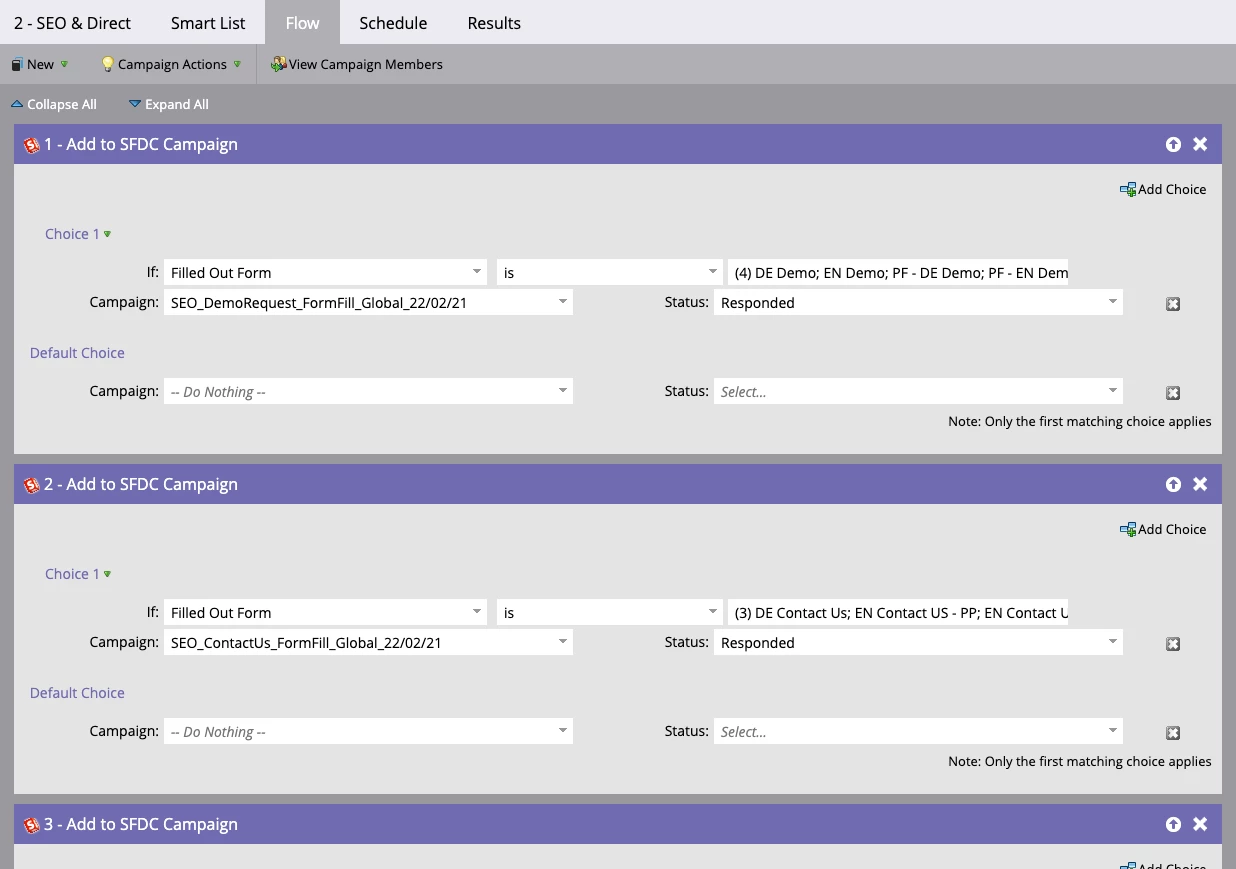
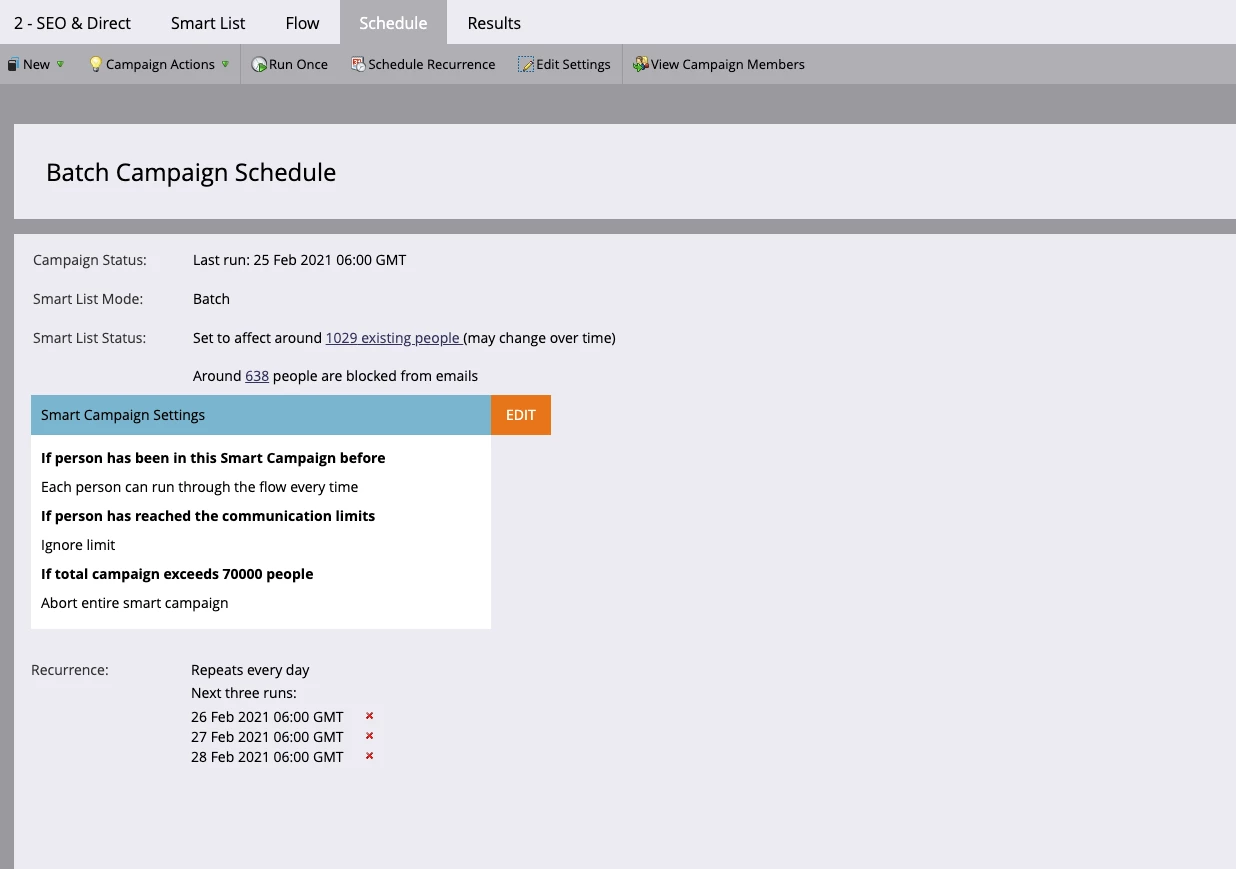
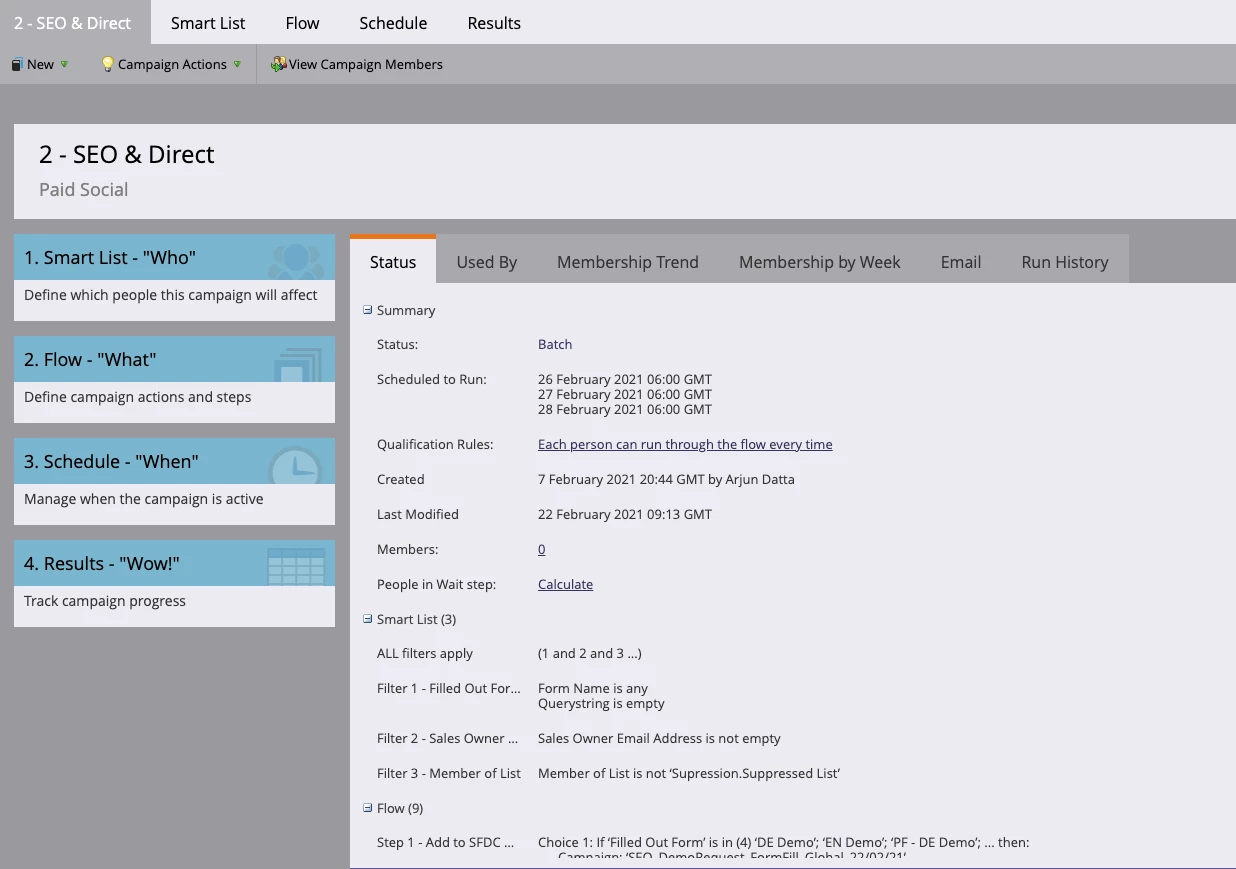
I'm looking to action this smart campaign, I've scheduled and run but there seems to be no action taken or any information in the 'results' section. The members are not being processed, normally if there are flow steps skipped this should be indicated in 'Results' and the summary page would show these members being processed. 

The idea behind this smart campaign is to add a group of members to the relevant Salesforce Campaign. 

Screenshots below: 

I have no idea why this campaign is not being processed...

Thanks, 
Arjun

This post is no longer active and is closed to new replies. Need help? Start a new post to ask your question.

3 replies

IT_IAPP
Level 2
February 25, 2021

What is the criteria on the smart list tab?

Level 2
March 1, 2021

This is a static list we use to exclude competitors, internal employees, bogus form fills etc.

SanfordWhiteman
Level 10
February 26, 2021

Please show us screenshots of

  1. the Filled Out Form activity details in the Activity Log of a person you think should have qualified
  2. the Sales Owner Email Address of the person
Level 2
March 1, 2021

Hello, 
So this contact should've been added based on the second flowstep as they filled in the 'contact us' form. 


Any ideas here?

Thanks, 
Arjun

Michael_Florin-2
Level 10
March 1, 2021

Is the querystring really empty on these form submits?


But I guess what you're asking is: How can it be that I see 1029 records that are supposed to be affected by my campaign, yet the campaign always runs for 0 people and there's nothing in the results tab. And I don't have a good answer for that. I'd file a ticket with Marketo support.


Katja_Keesom
Community Advisor and Adobe Champion
March 3, 2021

The one thing I still have not seen a screen shot of, which was the first question asked, is what is in the smart list?

I see a choice for Filled out form in the flow step, but if the filter for Filled out form is not in the smart list this will never work. Can you please share a screen shot of the smart list?

SanfordWhiteman
Level 10
March 3, 2021
I was working off the Status tab in the first screenshot.