Reporting on A/B testing through Email Programs | Community
Skip to main content
Level 2
February 16, 2021
Solved

Reporting on A/B testing through Email Programs

  • February 16, 2021
  • 1 reply
  • 4974 views

Hey there, 


I'm planning some extensive A/B testing in 2020 and considering the benefits of setting up AB tests in an Email Program vs. a Smart Campaign


We are leaning towards setting up AB tests through Email Programs, as the functionality/flow is a bit more user-friendly. 


However: I was wondering if there is an easy way to pull vanity & performance metrics (ie. Open Rate, CTR, Bounce Rate, etc) for emails that are run through an AB test through Email Programs -- for each email/factor we're testing. The dashboard for the post mortem AB test from an Email Program is extremely helpful, but when you export the "raw data", it's quite confusing and hard to interpret (see sample below): 
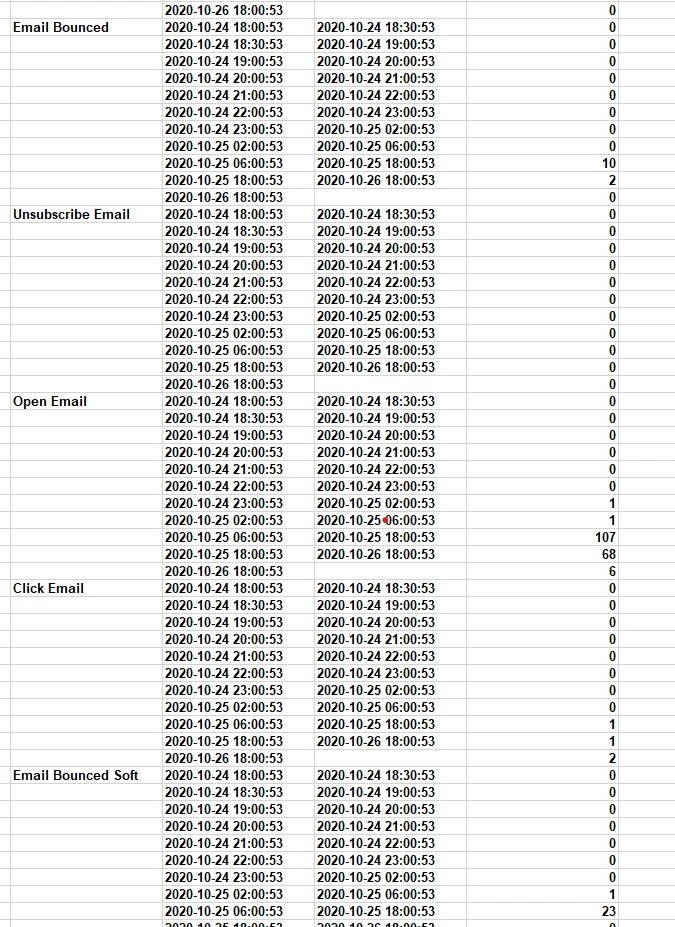
 

For the purposes of ongoing reporting to other teams, it's important for us to be able to share out these core metrics (like open rates, CTR, etc.).


I know that you can pull performance by setting up an Email Performance Report, but this does not break out the performance of each email or factor we're testing (and treats the email as "one").


Does anyone have any suggestions for how to get these performance metrics when running AB tests through email programs?
This post is no longer active and is closed to new replies. Need help? Start a new post to ask your question.
Best answer by Grace_Brebner3

Hey there,


Interestingly enough, you actually can do this with an email performance report.


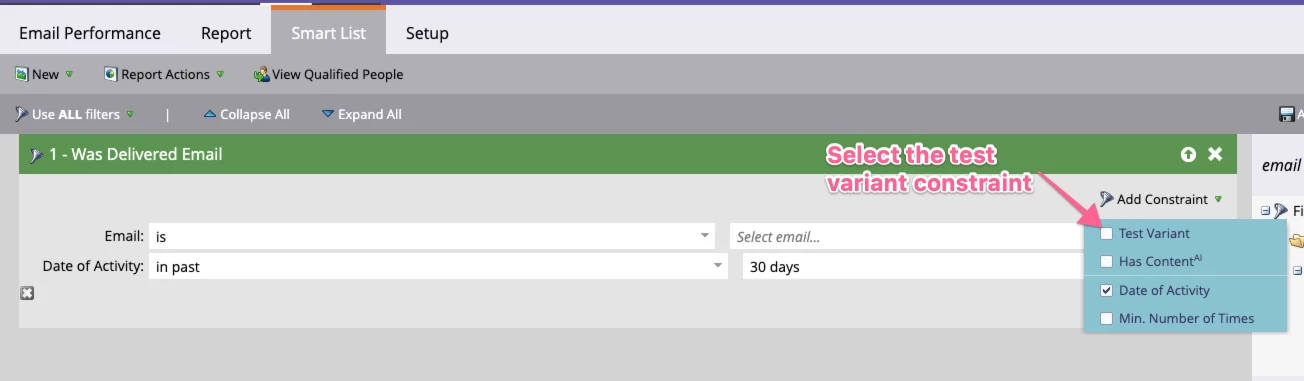
If you go into the smart list component of the report and add a filter like "was delivered email", you'll see an option in the constraint list called "Test Variant". 


This will result in a report that only shows one of the versions sent. You can then create another report within the program that constrains to the other version(s).


Hope that helps 🙂


1 reply

Grace_Brebner3
Grace_Brebner3Accepted solution
Level 10
February 21, 2021

Hey there,


Interestingly enough, you actually can do this with an email performance report.


If you go into the smart list component of the report and add a filter like "was delivered email", you'll see an option in the constraint list called "Test Variant". 


This will result in a report that only shows one of the versions sent. You can then create another report within the program that constrains to the other version(s).


Hope that helps 🙂


JmhayesAuthor
Level 2
March 1, 2021

This is great!! Thank you for your help on this, Grace.