Correct, I'm trying to display the value of the field entirely, if it contains data. Once I get the script to work, the plan is to repeat the script 20 times to display all of the possible Contract Numbers currently owned by the customer. I'm sure there is a more efficient way of displaying all of the contract numbers, but I was starting out small, and the reason we didn't want to just place the tokens directly in the email is to avoid all of the extra spaces generated from the tokens with empty values.
I'm not sure if my syntax is correct. Any suggestions?
the reason we didn't want to just place the tokens directly in the email is to avoid all of the extra spaces generated from the tokens with empty values.
But there aren’t any spaces “generated from the tokens with empty values.” If a field is empty, the corresponding {{lead.token}} generates nothing at all.
It seems like you’re actually outputting something else, like I asked here:
Again, are you just trying to output *the value of the field*, as long as it's not empty?
Or some other value as well/instead, which you want to suppress completely if the field is empty?
That “something else” can be as simple as a <br> tag, or a wrapper <div> or <p>. If you type this in a Rich Text box, hitting Enter for a new line:
{{lead.Token 1}}
{{lead.Token 2}}
And Marketo implements that line break via a wrapper <div>:
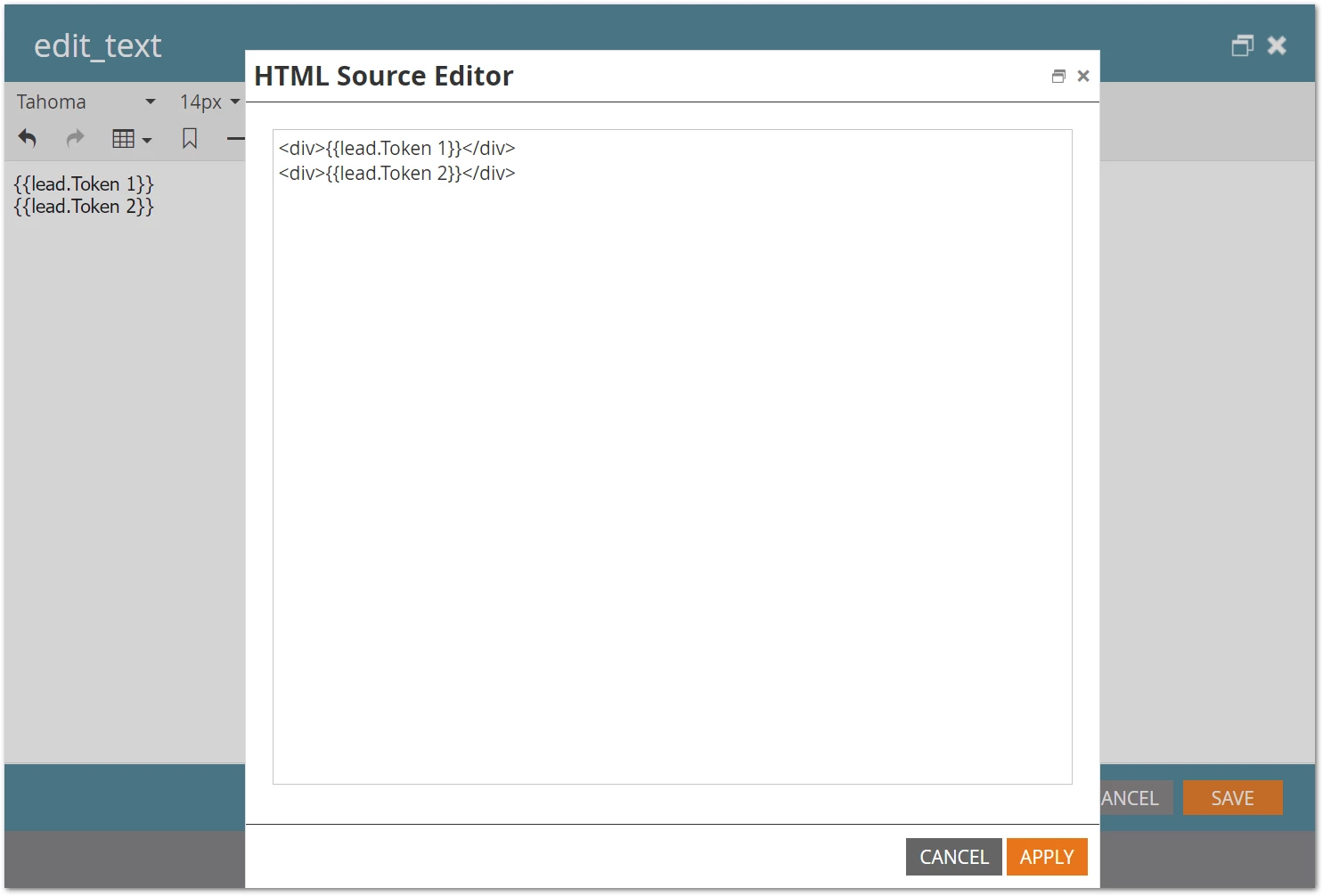
Then when the values are empty, the token output will also be empty. But the rendered HTML will have a couple of raw line breaks (note the height of the <div> is still 0 by default, though any number of styles can change that):
<div>

</div>
<div>

</div>
Those line breaks aren’t from the token, however. They’re from the way the <div> is rendered.
Now if you want no <div> at all if the token turns out to be empty, you do indeed need Velocity. But you’re overcomplicating it, it’s just like this:
#if( !$lead.SomeField.isEmpty() )
<div>${lead.SomeField}</div>##
#end
The trailing ## removes even the line break from the output, so you can get the <div>s right next to each other with no whitespace.