Multiselect checkboxes in a form | Community
Skip to main content
Milena_Volkova
Level 3
June 25, 2024
Solved

Multiselect checkboxes in a form

  • June 25, 2024
  • 1 reply
  • 2770 views

Hi everybody. I need to create a form where people can sign up for training events and select up to 16 different events/days/times at a time. Upon form submission, Marketo should send an email alert to the internal team listing the options selected. 

I can create 16 checkbox (boolean) fields and 16 string fields. The string fields will contain the day/time information that corresponds to each T/F checkbox. If checkbox 1 = TRUE, then I change the data value in the corresponding string field 1 so I can use that text in the email alert, etc. 

I'll recycle these fields as the dates pass and new dates are added to the schedule. 

In the email alert body, there will be gaps because not all dates will be selected. 

Is there a more scalable and elegant solution to this that's still easy to implement? 

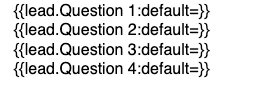
This is what it looks like in the email setup: 
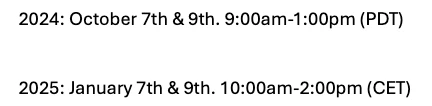
and here is this text in the actual email when option 1 and 3 are selected; the white space is due to option 2 not having been selected in the form: 
 

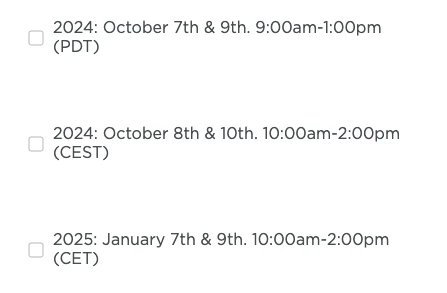
Another problem is that there is too much space between the lines in the form (whether or not I use a fieldset or place these fields separately without a set). Where there are 16 of them, it'll be really long and ugly. Maybe it's possible to make this list look more compact in CSS: 
Any advice would be appreciated.


This post is no longer active and is closed to new replies. Need help? Start a new post to ask your question.
Best answer by SanfordWhiteman

That setup with Booleans and Strings is almost certainly not the way I’d do it.


But if you must do it that way, you can use a Velocity token to output only the non-empty fields.

#set( $fields = [ "Field_Apple", "Field_Orange", "Field_Pear", "Field_Banana" ] ) #foreach( $field in $fields ) #if( !$lead[$field].isEmpty() ) ${lead[$field]}<br> #end #end


1 reply

SanfordWhiteman
SanfordWhitemanAccepted solution
Level 10
June 26, 2024

That setup with Booleans and Strings is almost certainly not the way I’d do it.


But if you must do it that way, you can use a Velocity token to output only the non-empty fields.

#set( $fields = [ "Field_Apple", "Field_Orange", "Field_Pear", "Field_Banana" ] ) #foreach( $field in $fields ) #if( !$lead[$field].isEmpty() ) ${lead[$field]}<br> #end #end


Milena_Volkova
Level 3
June 26, 2024

Thank you, Sanford! Is there a better approach than 32 checkbox + string fields? 

SanfordWhiteman
Level 10
June 27, 2024

Yes, you only need a single Textarea field and then 16 different checkboxes on the form (using the Checkboxes type in Form Editor).


Each box corresponds to a separate sub-value. All sub-values are automatically concatenated by Marketo, with a semicolon as the delimiter.