


[More Updates] New Email Editor for Marketo Engage is now live!
Hello Everyone!
By now, most of you already know that we have launched the editor and its enablement to all Marketo customers (who have already migrated to IMS) from Feb 5th, 2025.
Here are the highlights you can find in Part 2 of the new designer blog series (in case you missed the first one - Check here)
- New features that we added
- Join the challenge to shape what's next
New features
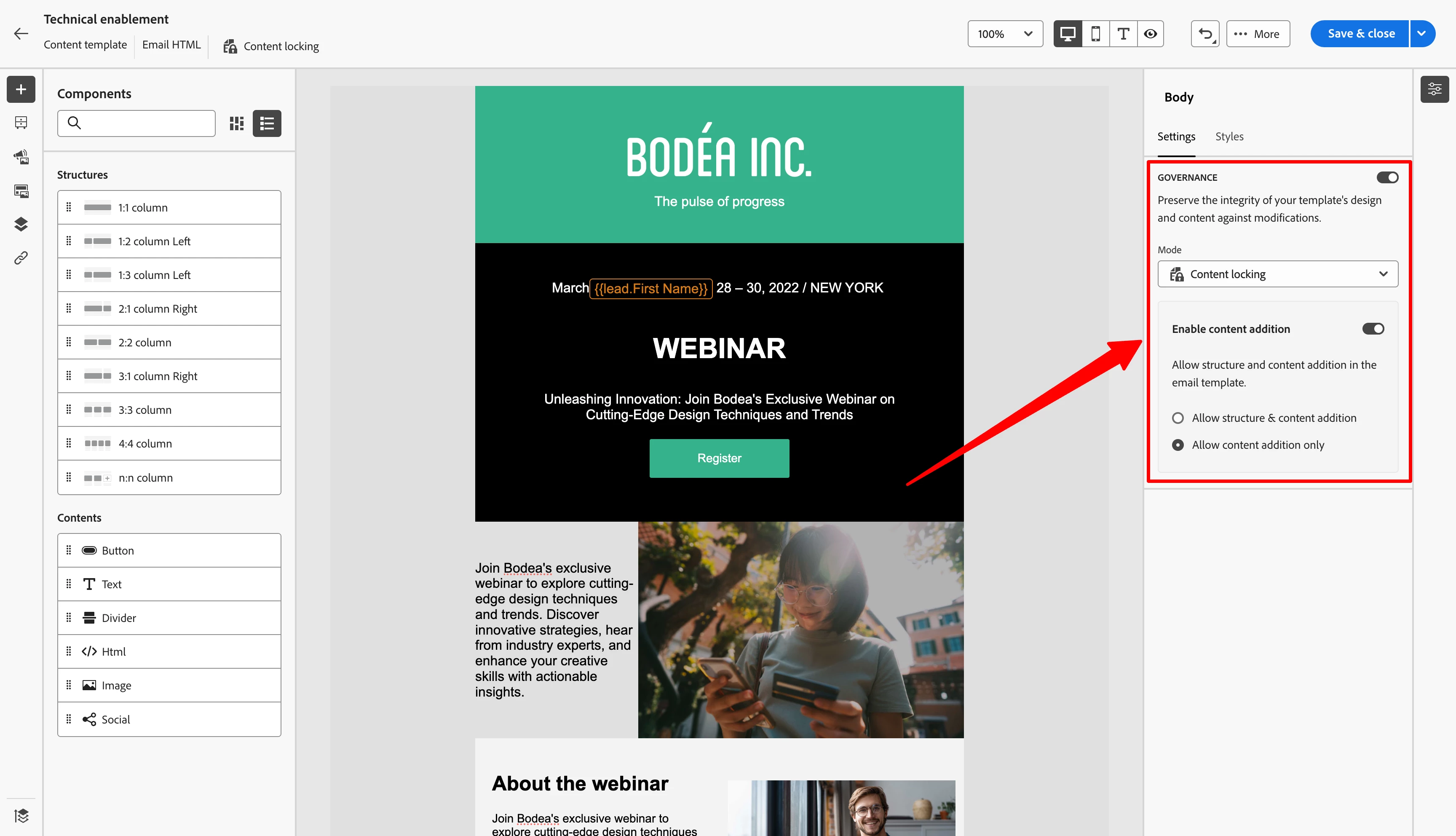
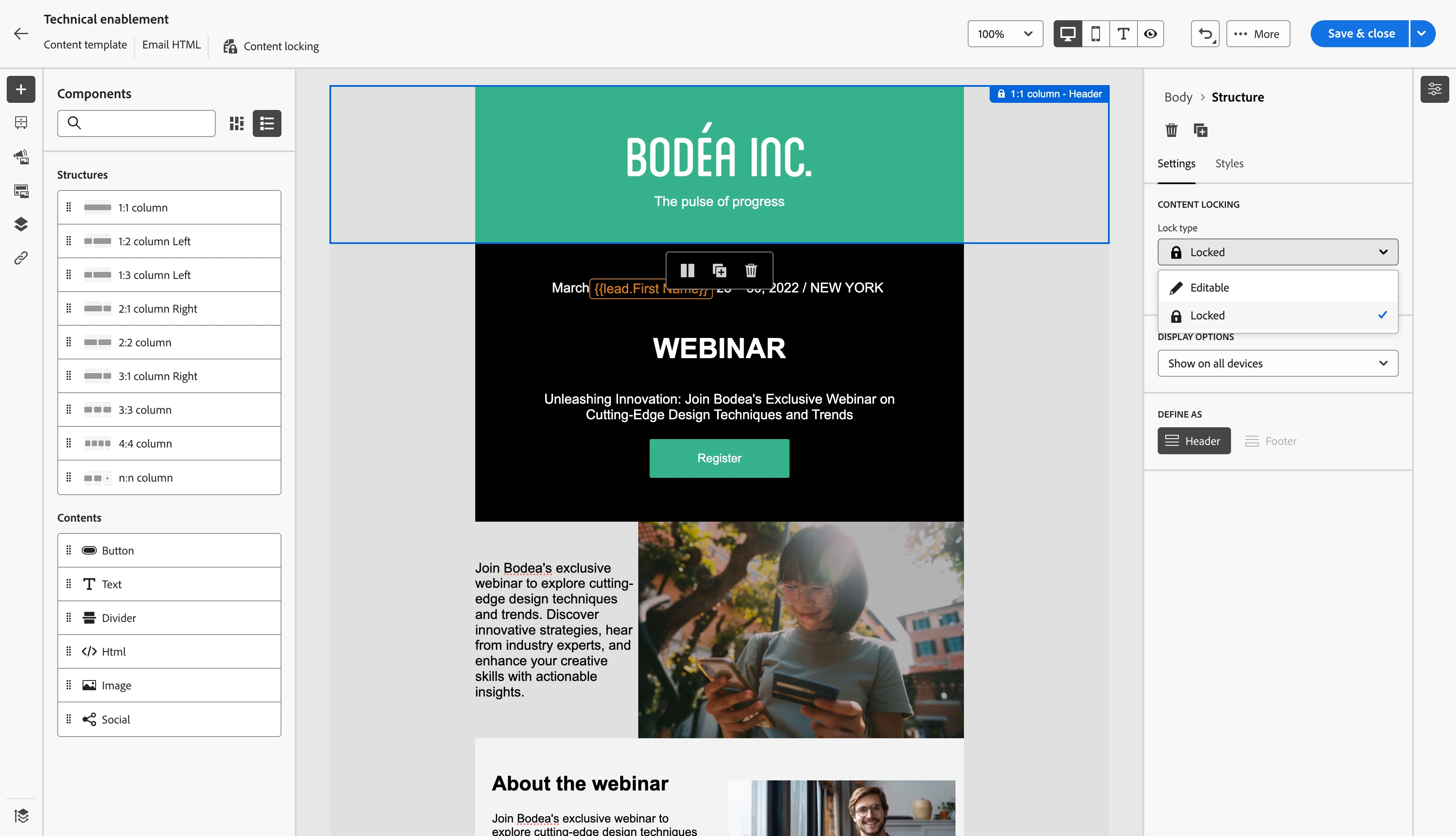
Content Locking
Now you can lock specific sections in an email template. Now this supports just locking the full template but also specific sections of the email template. You can even partially lock the content too (eg: allow editing the content but not the structure)
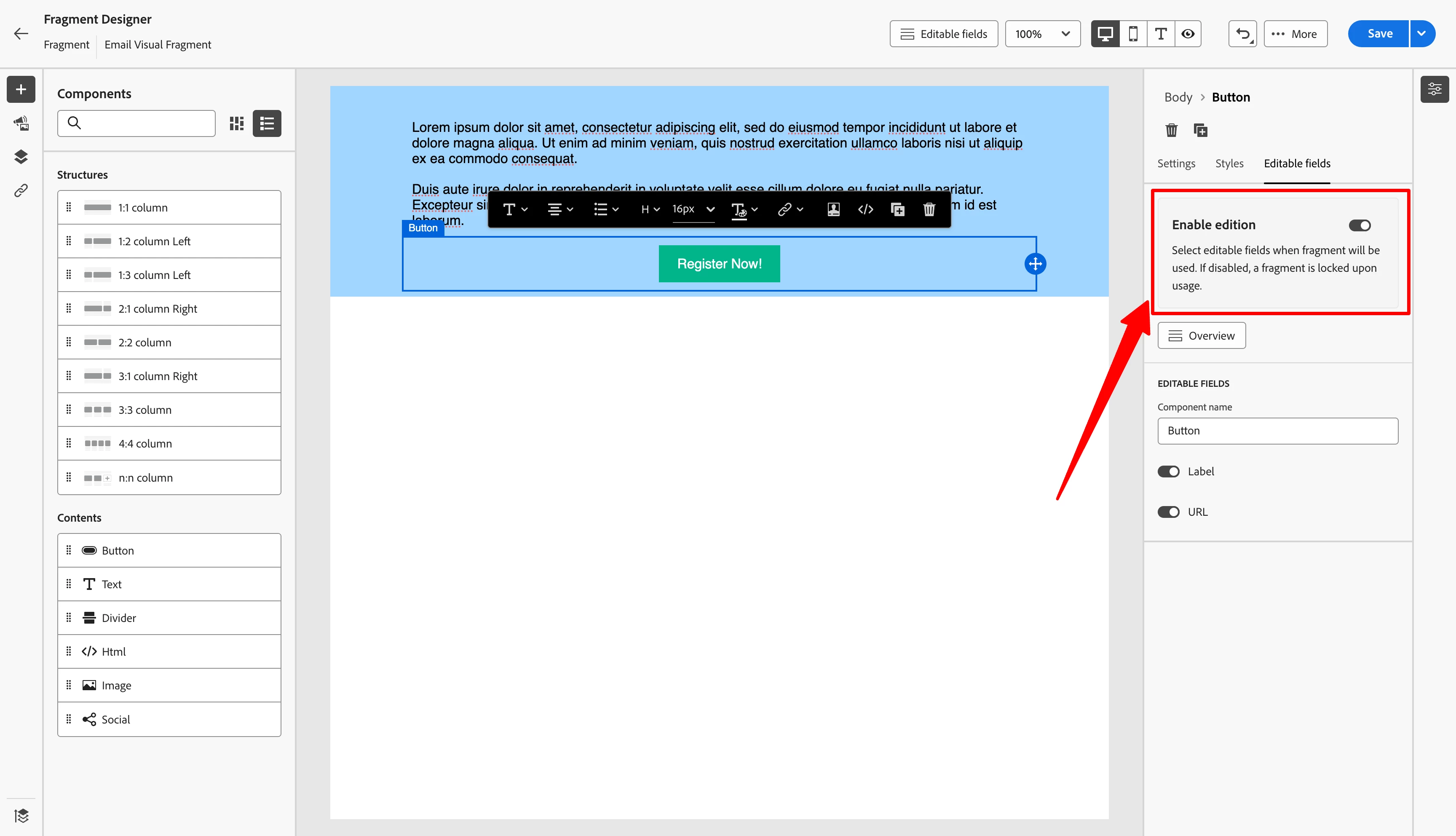
Parameterized Fragments
Fragments are reusable content blocks that can be created centrally and inserted into your Emails and Email Templates.
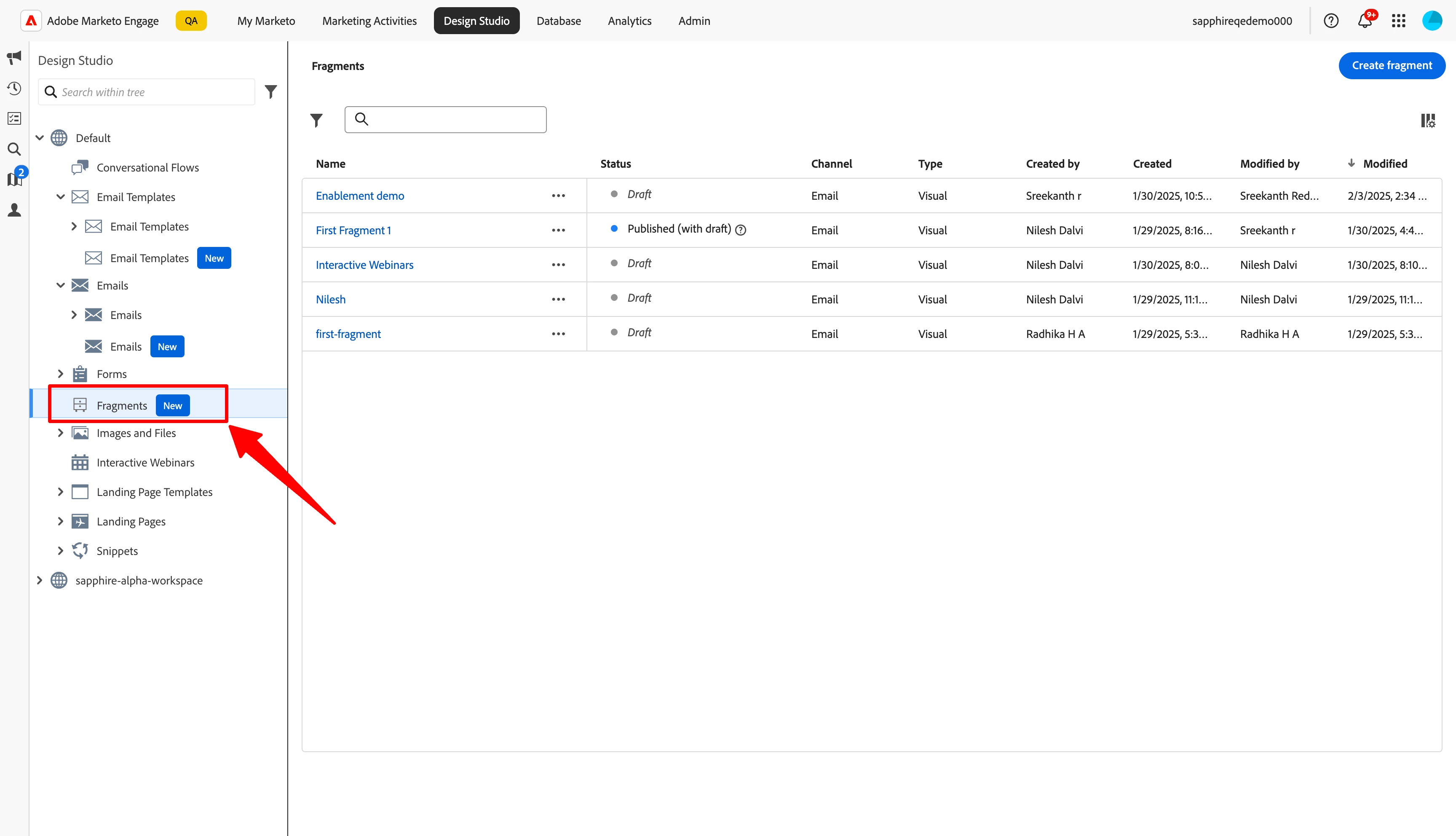
Not only these are reusable content blocks, you can even parameterize the content inside fragments that can be edited inside an email where this fragment is being used.
Are you asking yourself - "How fragments are different from Snippets?"
Let me answer that: With the new email editor, we introduced parameterized/customizable fragments, replacing snippets for modular content management. Here’s how they compare:
| Feature | Snippets (current Editor) | Fragments (New Editor) |
|---|---|---|
| Usage | Used only in the current email editor | Designed for the new email editor |
| Customization | Static—cannot be edited within the email | Fully customizable within each email |
| Content | Limited to predefined content | Supports flexible, modular content blocks |
| Dynamic Capabilities | Can be used with dynamic content | Can be used with conditional content (coming soon) |
Key Takeaway:
If you're using the new email editor, fragments provide greater flexibility, allowing you to edit content directly in an email while maintaining consistency across emails. Snippets are still available in the current editor but cannot be used in the new experience.
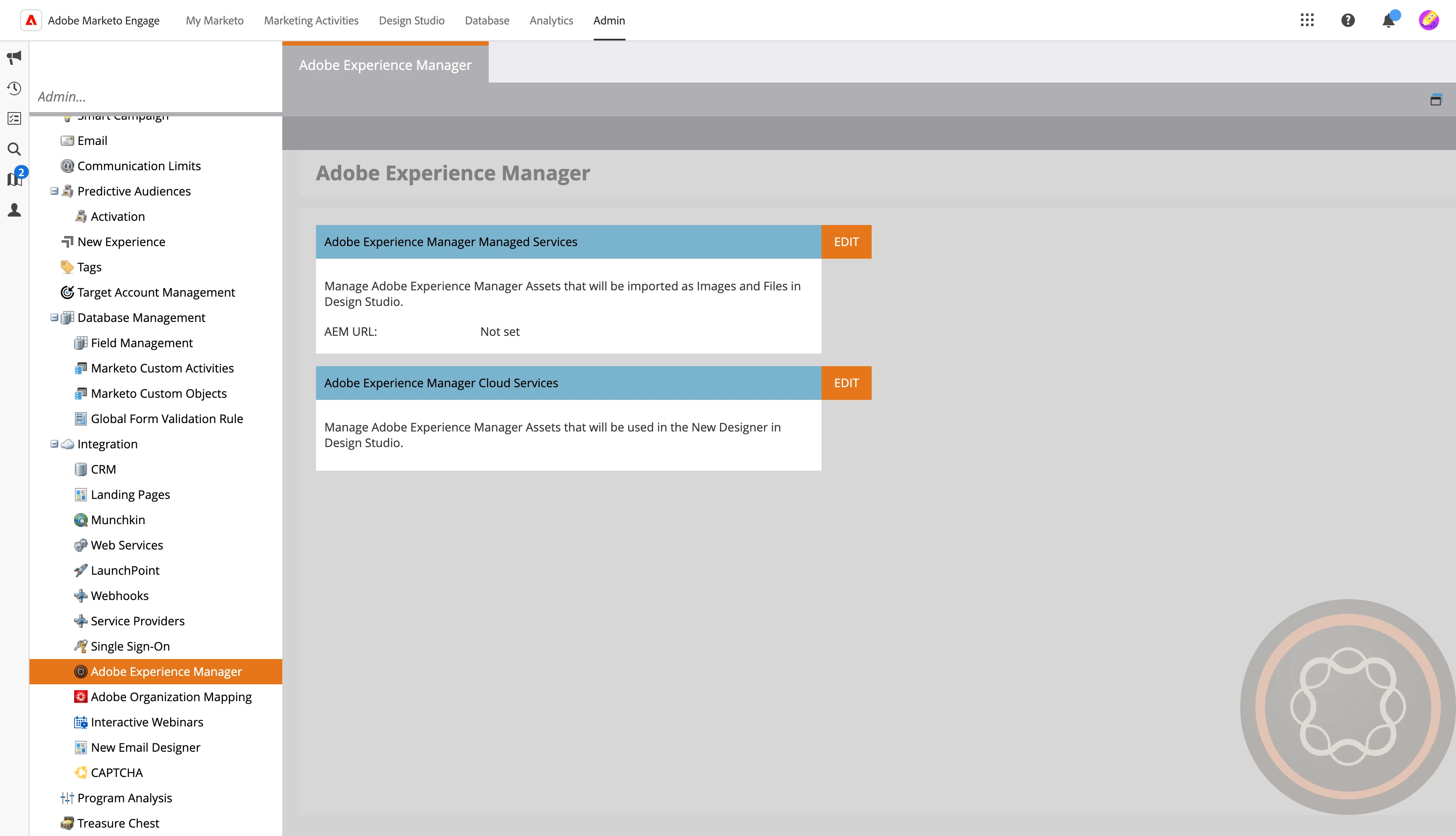
AEM Assets Integration
Activate your AEM Assets license inside your Marketo Engage instance and use images directly from AEM Assets while designing your Emails or Email Templates. These images always stay referenced and get updated automatically if the respective image is updated in AEM Assets.
Let’s Shape the Future Together!
As part of this challenge, we want to partner with you to shape the future of the new email editor. Your ideas and creativity will directly influence the next set of features. Ready to make your mark? Here’s how:
1. Create Your First Email
Use the new email editor to design your first email. Once you're done, share a screenshot or a link to showcase your creation.
2. Tell Us What You Want to See Next
Your feedback matters! Comment on this blog with the features you’d love to see added or improved in the editor. This is your chance to voice what matters most to you.
Why Participate?
In 4 weeks, we’ll highlight the most popular feature requests and announce the winning ideas that will be implemented next.
Share the Love
Spread the word by sharing this blog and writing a simple post on LinkedIn with the hashtag #MarketoNextLeap. Show off your email design, inspire your network, and encourage others to join the challenge.
This is your chance to impact the future of Marketo Engage directly. Let’s create, share, and innovate together!
In case you missed the previous videos and other resources on the Email Designer, you can check them out below:
-
[VIDEO] Introducing the New Email Designer for Marketo Engage
- Step by Step Tutorial: Try the New AI-Powered Email Designer in Adobe Marketo Engage