
Landing Page Report Tricks | Community
Skip to main content
Brian_Law_MKTO
Adobe Employee
Adobe Employee
May 3, 2016

Landing Page Report Tricks

  • May 3, 2016
  • 2 replies
  • 4418 views

The landing page performance report in the analytics area of Marketo is helpful for reporting on the following information:

  • Marketo landing page name
  • Total Views
  • Conversions
  • Conversion rate
  • New names
  • First/Last Activity

Example

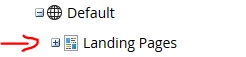
Some of the things the report doesn't include are Page URL, Template, Editing Mode and Program. This information can be found in the Design Studio area of Marketo. When you click on Landing Pages you will only see the Page Name, Approved, Mobile Enabled, Templates, Editing Mode and Program. However, when you export the information you will also be able to see the Page URL, Views and Conversions.
Example

Export Example

By the way, you can use the view to approve landing pages in bulk.

This post is no longer active and is closed to new replies. Need help? Start a new post to ask your question.

2 replies

May 6, 2016

Hi,

I tried to take a report for a program.

Same way, In India work space, Design Studio > Landing Pages >  "Clicked on the search and typed the program name", got on the list too. When I clicked on the Program, it took me to the Marketing Activities page and to the Landing page.

Here's my doubt,

On the Statistics, it shows around 297 views, 158 Filled out forms (53%).

How do I export this report?.

When I tried and export from a Smart List to get the number of form fills, I got around 111 form fills alone.

So which one is the correct count.?

Statistics:

Smart List:

Brian_Law_MKTO
Adobe Employee
Adobe Employee
May 10, 2016

Hi David, The stats in your screen shot are total views and form submissions, they are not unique views and form submissions. The total in your smart list is unique form submissions.
