Insert a URL Parameter into thank you page URL (using advanced choice options) | Community
Skip to main content
June 26, 2015
Solved

Insert a URL Parameter into thank you page URL (using advanced choice options)

  • June 26, 2015
  • 3 replies
  • 5773 views

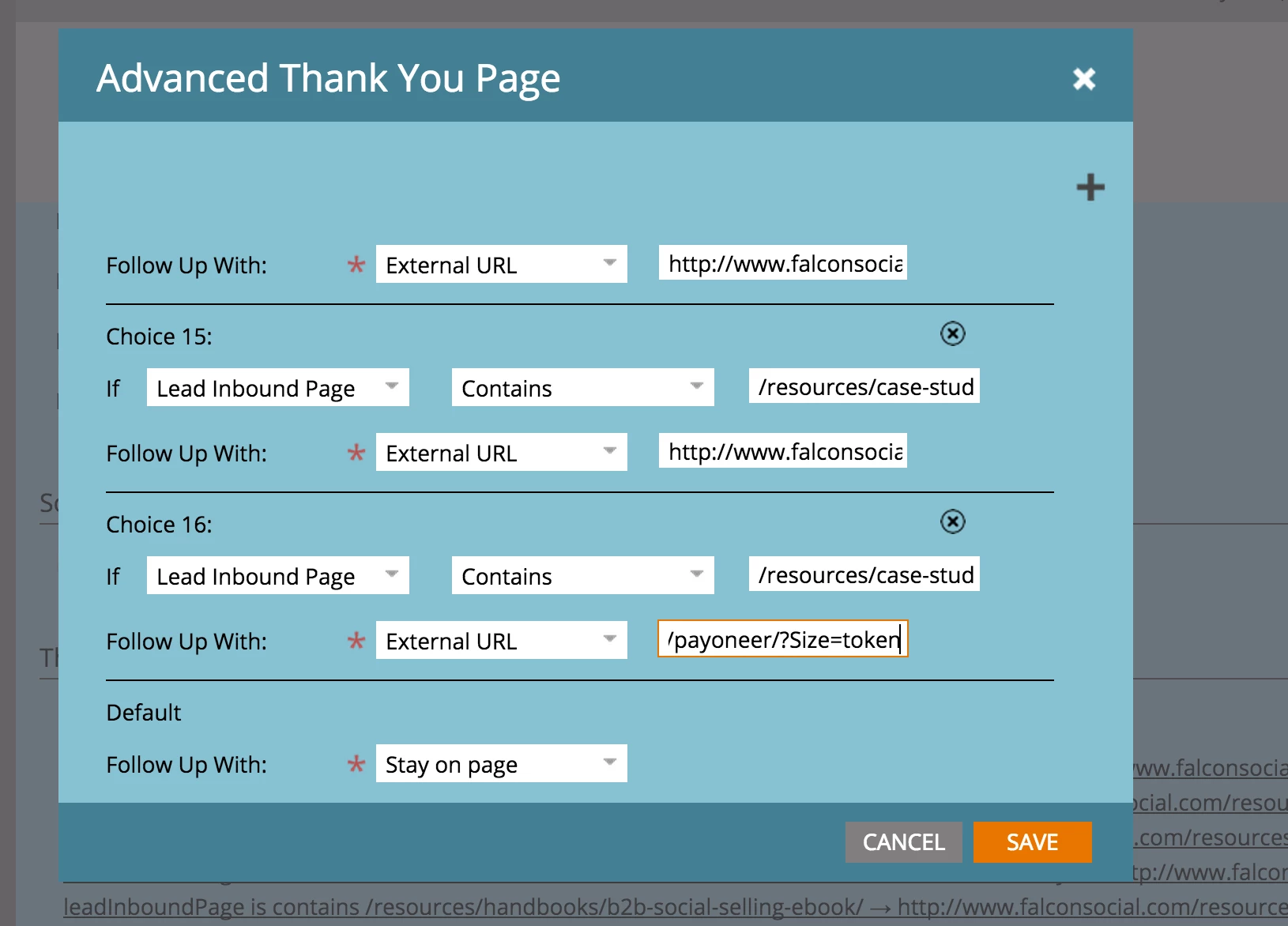
How do you add a token as a URL parameter in the advanced thank you page logic (choice). so you can leverage a field value to pass through the thank you page (and be used for retargeting purposes).

Any one has implemented this before using the advanced choice and manually pasting the token here (as part of the URL)? Or do we need JS to push the value to the URL?

HELP!
This post is no longer active and is closed to new replies. Need help? Start a new post to ask your question.
Best answer by SanfordWhiteman

Is the field value you want to tokenize a field on the form itself?  In that case you can do something like this in the form's onSuccess:

form.onSuccess(function(vals,thankYouURL){

    document.location = thankYouURL + '&Size=' + vals.size;

    return false;

});

3 replies

SanfordWhiteman
SanfordWhitemanAccepted solution
Level 10
June 26, 2015

Is the field value you want to tokenize a field on the form itself?  In that case you can do something like this in the form's onSuccess:

form.onSuccess(function(vals,thankYouURL){

    document.location = thankYouURL + '&Size=' + vals.size;

    return false;

});

June 27, 2015

Hey @Sanford Whiteman​ yes that is exactly what we need to do, but we were wondering if we could do this within Marketo itself. Will try this ! thanks heaps!

Justin_Norris1
Level 10
June 26, 2015

Jesus Requena​ This is an interesting idea. I haven't tried putting a token in the advanced thank you page settings, but my experience is that some system dialogues like this do accept tokens and others (e.g., social button config) do not.

Have you tried using the default token format with mustache braces? e.g., {{lead.whatever}} ?

Please post back if you test this and it works as I'd be curious to know.@Sanford Whiteman​ 's solution is obviously a good option but it would be neat to do this within the interface.

That all being said...I'm curious about this approach in general. How is the token value on the thank you page URL triggering your retargeting?

Perhaps you could instead put a custom HTML element with the call to your retargeting tracking pixel on the thank you page and include the token in that. That will 100% work and you don't need to worry about extra JS or complicated thank you page logic.

Just an alternative approach to consider.

Justin_Norris1
Level 10
June 26, 2015

P.S. Jesus Requena​, strangely, the system seems to think your first name is a bad word and is converting it to asterisks. How odd.

June 27, 2015

Hey Justin, yeah we tried that and it didn't work, it shows weird long URL that is not rendering the field value, it's a shame that marketo still doesn't have this functionality built in, many other small tier tools have it.

June 27, 2015

@Sanford Whiteman​ when you refer to the form success where exactly do we place the code? in the initial form?

SanfordWhiteman
Level 10
June 27, 2015

All JS enhancements to a form go inside the onReady/whenReady listener (that's the 4th argument to MktoForms2.loadForm or 1st arg to MktoForms2.whenReady).

The former case is for embedded forms on non-Marketo pages (or on Marketo pages if you prefer embedding there for some reason), while the latter is for Marketo LPs only.

See Forms 2.0 » Marketo Developers.