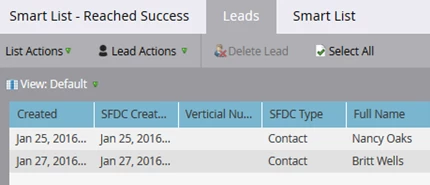
How to Determine the Success Date for Records in a Program
If you have RCE you can use the Program Membership Analysis Report to determine when records reach success in a specific program. You can pull the information by Date, Week, Month, Quarter and Year.
Start by filtering if necessary on a specific program or group of programs using the program name or channel.
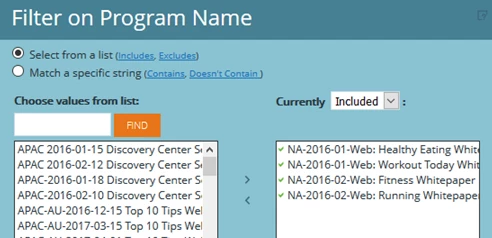
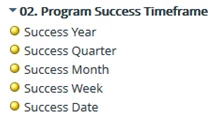
Next add the following filters and metrics to the report to see all the Success Dates.
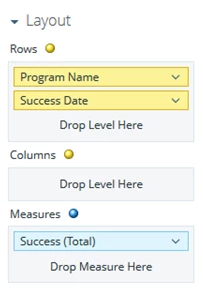
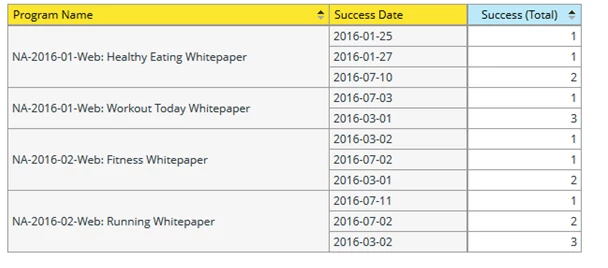
Here is a sample of what the report will look like by each Success Date.
Alternatively, use Success Week or Month instead of Success Date.
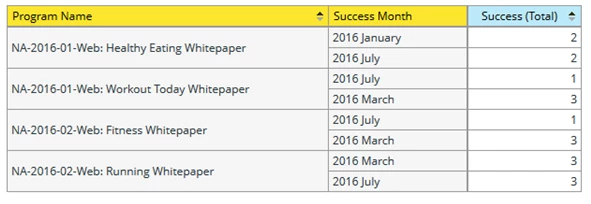
Here is a sample of what the report will look like by each Success Month.
If you don’t have RCE you can pull similar information using a smart list.
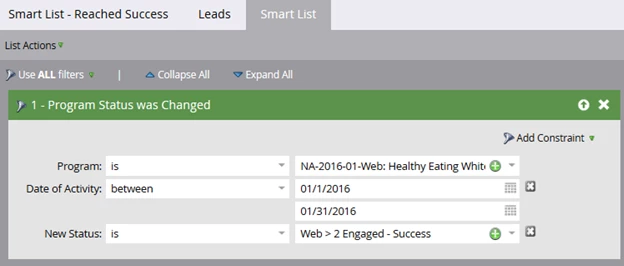
As you can see the smart list shows a count of 2 which matches the RCE report.