Solved
How to delete email addresses from campaigns
Hi, I bet this question must be very simple, but I somehow cannot find the solution!
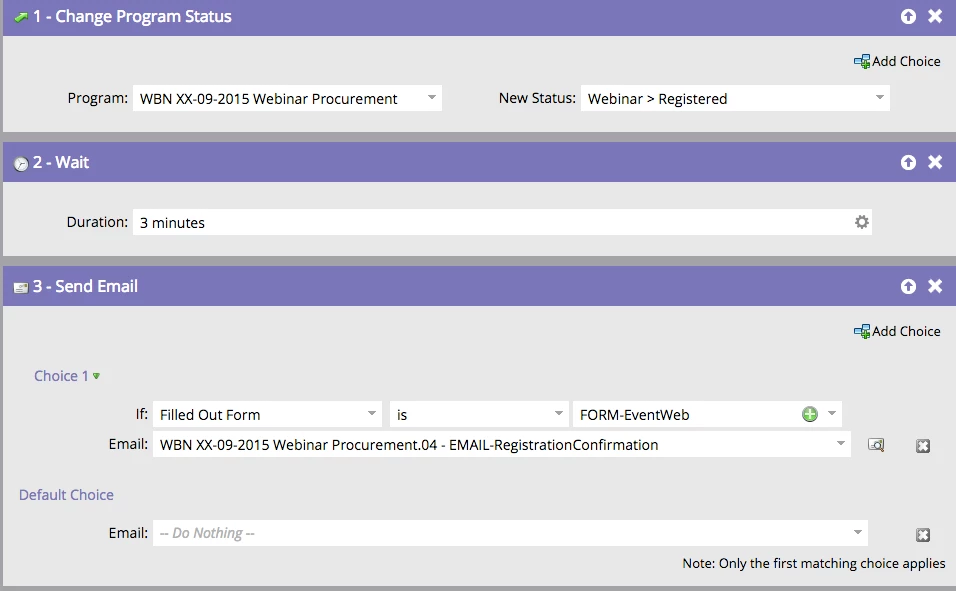
Namely, I've got an automatic email set up to go out each time someone fills out a webinar registration form. At the moment, I'm testing the forms and each time it is sent straight to the sales team. I'd like to change these settings so that it goes to me only instead for the time being, as they are getting quite annoyed (and rightly so!). Could you let me know how to do it?
I can see this option in all other campaigns, somehow not here though. I'm including a screenshot below of what I can see when I go to 'Flow" to set up the campaign. There doesn't seem to be an option to add/change/remove emails.
Many thanks in advance!
Joanna