How do I get my Thank You page to pop up in Marketo? | Community
Skip to main content
September 3, 2015
Question

How do I get my Thank You page to pop up in Marketo?

  • September 3, 2015
  • 2 replies
  • 2878 views

Hello,

I am really new to Marketo and working on developing some landing pages. I can't seem to determine how to get a thank you page to pop up in marketo:
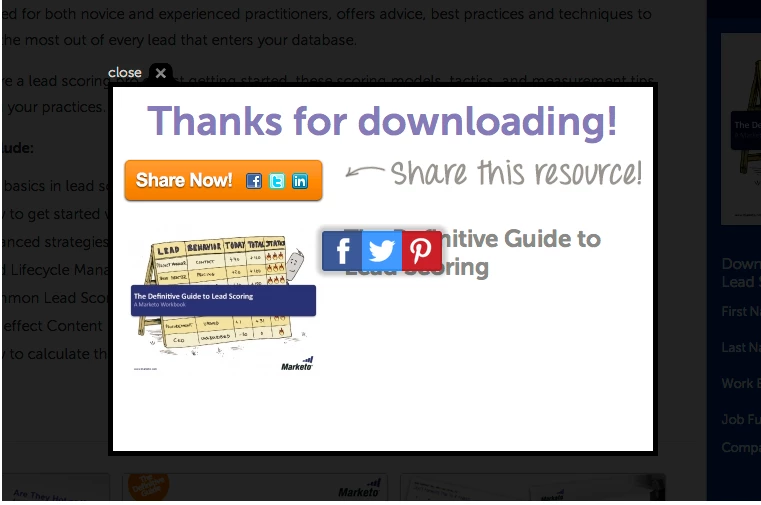
Can anyone point me in the right direction?

Thanks,

Jim

This post is no longer active and is closed to new replies. Need help? Start a new post to ask your question.

2 replies

Josh_Hill13
Level 10
September 3, 2015

There're are a few threads on this where Sanford may have put up some code to help.

SanfordWhiteman
Level 10
September 4, 2015

Thanks, Josh.  Yes, you can use the Forms 2.0 Lightbox for this.

Jim, what you're talking about is called a "lightbox" or "modal" -- not to be confused with an actual popup window, a very different beast.  There are many JS add-ins that allow highly customizable lightboxes.  Marketo's lightbox is on the more primitive side; it's expected to showcase the entire form, not just the Thank You result, but you can just use it from onSuccess if you want. The lightbox can be styled with CSS, and you can put anything inside it that you want (I just set the innerHTML to include a link, it could be an entire other DIV full of fun stuff you put in there).

MktoForms2 :: Lightbox onSuccess Only

Nadine_Regan1
Level 2
January 26, 2016

Hey Sanford,

this is exactly what I was looking for as well but for some reason I can't get your code to work. I added it to our test page with CSS and all (only removed the demo email part) but the pop-up won't open after the form has been submitted for some reason. I set the form itself to "Stay on page", not sure if that is causing an issue or not but that seemed the best option. Any idea why it's not working?

Here's our JS code updated to our form:

<script src="//app-sj01.marketo.com/js/forms2/js/forms2.min.js"></script>

<script>MktoForms2.loadForm("//app-sj07.marketo.com", "053-MXJ-131", 6221);

        MktoForms2.whenReady(function(form) {

                var formEl = form.getFormElem()[0],

                        emailEl = formEl.querySelector('#Email'),

                        submitEl = formEl.querySelector('BUTTON[type="submit"]');

                                });

                emailEl.readOnly = true;

                emailEl.disabled = true;

                form.onSuccess(function(vals, thankYouURL) {

                        formEl.innerHTML = '<DIV><A href="' + thankYouURL + '">Click to get your content.</A></DIV>';

                        MktoForms2.lightbox(form).show();

                        document.querySelector('.mktoModalClose').innerHTML='&times;';

                        return false;

                });

        });</script>

Thanks,

Nadine

SanfordWhiteman
Level 10
January 27, 2016
  • You introduced a syntax error in copy/pasting.  Working code is here: MktoForms2 :: nation.marketo.com/thread/26961
  • You probably don't want want "stay on page" because the idea of this code is that it assumes the Thank You URL is going to be the URL of your asset (PDF, etc.)
  • You certainly don't want to leave the email address readOnly + disabled because the form won't work for you that way. It works in the demo because the email address is prefilled (the demo is on a live instance so I don't want to be gathering a lot of test leads!)