Help with new Email Templates | Community
Skip to main content
Level 1
February 5, 2026
Question

Help with new Email Templates

  • February 5, 2026
  • 2 replies
  • 16 views

Hi there,

We’re currently building new email templates using the Design Studio email editor. While the new features are much more flexible from a branding perspective, we’re running into alignment issues with images and text.

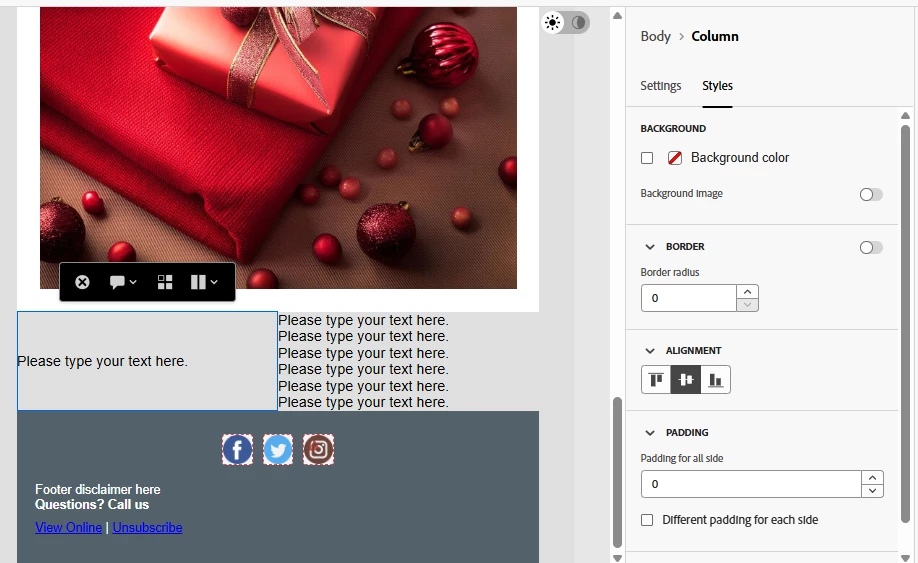
Specifically, when two modules are meant to sit side by side, the formatting breaks if the text lengths are not an exact match. If one module has more characters than the other, the alignment becomes uneven rather than shifting down while remaining aligned.

In the previous email editor, longer text within one module would simply push content down while still keeping everything properly aligned. Is there a similar setting or workaround in the new editor to achieve this behavior?


 

Inline modules because the text is the same line length 
Formatting gets messed up when the second title is longer and adds more lines vs shifting the text down and keeping the arrows are start of the titles inline


2 replies

uditmathur
Community Advisor
Community Advisor
February 6, 2026

Hi ​@cdowner ,

Try using container for each component.

You can also try adding custom CSS for alignment.

Hope this Helps 😊

Disha_Goyal6
Community Advisor
Community Advisor
February 6, 2026

Hi ​@cdowner, please us vertical align top feature for the sections. You can do the adjustments by using alignment option


By default, it will be center aligned.