
Escaping braces (curly brackets) in text tokens for use in webhooks?
Hey all,
I am running into an issue with a webhook that triggers an SMS message through a third party vendor we are using.
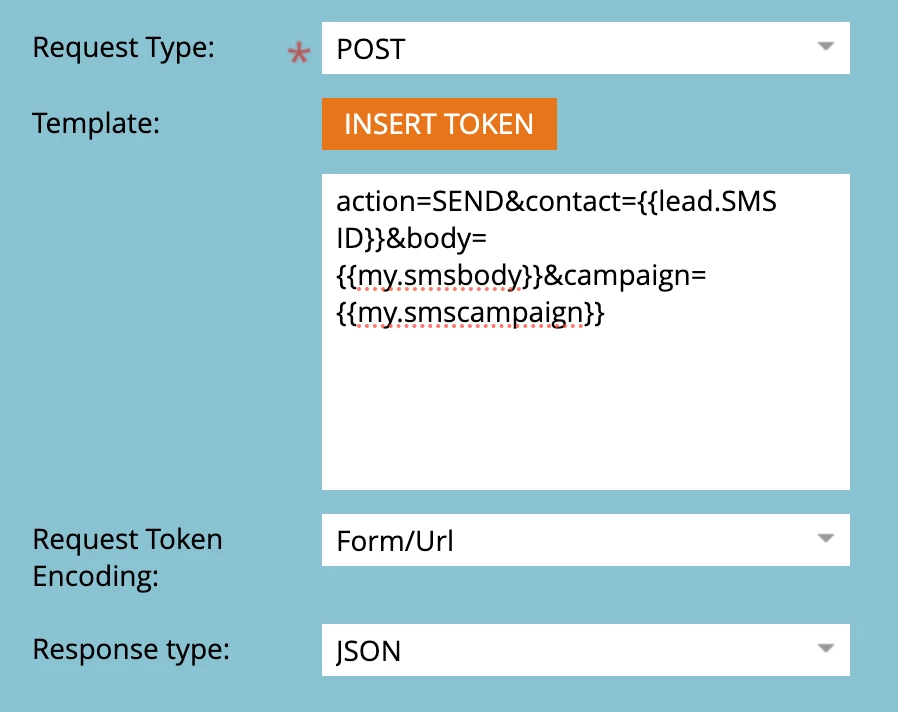
The vendor we are using stores some personalization information that we populate when a customer opts in. These fields can be used to create dynamic SMS messages. The problem I am running into when sending messages that are triggered through Marketo automations is that the vendor also uses {{variable_name}} format for their personalization tokens. So, when I send an API POST request to trigger a message, the SMS tool variables get removed when Marketo tries to resolve them in the text token.
This appears to work fine for Marketo fields, which was a kind of happy surprise since I'd never tried to use them in a text token (if anyone can tell me if this is super dangerous, I'd appreciate it). But, because of how our systems are scaled currently, there's some data that doesn't live in Marketo effectively but is in the 3rd-party SMS tool.
So the following will render the first name just fine in the message but the other variable (account manager in this case) gets wiped out for obvious reasons.

That's a lot of preamble for: is there a way to escape the braces on the second variable so the system receiving the POST request will get the full {{var8|your account manager}} as part of the payload?
I tried rich text with the <span> trick outlined in @sanfordwhiteman's "Displaying literal curly braces {{ }} in Marketo" article but the spans actually ended up rendering out as part of the copy in the SMS message.
One other note, the POST requests in this case are URL encoded and not JSON.
Thanks for any ideas!