Email Rendering Problems Redux and Redundant | Community
Skip to main content
Ed_Selby
Level 2
August 24, 2018
Question

Email Rendering Problems Redux and Redundant

  • August 24, 2018
  • 2 replies
  • 1849 views

I used the Marketo standard email design template. It looks good. Then I ran it through 250ok and a few test platforms. WTF?
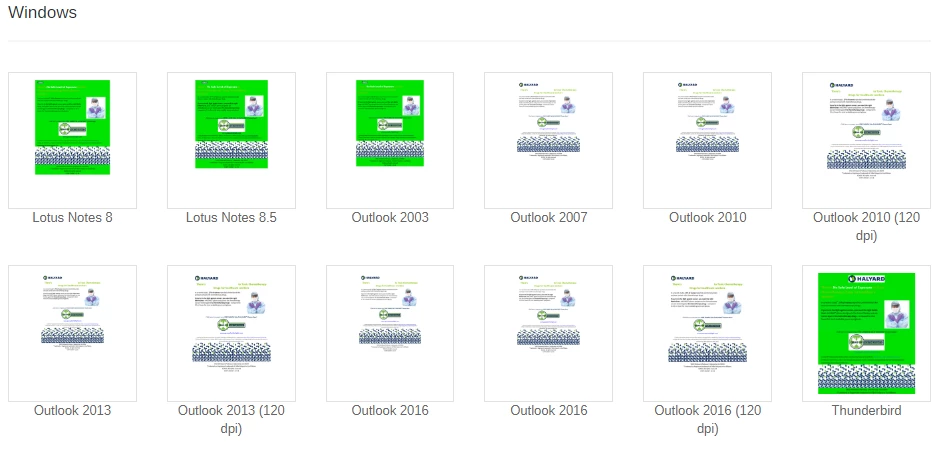
That horrible green color you see does not exist ANYWHERE in the html of the email (got the hexcode for that color - searched the code - doesn't exist). Not only that, but the 250ok engine shows this for my primary email platform
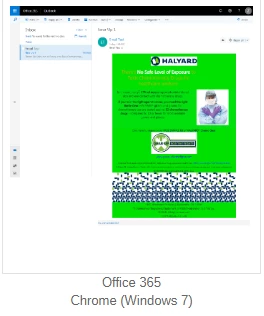
And this is how my desktop client renders it

Am I going to have to go with a non-Marketo solution to create cross-platform compatibility?

This post is no longer active and is closed to new replies. Need help? Start a new post to ask your question.

2 replies

Dan_Stevens_
Level 10
August 24, 2018

I notice the green background color - and a bunch of other wonky colors throughout - when you analyze the raw HTML file of an email editor 2.0 template.  But when I build an email from the template, it appears as normal.  Based on your screenshots above, you seem to be doing the latter - so no idea why some clients are displaying that green background.

Ed_Selby
Ed_SelbyAuthor
Level 2
August 24, 2018

Glad to know I'm not alone.

I think text only is the way to go

Dave_Roberts
Level 10
August 25, 2018

Hey Ed,

Im not sure if it's the case here, but I've seen this bright green (and sometimes "link blue") show up in place of variables that aren't rendering. For example, when I pull my Marketo code (variables and all, template code) and fire it up in my browser (outside of Marketo), anywhere that I've got a bg-color variable set on one of my modules, the browser picks a pretty loud color to substitute the ${VariableName} for. Could it be the case that this email got broken from the template by using the "edit code" functionality? When you look at the file-tree for this asset, on the right hand side it should say Template: Your Template Name Here. If you're seeing Template: None, that could maybe be a reason that the variables weren't unfolding in some places, but Im not sure.

I haven't used 250ok so Im not as familiar with their testing setup, but is there any chance that you've got the body color setup as a variable? Maybe there is a chance that isn't rendering for some reason -- double check the variable syntax and placement against the Marketo Docs (I've mispelled variables and seen something like this). My thoughts here are that it's not replacing the variable name w/ that color and trying to render something like "color:${VarName}" instead of "color:#ffffff;" or something like that.