Creating a smart campaign based on links clicked in email | Community
Skip to main content
Mel_1210
Level 1
November 3, 2021
Solved

Creating a smart campaign based on links clicked in email

  • November 3, 2021
  • 1 reply
  • 2883 views

Hi All, 

I need to create a smart campaign where the triggers start by a specific link clicked in an email, and it seems that Marketo isn't recognizing the click in the email because it doesn't trigger anything, 

What are the elements I need to take into consideration for this? 

Kind regards, 
Melanie 
This post is no longer active and is closed to new replies. Need help? Start a new post to ask your question.
Best answer by Josh-17

Hi Melanie, A few things to check...

  • Trigger:  URLs are specific, sometimes it's better to use link "contains" than link "is" if there might be some variation
  • Trigger: Have you specified the email?  Is it correct
  • Link: Only tracked emails will trigger a smart campaign. A quick way to check is to hover over the link in the email you've received and it should be your tracking domain or a marketo created link.  If it shows the actual url it is not being tracked.   
    • If you are sending yourself a test the tracked link won't be set, you would need to send yourself an email using a smart campaign to test the trigger
    • Make sure the link is set up to be tracked (this is the default)
    • Is the link dynamic?  If you are using a token to create the link it may not track 
  • Is the smart campaign active?
  • Are their members in the campaign? If so check their activity log 
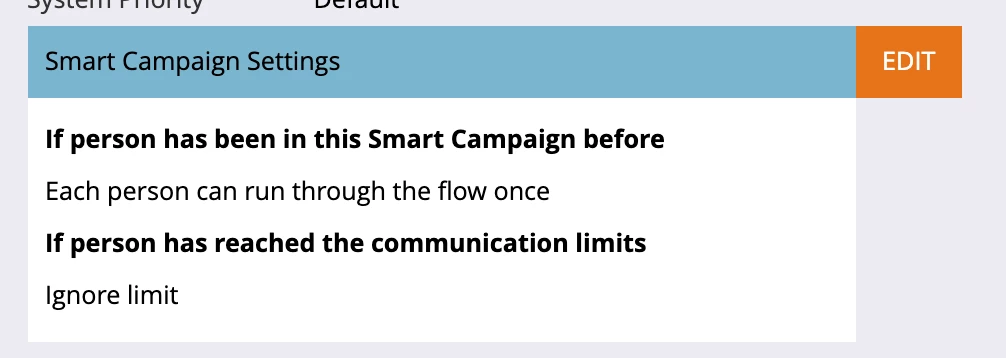
  • If the user you are testing already triggered the smart campaign, is the campaign set to only trigger once per person?


1 reply

Josh-17
Adobe Champion
Josh-17Adobe ChampionAccepted solution
Adobe Champion
November 3, 2021

Hi Melanie, A few things to check...

  • Trigger:  URLs are specific, sometimes it's better to use link "contains" than link "is" if there might be some variation
  • Trigger: Have you specified the email?  Is it correct
  • Link: Only tracked emails will trigger a smart campaign. A quick way to check is to hover over the link in the email you've received and it should be your tracking domain or a marketo created link.  If it shows the actual url it is not being tracked.   
    • If you are sending yourself a test the tracked link won't be set, you would need to send yourself an email using a smart campaign to test the trigger
    • Make sure the link is set up to be tracked (this is the default)
    • Is the link dynamic?  If you are using a token to create the link it may not track 
  • Is the smart campaign active?
  • Are their members in the campaign? If so check their activity log 
  • If the user you are testing already triggered the smart campaign, is the campaign set to only trigger once per person?


Helping companies increase revenue by leveraging technology and data.
Katja_Keesom
Community Advisor and Adobe Champion
November 4, 2021

Great checklist! We may be able to help further if we had a screenshot of the actual trigger that was set up. One thing that can trip you up here is that when specifying the link, you do need to include the https at the beginning. If you specified Link is and you didn't add the https it will not fire.