Collapsing Empty mktEditable Sections | Community
Skip to main content
October 20, 2015

Collapsing Empty mktEditable Sections

  • October 20, 2015
  • 8 replies
  • 4796 views

Someone showed me something amazing yesterday that I had no idea you could do in Marketo. I'm guessing I'm not the only one, so I thought I'd share.

If you create an editable section in a template and then you want to not use it, it leaves behind a blank white space in your email. This can be really irritating, as it throws off your email design and no one really wants to create a new template every time you leave a section blank.

So here's the trick he showed me. Create a new snippet that contains only a blank HTML comment in the HTML source editor. You can leave the text version blank.
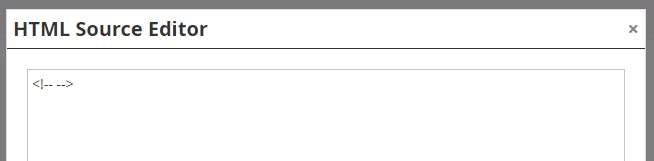
Then go into your email and replace the editable section you no longer need with this snippet. Bam, section gone with no remaining blank white line in the middle of your email.

This post is no longer active and is closed to new replies. Need help? Start a new post to ask your question.

8 replies

October 20, 2015

yay!

Community Advisor
October 21, 2015

I think Marketo may have pre-built this snippet into new instances; we just launched in June and I have a "blank snippet" which basically has a 1px space hard coded (I think the code you have above is better practice though!).

October 21, 2015

Oh neat, I didn't know we were doing that.

Ouida_Linkous
Level 2
March 28, 2016

This is great news!  However, I tried to use it and it doesn't take up the space across all email clients.  Is there a trick to it?

Grégoire_Miche2
Level 10
March 28, 2016

Hi OUida,

It is likely that your email template set a min height for the section, making it stay even when it's empty.

You need to have the template developer look into this.

-Greg

May 10, 2016

I have created a new snippet with a blank comment <!-- --> and this is what it looks like (even after clicking preview draft):

Why is there no blank/removed space?

Grégoire_Miche2
Level 10
May 10, 2016

HI Ervin

type this HTML mode, not in wysiwyg mode.

-Greg

Jaclyn_Tan1
Level 2
November 6, 2019

@Pieter Leeflang‌ Here's the post I told you about.