CASL Link to Opt-In | Community
Skip to main content
June 25, 2014
Solved

CASL Link to Opt-In

  • June 25, 2014
  • 5 replies
  • 2331 views
Hi,

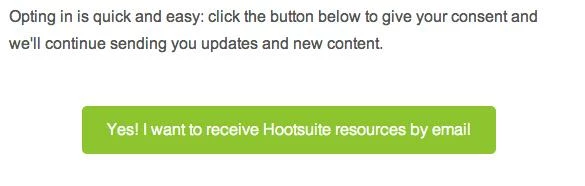
I saw a really great email from Hootsuite where they provided a CTA and Link to their database to have them opt-in.

I liked how simple and straightforward it was. So how would I create that in Marketo?

Would I have to create a landing page with a form? So when they click "submit" it triggers the workflow to opt them in. That doesn't quite do what I want this to do, but I can't think of how to create a button with a flow.

Any ideas?
This post is no longer active and is closed to new replies. Need help? Start a new post to ask your question.
Best answer by Valerie_Armstro
Hi Vanessa,

The "button" in the email is likely an image with a link to the thank you page you received.  In Marketo, you would set up a trigger so that if the lead clicks on that link in the email or if the lead visits that thank you page, you update the field you have created to show email opt-in consent. 

5 replies

June 25, 2014
Check out what Christina P is doing via this thread:
https://community.marketo.com/MarketoDiscussionDetail?id=90650000000PrLFAA0

We're going to adapt a version of her plan, including a simple one-click email. 


June 25, 2014
Hi Suzerama,

I saw that and it's awesome, I just don't understand the back end. When I click on the link in the Hootsuite email, it immediately takes me to a thank you page

See below:


There's no additional form. How would we do this in Marketo so it triggers the smart campaign? I'm not familiar with simple one-click emails and how they trigger a workflow. Any advice or guidance would be helpful!!


Valerie_Armstro
Valerie_ArmstroAccepted solution
Level 9
June 25, 2014
Hi Vanessa,

The "button" in the email is likely an image with a link to the thank you page you received.  In Marketo, you would set up a trigger so that if the lead clicks on that link in the email or if the lead visits that thank you page, you update the field you have created to show email opt-in consent. 
June 25, 2014
Thanks Val!
July 22, 2014
Hi Venessa, an important thing to note, CASL requires a Double-Optin to be compliant, the processes described above are a single optin.  You will need to send an email asking them to confirm consent (not pre-checked), only then can you legally email. Granted you have qute a bit of leway for existing business relationships and 3 years to comply, but best to set it up correctly from the begining.

The flow Id use would be

Yes I want to recieve emails.  Then instead of sending them to the thank you page you would state, "We have sent you an email confirmation, etc... Please confirm your consent by checking the Yes I granted Permission check box."  Once they check that box then you can send them to the thank you for providing your consent.  That way you have a reciept and timespam of their consent.

Ps same rule applies or Germany btw.