Assistance with Smart List for Identifying Blacklisted Emails | Community
Skip to main content
Level 2
March 12, 2025
Solved

Assistance with Smart List for Identifying Blacklisted Emails

  • March 12, 2025
  • 2 replies
  • 996 views

Hi there, 

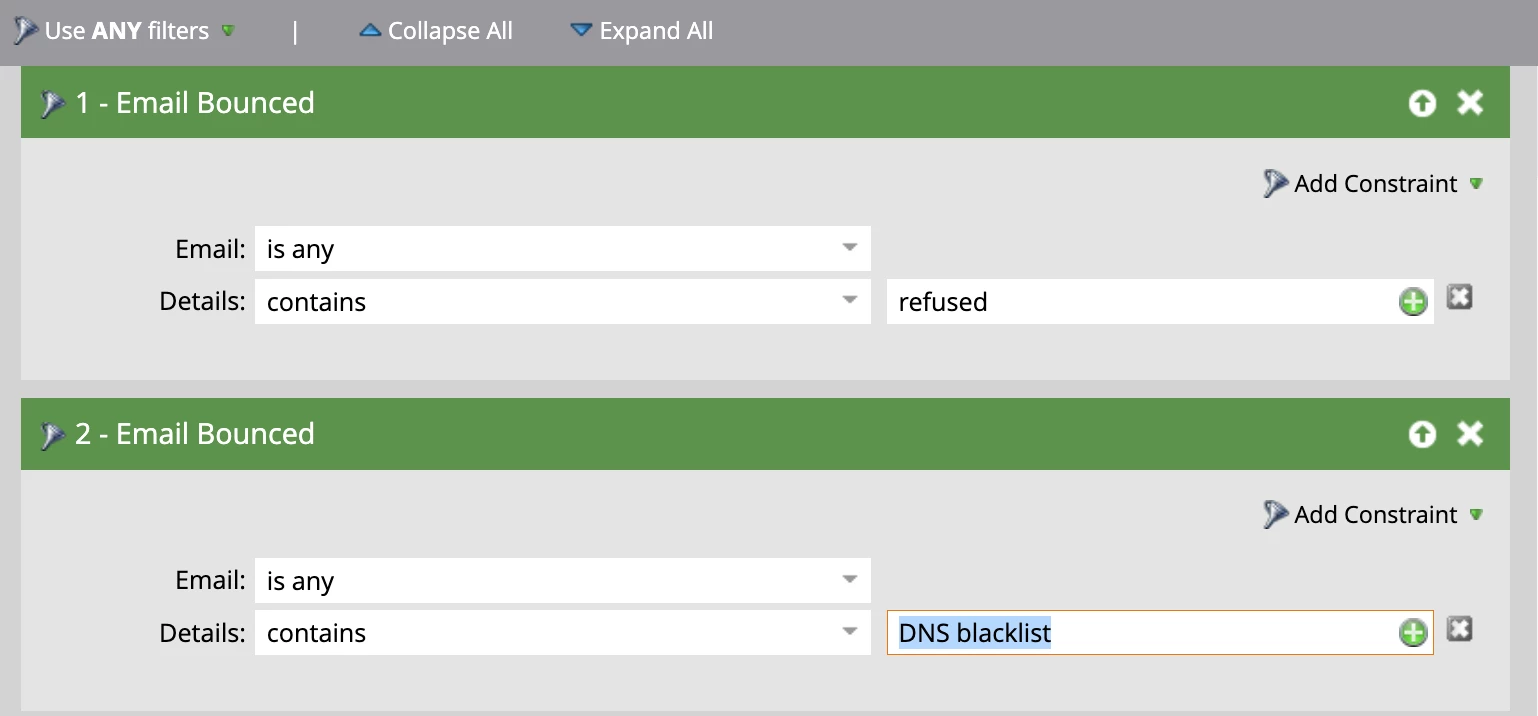
We’re looking for guidance on refining our smart list to identify emails blacklisted by companies due to their policies. Currently, we’ve included filters such as "Email Bounced" with details containing "refused" or "DNS blacklist." However, we want to ensure we capture all potentially blacklisted addresses.

Could you advise on the best approach to optimize our smart list for comprehensive identification? Your insights would be greatly appreciated.

thank you in advance, 

Best regards,

Sophie
Best answer by Darshil_Shah1

Well, below is not an exhaustive list, but you can include those in your filter constraint. Also, you don't need a separate filter for each reason; you can just add all the reasons in a single filter's "Details" constraint (they're in OR by default - so you need to have them individually in filters separated by OR).

  • "550 permanent failure"
  • "554 message rejected"
  • "blacklist"
  • "denied"
  • "access denied"
  • "rejected due to policy"
  • "not allowed"
  • "spam"

Also, review Deatils parameter of the Email Bounce activity in your DB to include them in your SL.


Additionally, you could also take a look at the "Email Suspended = True" and "Email Invalid = True" filters, as Marketo flags policy-based hard bounces. You may also monitor sender reputation using tools like Google Postmaster to identofy and mitigate blacklisting related issues. Refer to this ExL documentation: Hard and Soft Bounces in Email.

2 replies

Darshil_Shah1
Community Advisor and Adobe Champion
Darshil_Shah1Community Advisor and Adobe ChampionAccepted solution
Community Advisor and Adobe Champion
March 13, 2025

Well, below is not an exhaustive list, but you can include those in your filter constraint. Also, you don't need a separate filter for each reason; you can just add all the reasons in a single filter's "Details" constraint (they're in OR by default - so you need to have them individually in filters separated by OR).

  • "550 permanent failure"
  • "554 message rejected"
  • "blacklist"
  • "denied"
  • "access denied"
  • "rejected due to policy"
  • "not allowed"
  • "spam"

Also, review Deatils parameter of the Email Bounce activity in your DB to include them in your SL.


Additionally, you could also take a look at the "Email Suspended = True" and "Email Invalid = True" filters, as Marketo flags policy-based hard bounces. You may also monitor sender reputation using tools like Google Postmaster to identofy and mitigate blacklisting related issues. Refer to this ExL documentation: Hard and Soft Bounces in Email.

Level 2
March 18, 2025

Really helpul! Thank you so much Darshil_Shah1 🙏

SanfordWhiteman
Level 10
March 13, 2025

Something to bear in mind: mailservers aren’t under any obligation to tell you the real reason your email was rejected, because in these cases you’re considered a hostile sender.


When configuring SMTP servers, admins may group multiple reasons for rejection under a generic 5xx error, so you wouldn’t see a reference to anything like “DNS”. They don’t want to make it easy for senders to figure out how to be delisted (which you can sometimes pay for)!

Level 2
March 18, 2025

Good point! Thanks a lot SandfordWhiteMan 🤗