

From Weeks to Minutes: How Retailers Can Revolutionize Their Holiday Campaigns with AJO-AEM Dynamic Media
Introduction
Holiday campaigns create immense pressure for retail marketing teams. Many multi-brand fashion retailers with extensive store networks face a familiar challenge: creating personalized promotional content for their holiday campaigns across multiple channels, customer segments, and regional variations. Before implementing the AJO-AEM Dynamic Media integration, this process typically involves:
- Graphic designers creating individual banner versions for each segment/region
- Manual file management across design, review, and deployment systems
- 2+ weeks of production time for each campaign wave
- Limited ability to modify campaigns once launched
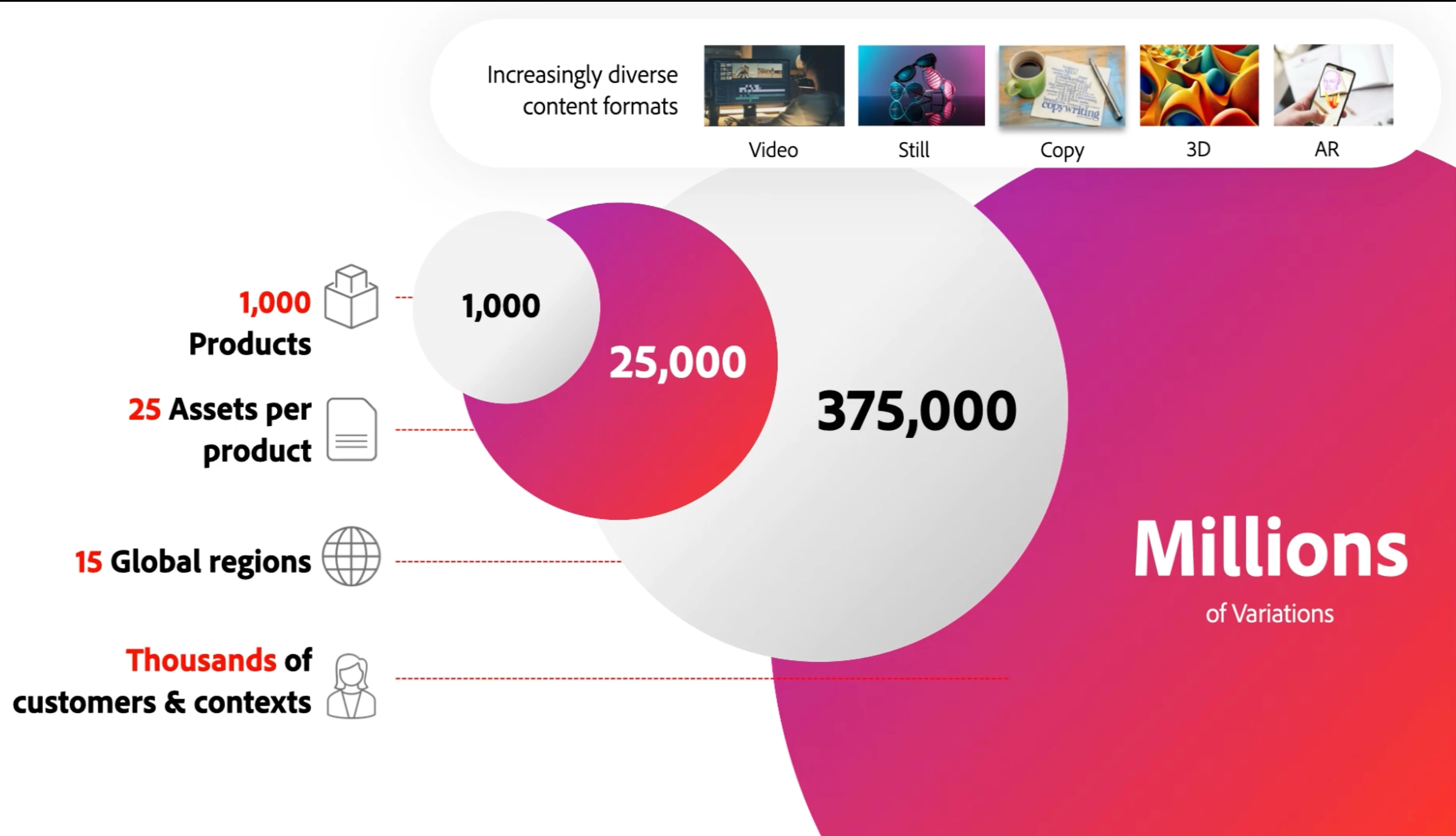
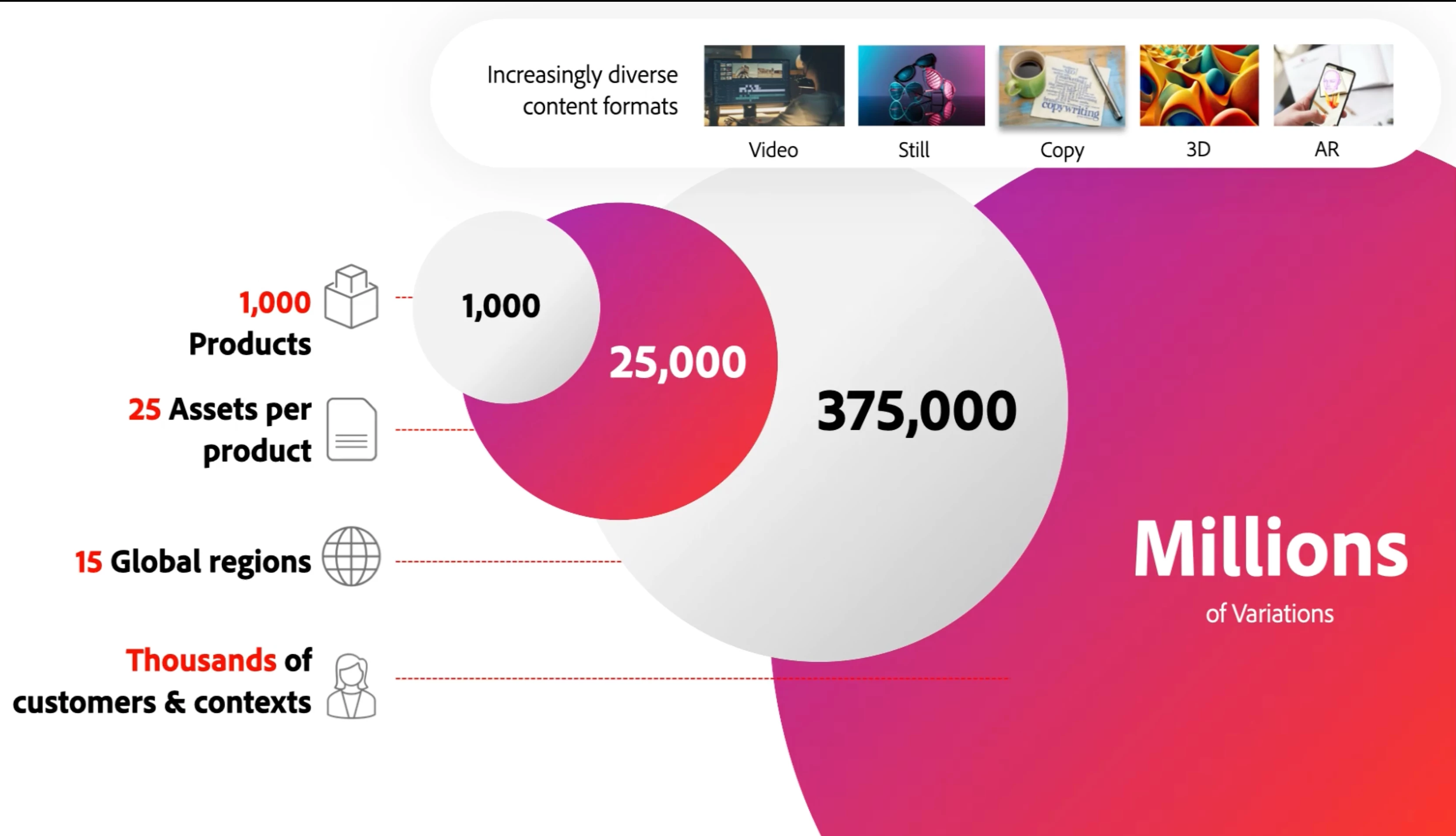
Let's explore how the AJO-AEM Dynamic Media integration can transform this approach, reducing production time from weeks to minutes while delivering more relevant experiences.
The Challenge: Holiday Campaign Complexity
A typical retailer's holiday campaign might require (narrow down for this article):
- 2 gender segments (Men/Women)
- 2 loyalty tiers (Gold/Silver)
- 2 regions (AUS/UK) with different image dimensions
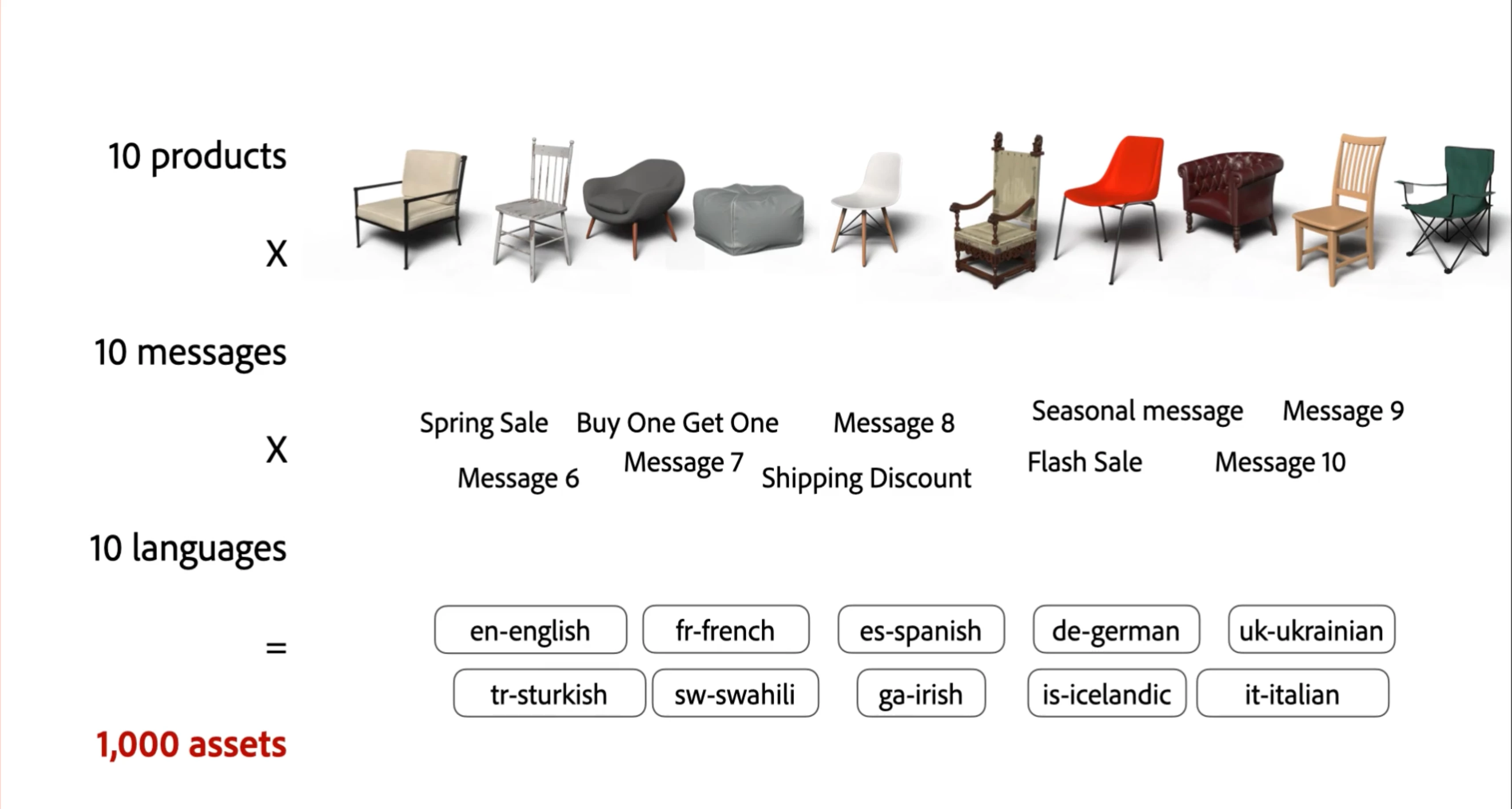
This translates to potentially creating, managing, and deploying 16 individual creative assets (2 genders x 2 loyalty tiers x 2 regions x 2 image dimension variations) – . The typical production process includes:
- Marketing defining requirements for each variation
- Design team creating individual assets for each variation
- Multiple review cycles for each asset
- Manual file exports in different formats for each channel
- Individual asset uploads to multiple delivery systems
- Limited ability to test or optimize once deployed
This process typically results in:
-
Delayed campaign launches.
-
Creative compromises due to time constraints.
-
Inconsistent messaging across channels.
-
Inability to quickly respond to performance data.
The Solution: AJO-AEM Dynamic Media Integration
Step 1: Template Creation in AEM Dynamic Media (Scene7 mode)
Instead of creating hundreds of individual assets, retailers can create a master template in AEM Dynamic Media. The base promotional banner template with defined layers would have
- Product image layer
- Product image height and width
- Offer text layer
Parameter definition for dynamic elements:
- $imgsource: Featured product image
- $imgHeight and $imgWidth: Image height and width
- $offertext: Specific discount or offer
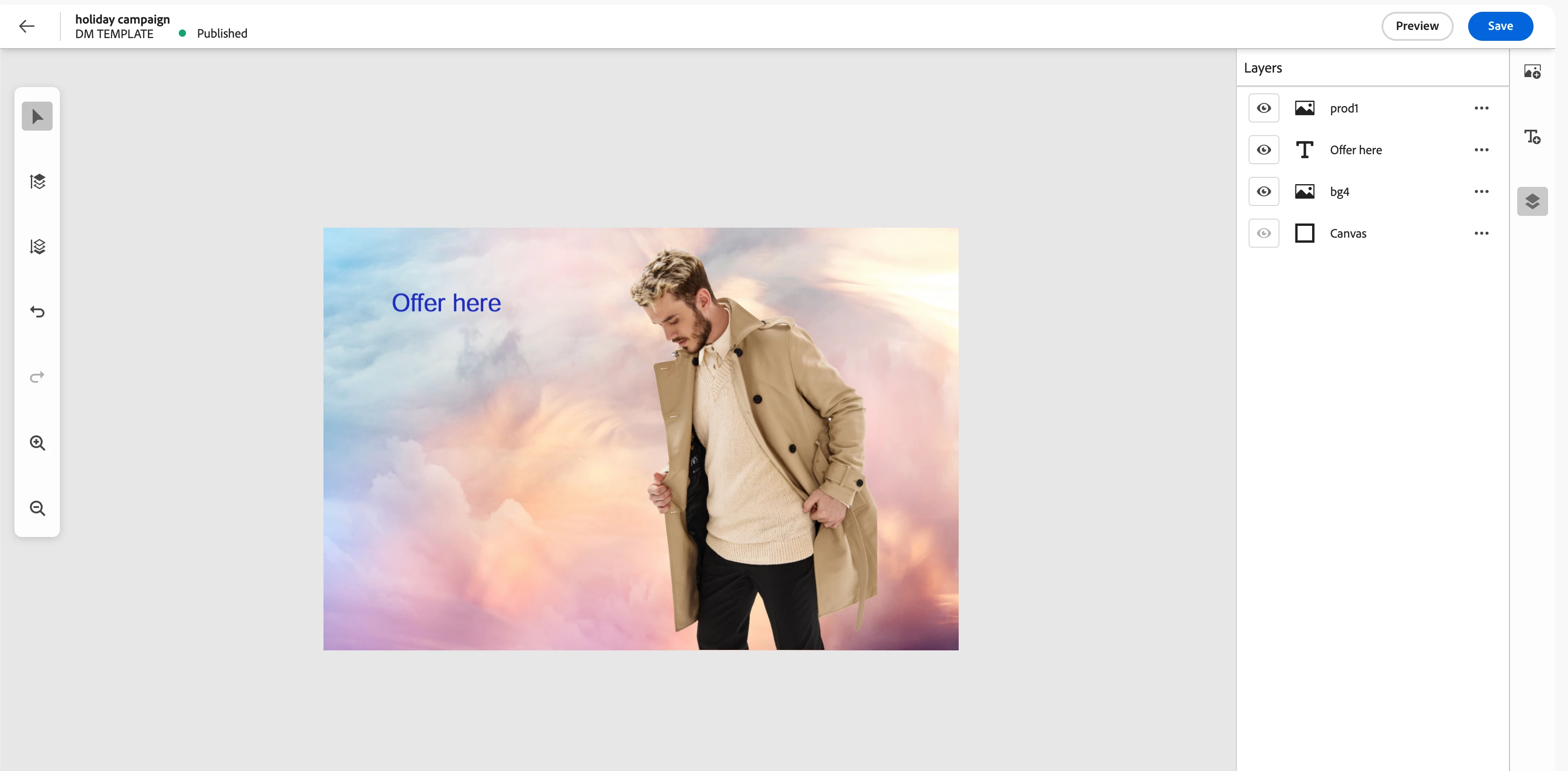
Steps to create Dynamic Template
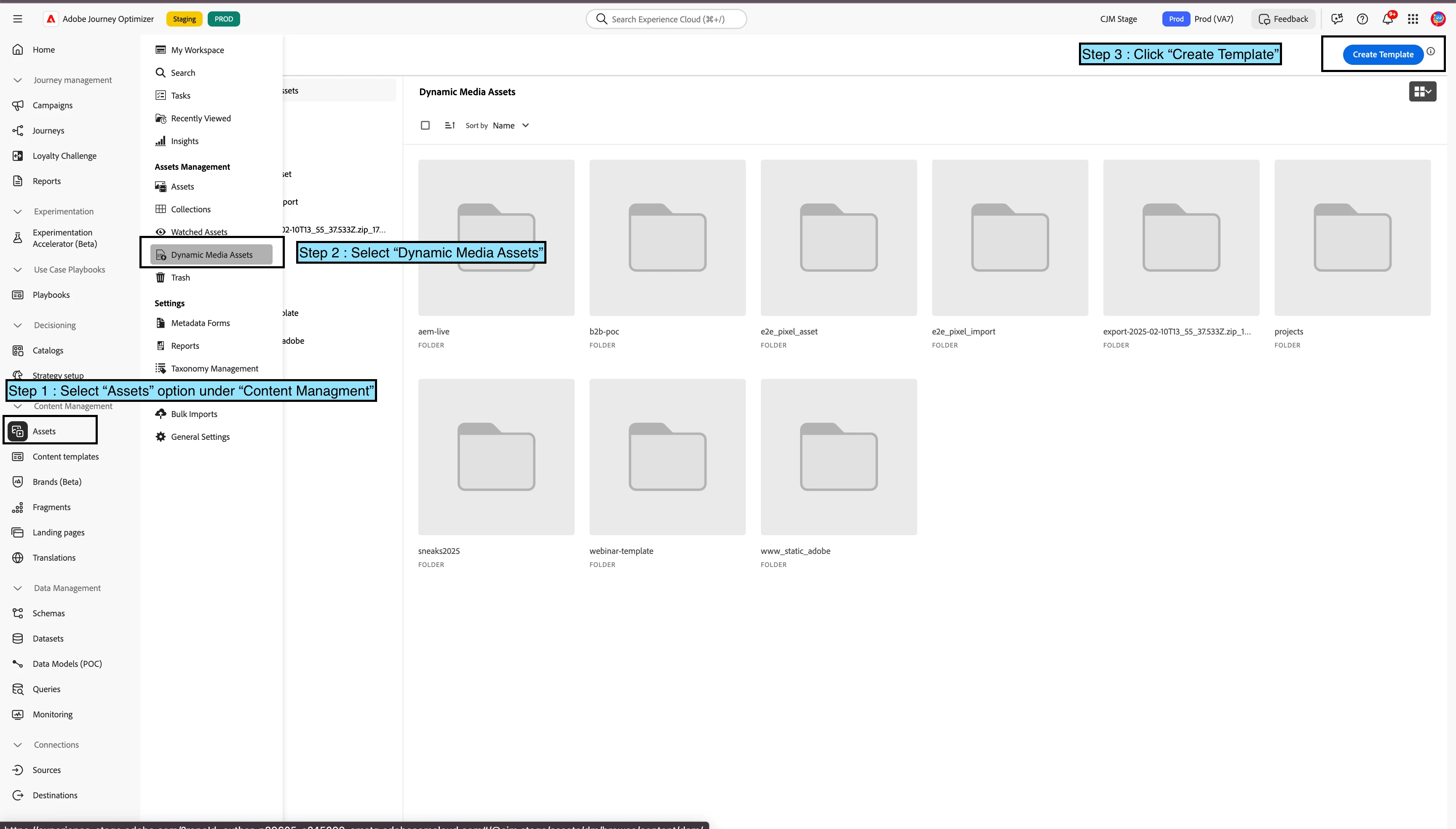
- Click on "Assets" under "Content Management" section from AJO left navigation.Select AEM repo where Dynamic Media Scene7 config is enabled. Configure Dynamic Media
- Select "Dynamic Media Assets" from Assets navigation.
- Click on "Create Template" option to create a "Dynamic Template". Dynamic Template
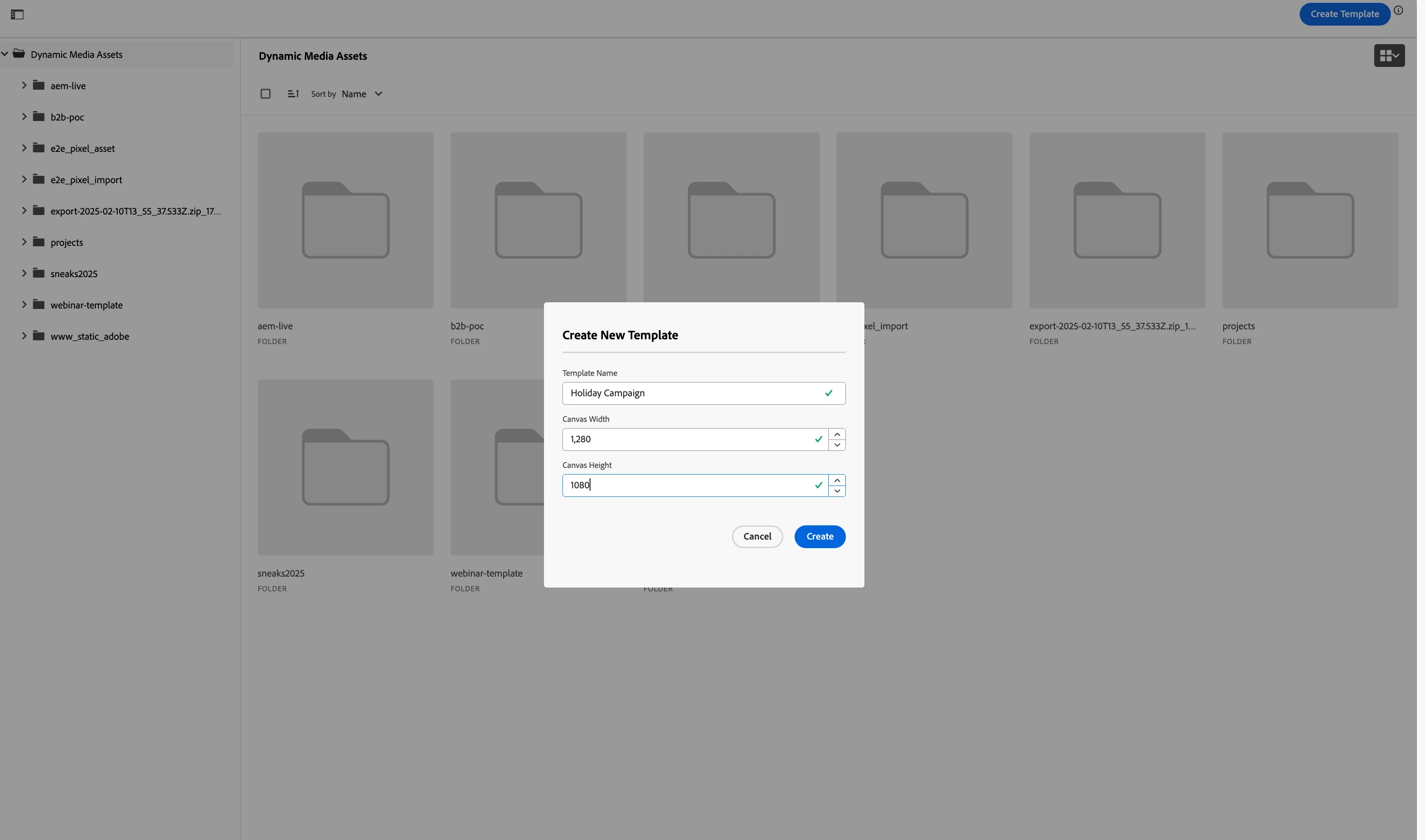
- Enter template name and canvas width and height.
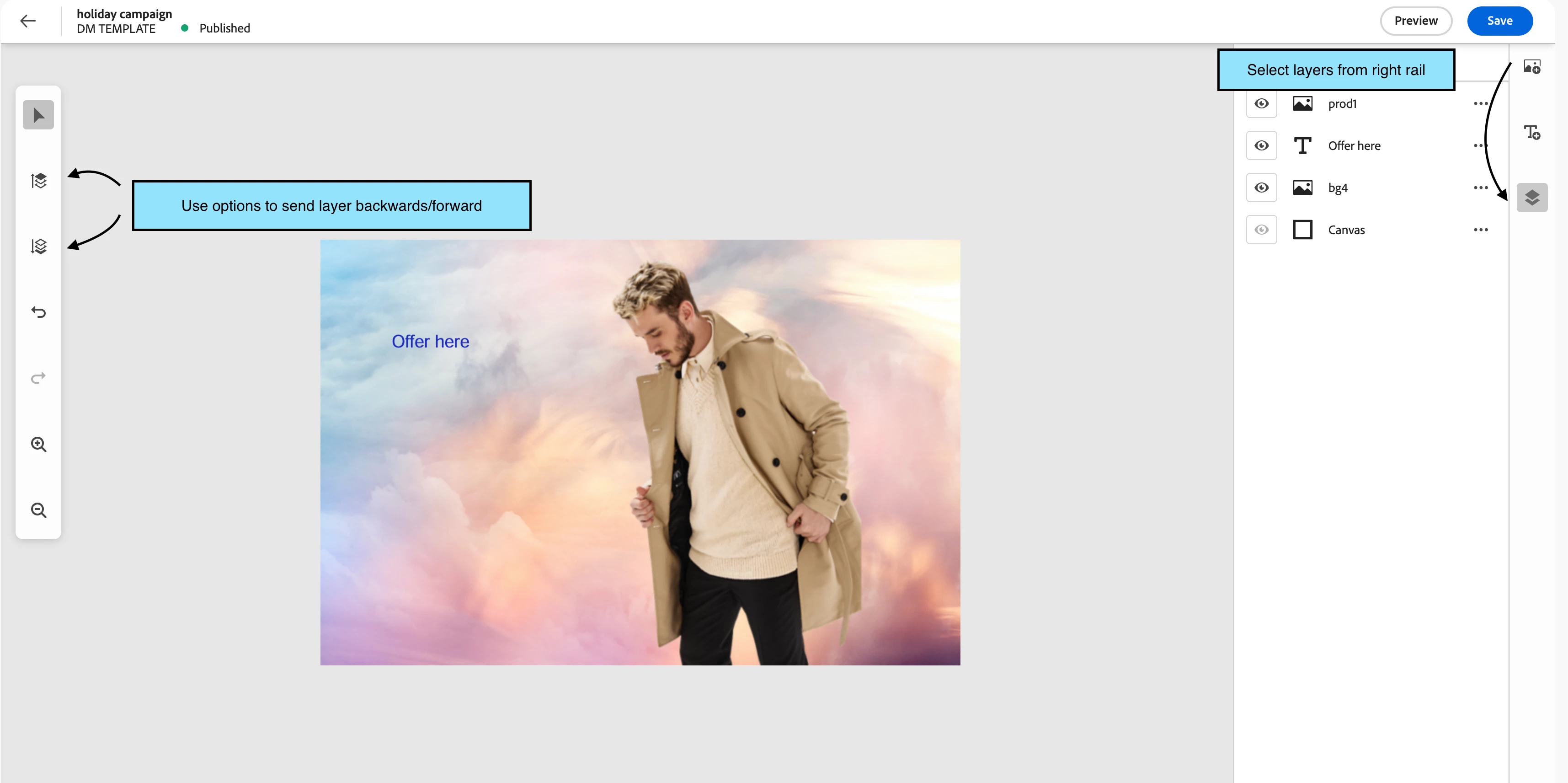
- Select layers - image ,text for dynamic template from right rail.
Step 2: Campaign creation in Adobe Journey Optimizer
With templates ready in AEM, marketing teams can create personalized customer campaigns in AJO:
- Segment creation based on:
- Loyalty tier (bronze, silver, gold)
- Profile gender
- Regional Info
- Dynamic content implementation:
- Selection of appropriate Dynamic Media templates in email designer via asset selector
- Application of personalization expressions to template parameters
- Preview and testing with sample profiles
Steps to create AJO campaign and select dynamic template
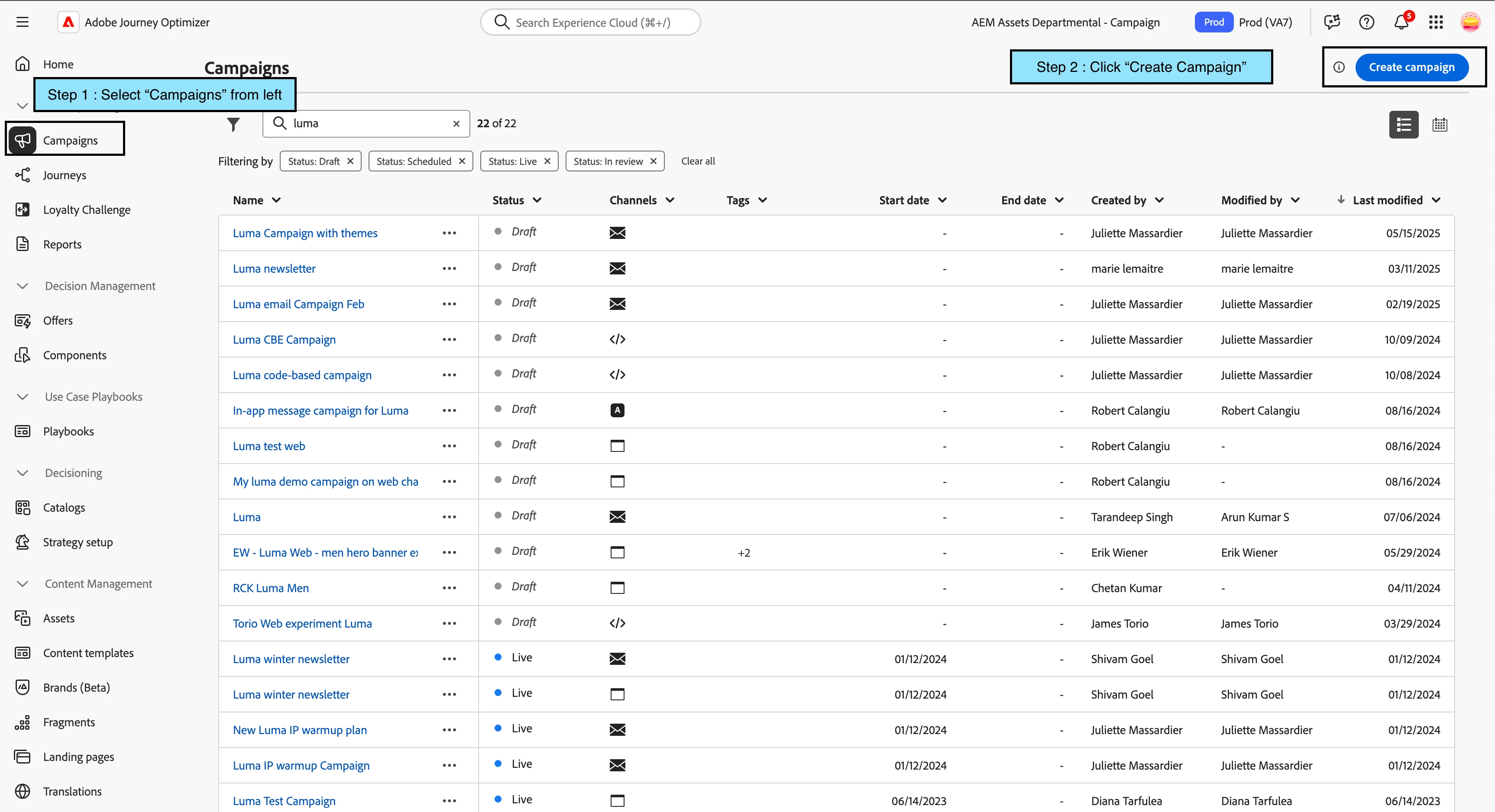
- Select "Campaigns" under "Journey Management" section from AJO left navigation. Create Campaign
- Click on "Create campaign" button.
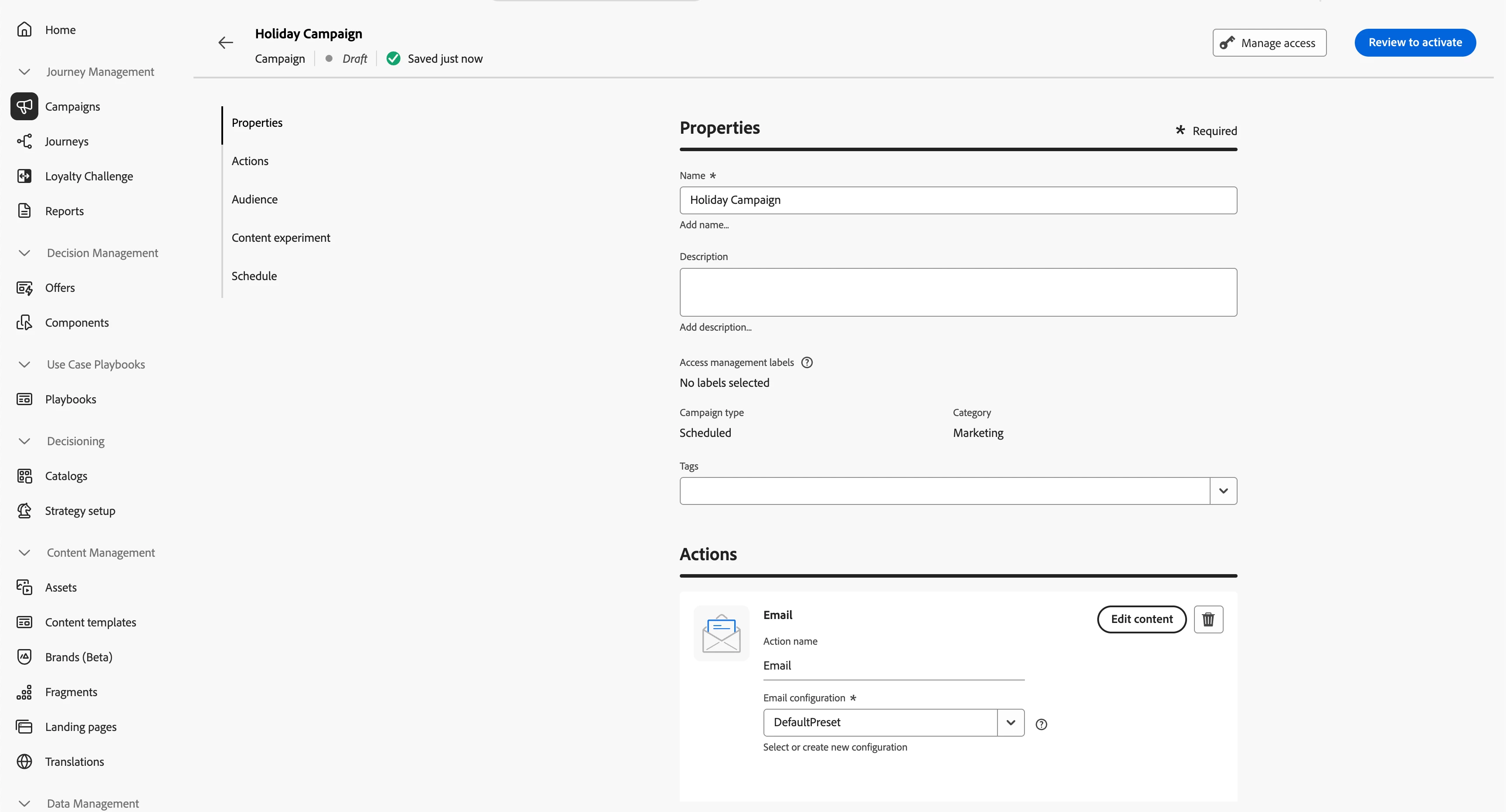
- Enter campaign name. Select "Email" action and select "Email configuration". Click on "Edit Content".
- Enter "Subject line" and click on "Edit email body".
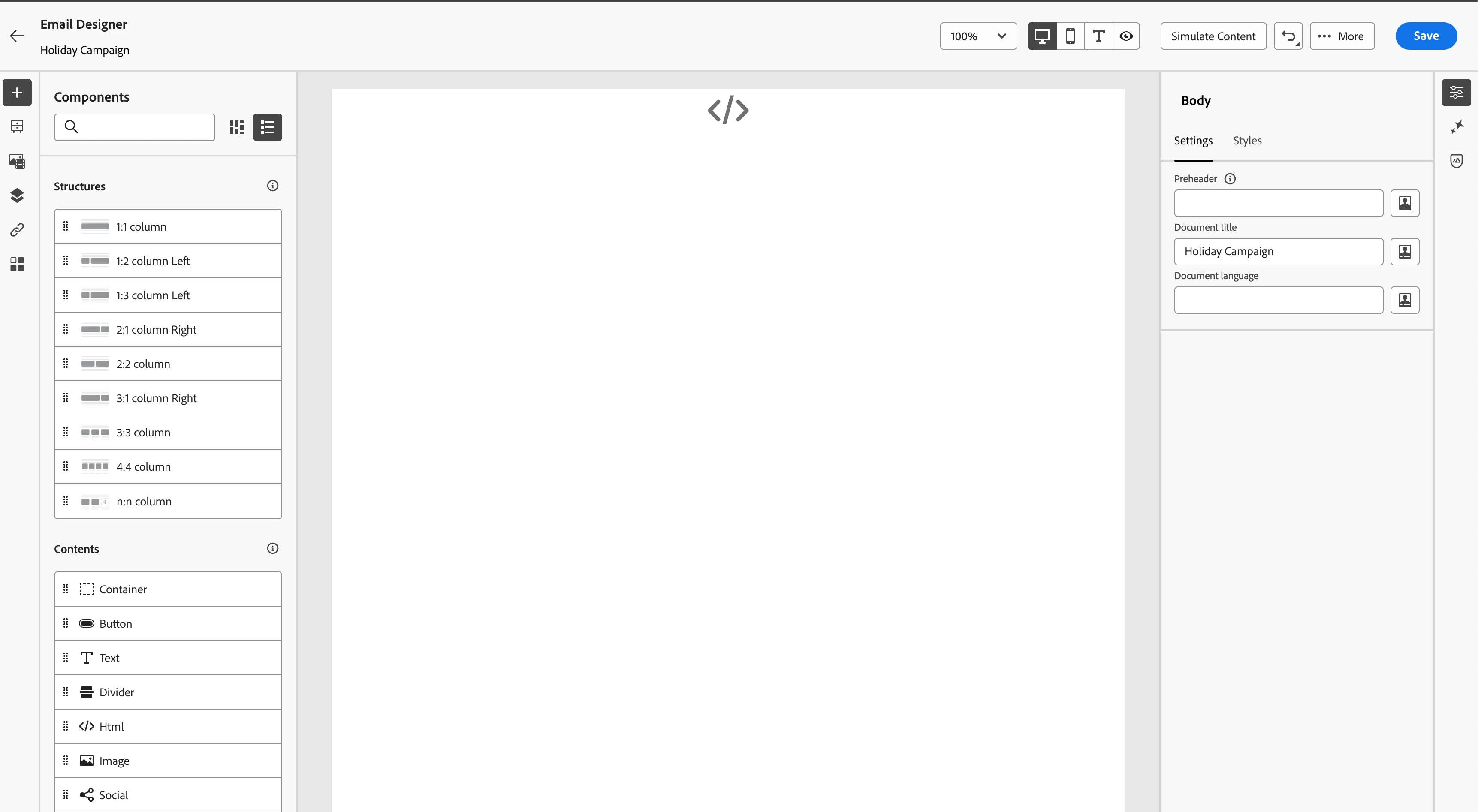
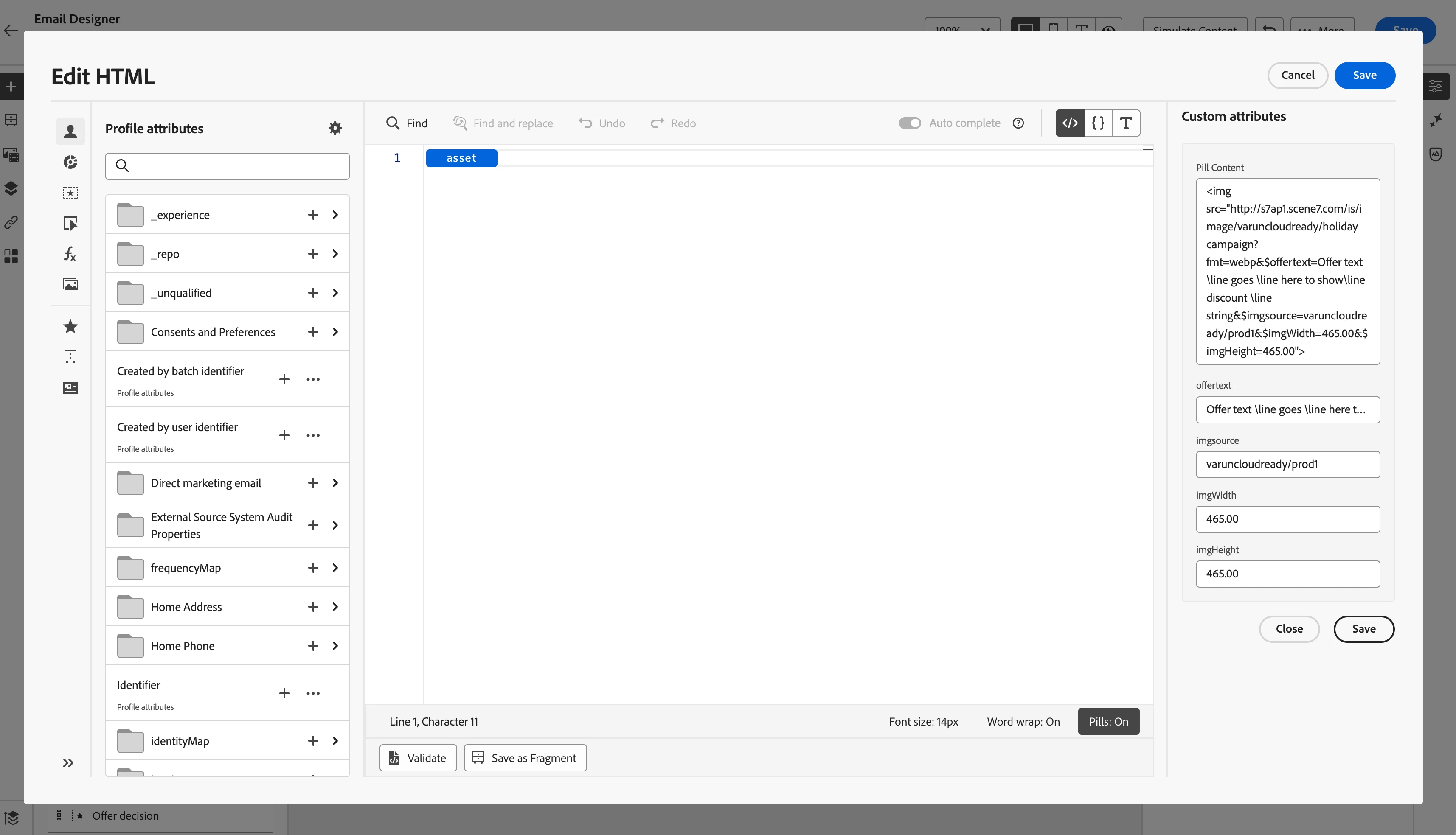
- Drag "1:1" structure in email designer canvas and drag "HTML" container from content. Click on "Edit Personalisation" to open Personalisation editor.
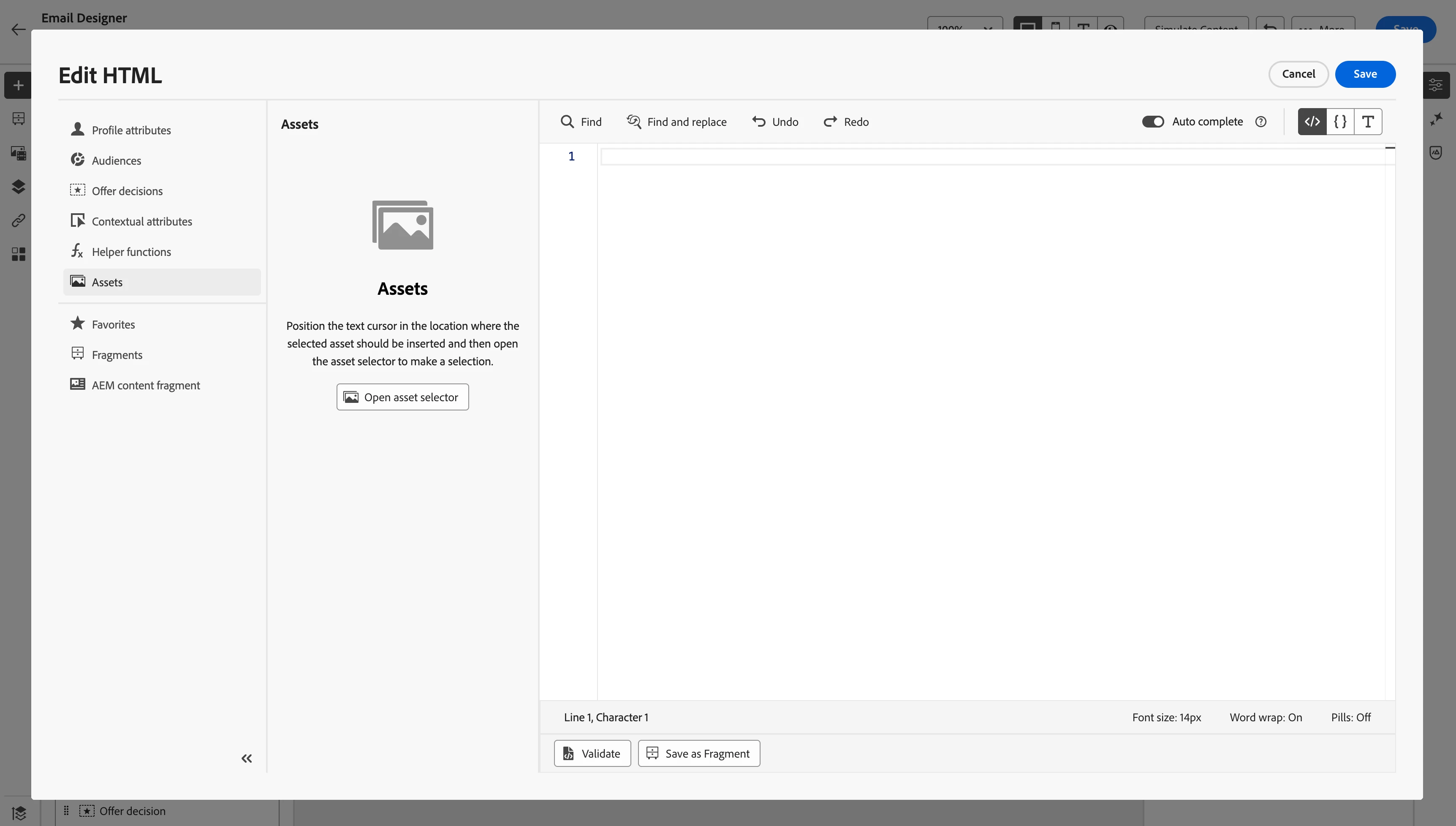
- Click on "Assets" option from left rail options. Click on "Open asset selector" button.
- Choose AEM "Repository" from dropdown (top right) where dynamic template was created earlier.
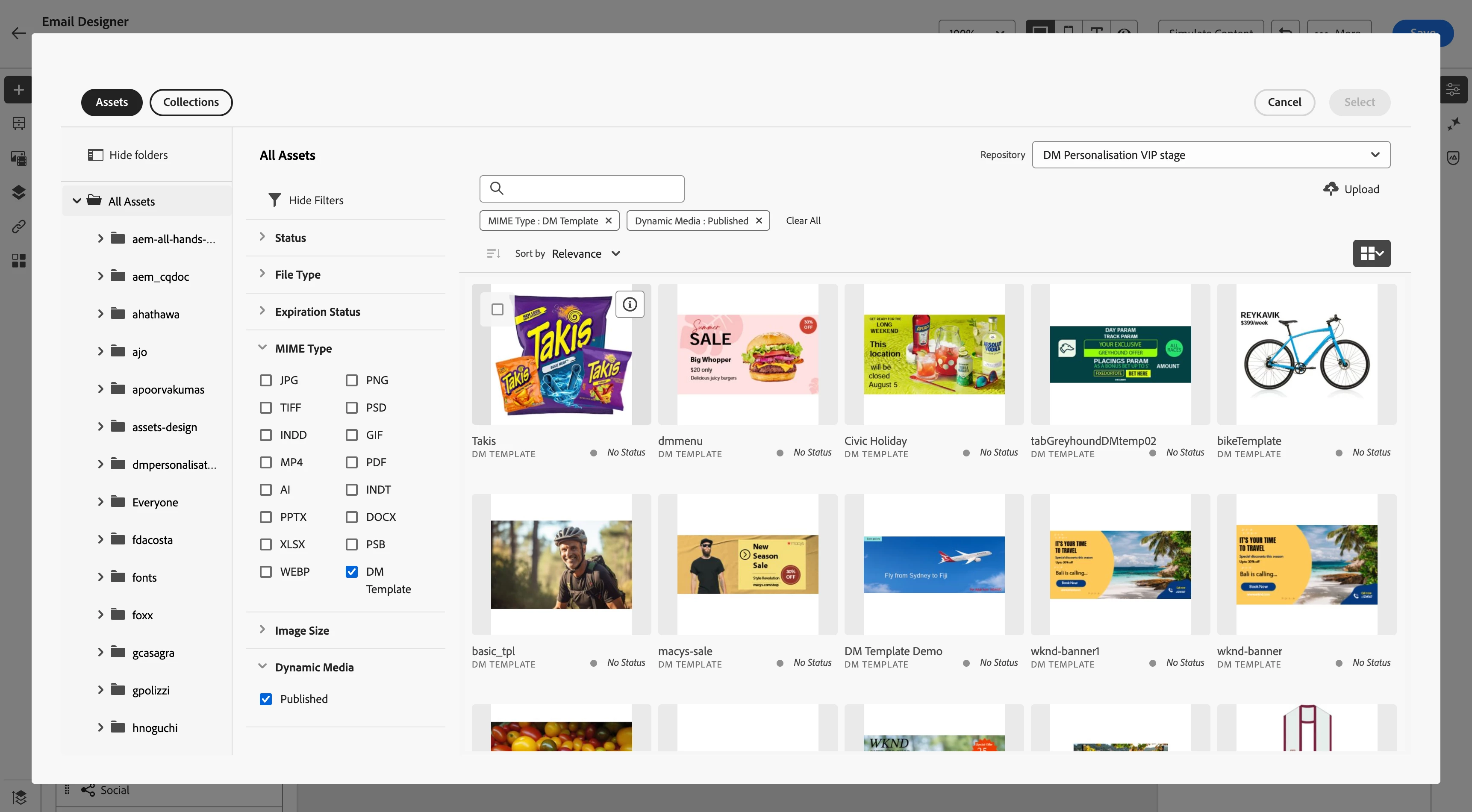
- Apply "DM Template" filter under "MIME Type" section from the filters from left rail of "Asset Selector". Select the Dynamic template from the list and click save.If the "pills" feature is enabled, an asset will be inserted into the code editor as a pill. The user can click on this pill to open the right rail, which displays the asset details and provides options to modify the URL and configure dynamic parameter values for the asset.
Step 3: Dynamic Parameter Personalization
The real power of the integration comes from connecting customer data to Dynamic Media parameters:
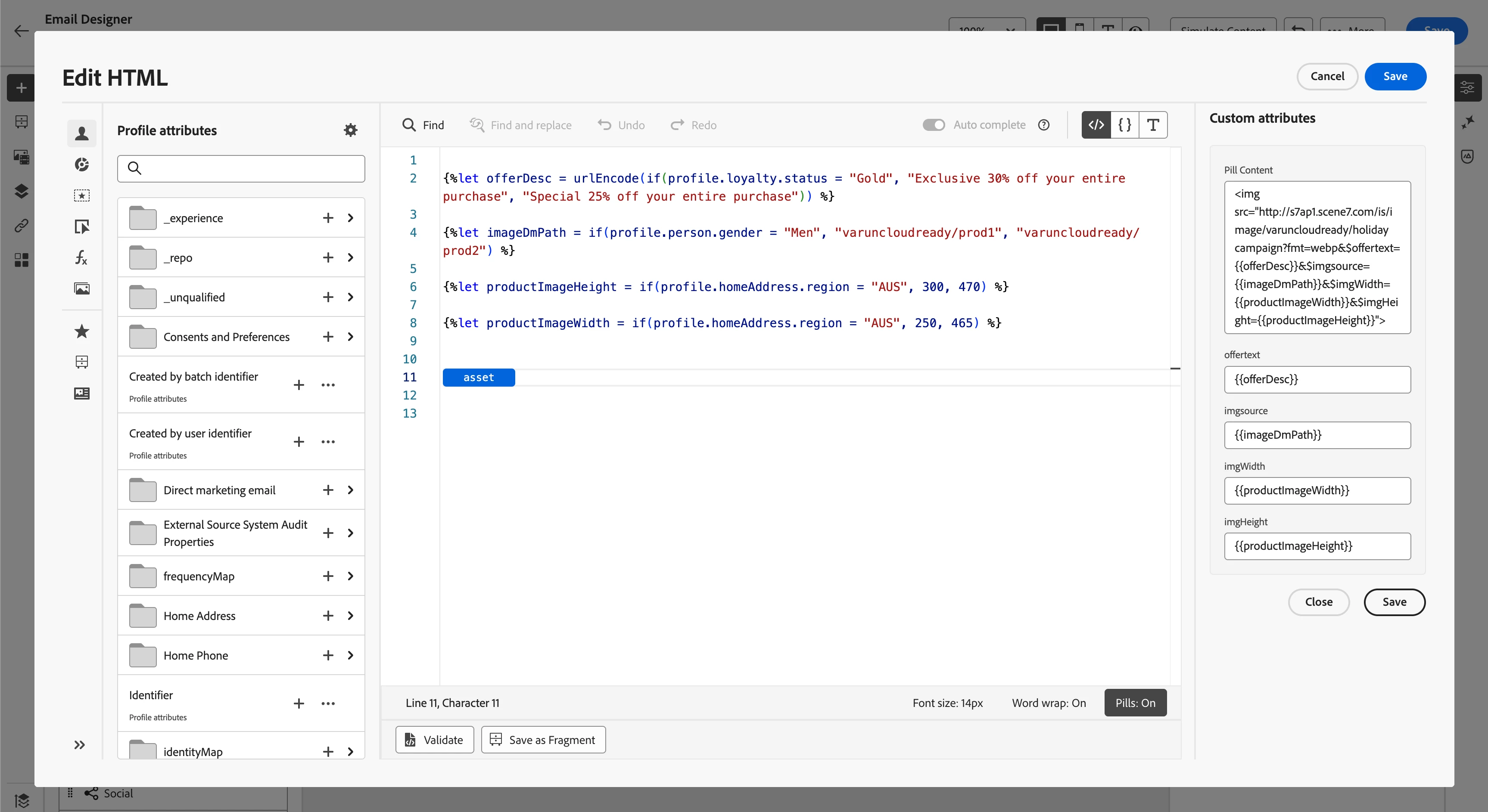
- Product Image based on personalised info :
{%let imageDmPath = if(profile.person.gender = "Men", "varuncloudready/prod1", "varuncloudready/prod2") %}
- Loyalty tier-based offer personalization text
{%let offerDesc = urlEncode(if(profile.loyalty.status = "Gold", "Exclusive 30% off your entire purchase", "Special 25% off your entire purchase")) %}
- Region based image height and width
{%let productImageHeight = if(profile.homeAddress.region = "AUS", 300, 470) %}
{%let productImageWidth = if(profile.homeAddress.region = "AUS", 250, 465) %}
Add above personalisations block to the content. Now, add the defined variables to the dynamic template params in right rail and click "Save".
Step 4: Preview of template
- Click on "Simulate content" option to show the preview of content. Preview content
- Select the test profile to see the preview. Manage test profile
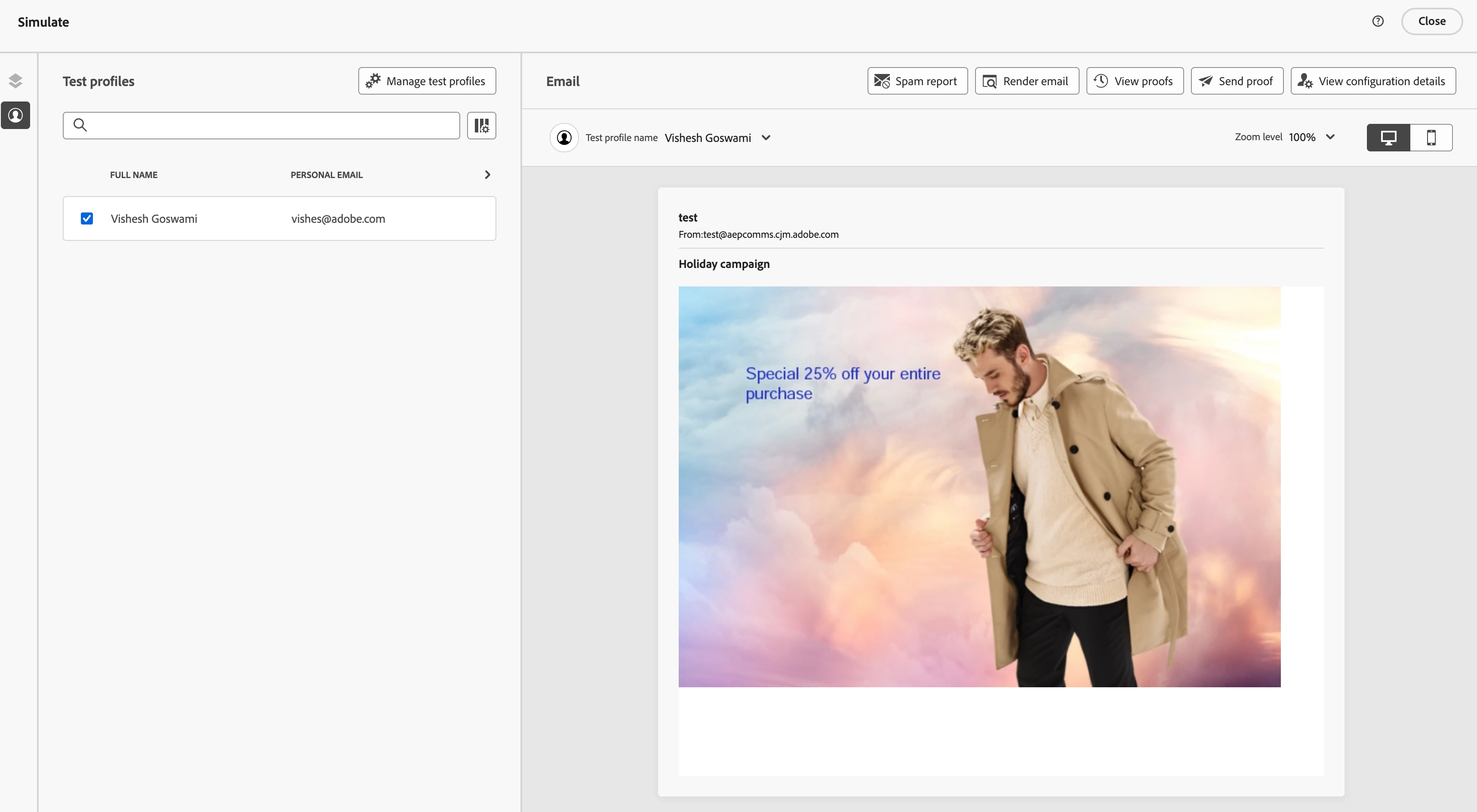
- Profile Params => Gold, Men, Aus
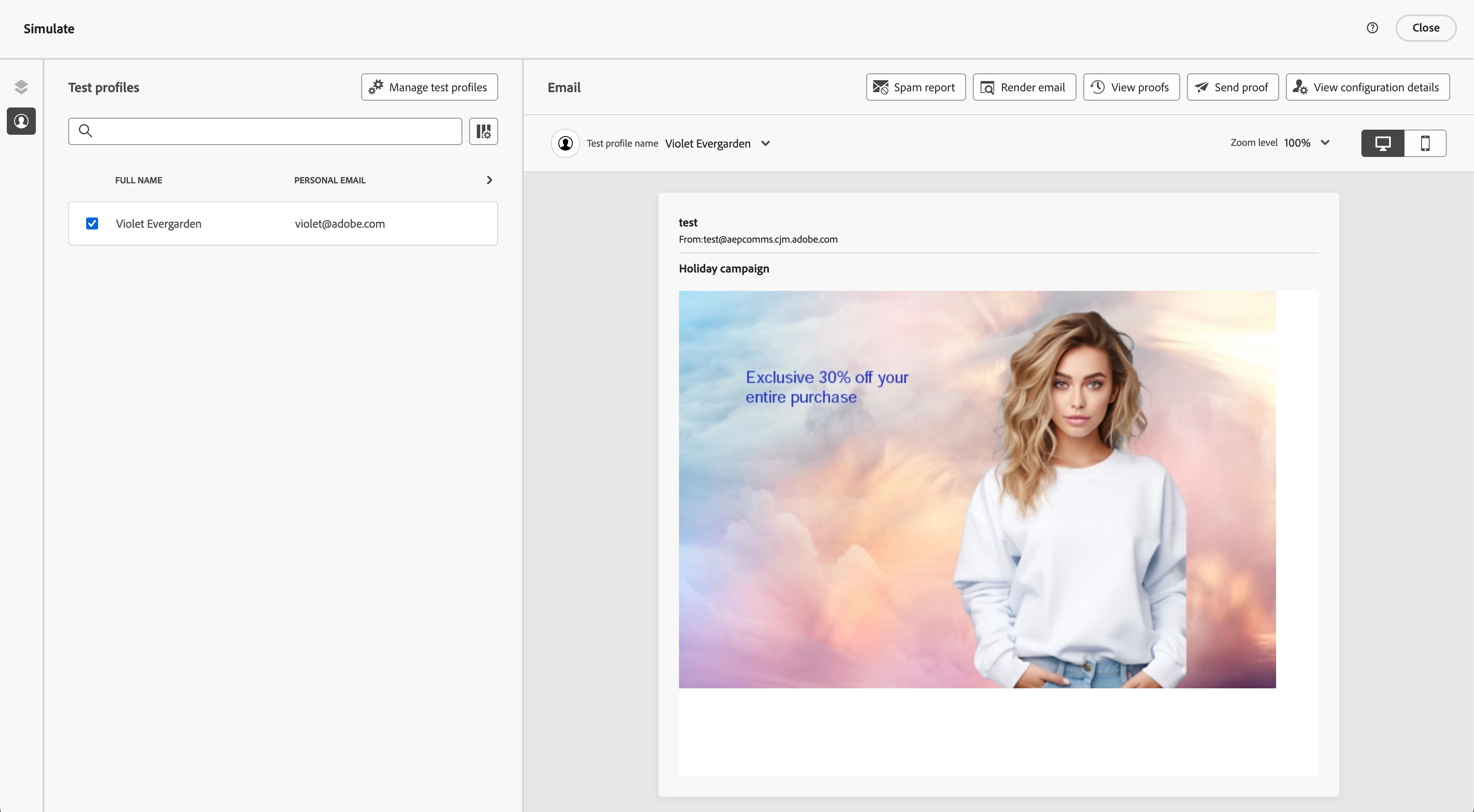
- Profile Params => Silver, Women, UK
- Profile Params => Gold, Men, Aus
Results: Potential Transformation in Marketing Agility
Implementing AJO-AEM Dynamic Media integration can deliver remarkable results:
Efficiency Gains
- Production time can be reduced: From weeks to minutes.
- Resource allocation can be transformed: Design teams can focus on creating quality templates rather than endless variations
- Asset management can be simplified: Master templates can replace potentially 16 individual assets
Marketing Impact
- Campaign launch acceleration: Holiday promotions can be launched faster than traditional timelines
- Real-time testing capability: Enhanced ability to test different offers, backgrounds, and CTAs in real-time.
- Personalization depth: Increased offer relevance based on individual customer data.
Key Takeaways
The AJO-AEM Dynamic Media integration represents a paradigm shift in how marketing teams approach campaign creation and personalization.
Scale Personalization Without Complexity: The integration enables hyper-personalized campaigns at scale by leveraging a single template to generate countless variations, eliminating the traditional trade-off between personalization depth and operational efficiency.
Real-Time Adaptability: Unlike static campaign assets, dynamic templates allow marketers to respond instantly to seasonal changes, or market conditions without requiring design team intervention.
Faster Time-to-Market: Campaign launch cycles compress dramatically, enabling more agile responses to market opportunities and competitive pressures.
Enhanced Testing Capabilities: The ability to test multiple variations provides deeper insights into customer preferences and campaign effectiveness.
This transformation from weeks to minutes in production time ultimately enables what matters most: creating more meaningful, relevant connections with customers during the critical holiday season.