
Actions in Journey -> requesting Open AI API to get image | Community
Skip to main content
Michael_Soprano
Level 10
December 17, 2024
Solved

Actions in Journey -> requesting Open AI API to get image

  • December 17, 2024
  • 2 replies
  • 1736 views

I would like to get dynamically in my mailing image from Open AI API. I configured everything in Open AI and in Postman I get url of the image. However in journey test mode it looks like there is nothing in response?? What do you think? Any suggestions? Then I would like to put response into email template in order to debug but nothing shows up on a templa and in the test mode log. 
 

This post is no longer active and is closed to new replies. Need help? Start a new post to ask your question.
Best answer by Mohan_Dugganab

Is this response from API (as JSON) is already parsed to a string?


looks like the response is an array object, you can access it on the following lines

{{#each context.journey.actions.<actionId>.data as |res|}} {{res.revised_prompt}} <br/> {{res.url}} {{/each}}


2 replies

Mohan_Dugganab
Adobe Employee
Adobe Employee
December 17, 2024

I believe the response payload is configured in the custom action response. If so, can you try accessing the response attributes in a condition and see if you notice it in the logs ?

Michael_Soprano
Level 10
December 28, 2024

Sorry that my response is so late 😄

I am not able to put the Custom Action response directly in the email template without condition?

I put the response in the email template directly but its empty and in the log there are no errors 😞

I do not see any response in the log in Test Mode 😞


Michael_Soprano
Level 10
December 28, 2024

I use the Condition node as you said to check if response from the server == 200 

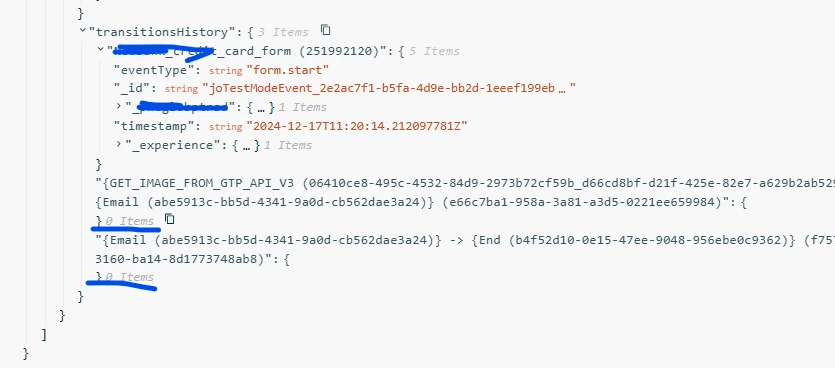
In the Logs I see the response from API:

However its still not put into email template. Checked multiple times. How to debug further?

Anuhya-Y
Community Advisor
Community Advisor
January 2, 2025

@michael_soprano 

When was the custom action created? I observed a similar issue with a custom action created a couple of months ago. As a fallback option, I switched to using a data source (refer to: Configure Data Sources for Journeys).

However, I recently noticed that responses can now also be personalized in emails via custom actions. I would recommend creating a new custom action from scratch if the existing one was created a couple of months ago

Michael_Soprano
Level 10
January 5, 2025

Happy new year!

It was created few days ago. I use Custom Action as I think its more flexible for my use-case....

What is the practical difference between Custom Actions and Data Sources???

Anuhya-Y
Community Advisor
Community Advisor
January 6, 2025

@michael_soprano 

In the initial release, the custom action feature in AJO supported only the POST method, while Data Source was the primary way to retrieve information from third-party systems into AJO.

With recent updates, custom action now supports the GET method, making it possible to fetch data directly from third-party systems. However, during testing, I observed a personalization issue with the custom action response, which did not occur with Data Source responses.

Data Source is specifically used to bring AEP data into AJO. Beyond this, custom action can perform the same functions of Data Source.
