Writing direct call function as custom code in Adobe Launch rule | Community
Skip to main content
November 18, 2022
Solved

Writing direct call function as custom code in Adobe Launch rule

  • November 18, 2022
  • 1 reply
  • 7904 views

Hi,

I have a data layer where data is pushed when an event occurs. Normally, I use Direct Call with the name of the event to fire the rule. However, I would like to have several event-names.

I know that it's possible to use several Direct Call's, however, I think it becomes too messy for my purposes here and therefore want to use custom code.

In another forum, I was adviced to use _satellite.track('yourstringgoeshere') in custom code. Although, I am not able to fire the rule by doing this. I am passing the event name as 'yourstringgoeshere'. Is this the right way to do it? Is there anything else I need to do?

Note: Under actions I am using Set Variables and Send Beacon with s.tl().

My previous question was posted here: https://experienceleaguecommunities.adobe.com/t5/adobe-experience-platform/writing-direct-call-function-as-custom-code-in-adobe-launch-rule/m-p/558486#M1534 

Can anyone help me? Thanks in advance! 🙂

This post is no longer active and is closed to new replies. Need help? Start a new post to ask your question.
Best answer by yuhuisg

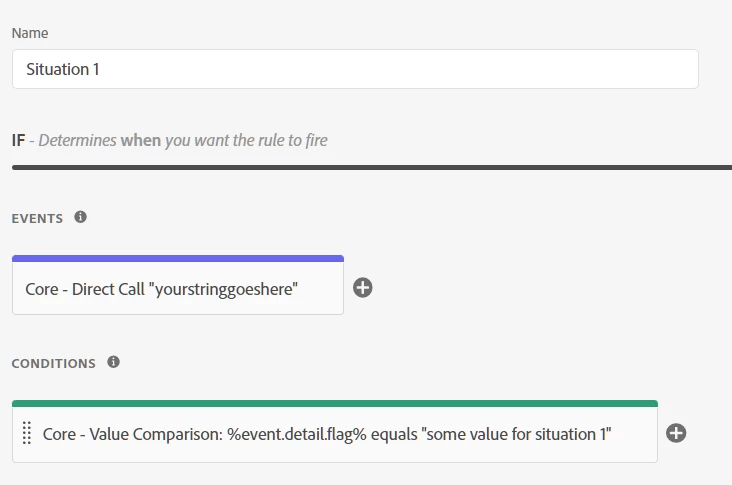
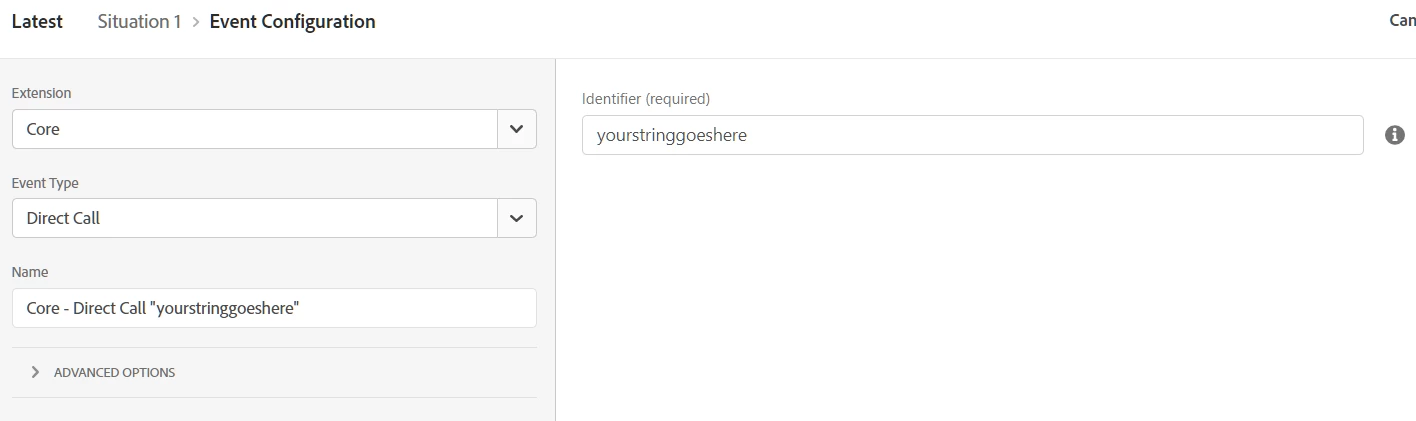
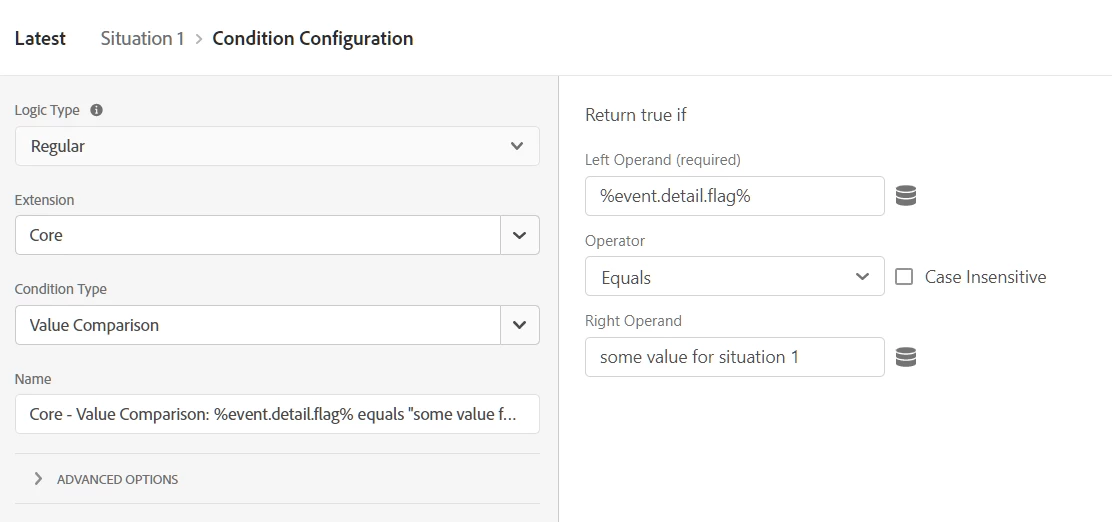
No, what I'm suggesting is for your Rule to contain 1 Event and 1 Condition, like so:

Then, in your website code that calls the Direct Call, you use something like this:

var detail = {
  flag: "some value for situation 1",
};
_satellite.track("yourstringgoeshere", detail);

Then, you can replicate all of the above for any other situations that you have, replacing the website code's "flag" line and the Value Comparison condition accordingly.


- What should i put in "yourstringgoeshere"?

I got this from your original post. I assume that you know the actual Direct Call identifier that you should use there.

1 reply

yuhuisg
Community Advisor
Community Advisor
November 18, 2022

Instead of using multiple Direct Calls, you can still use one Direct Call, but include a "details" payload that has something to identify your different situations.

i.e.

var detail = {
  flag: "some value for situation 1",
};
_satellite.track("yourstringgoeshere", detail);

Now, in your "situation 1" rule, use this Direct Call, and add a Value Comparison condition:

%event.detail.flag% equals "some value for situation 1". Your rule will now run only for situation 1 and no other situations.

Do the same for your other situations.

Hope that helps!

November 22, 2022

@yuhuisg , thanks for your reply!


I am not sure I understand completely:

In a rule, under events, I put 2 events: 1 Direct Call and 1 Custom code.


In Direct call I can put %event.detail.flag%.

In Custom Code:

- How should I write the value (event name from datalayer) for situation 2?

- What should i put in "yourstringgoeshere"?


Thanks again!!

yuhuisg
Community Advisor
yuhuisgCommunity AdvisorAccepted solution
Community Advisor
November 22, 2022

No, what I'm suggesting is for your Rule to contain 1 Event and 1 Condition, like so:

Then, in your website code that calls the Direct Call, you use something like this:

var detail = {
  flag: "some value for situation 1",
};
_satellite.track("yourstringgoeshere", detail);

Then, you can replicate all of the above for any other situations that you have, replacing the website code's "flag" line and the Value Comparison condition accordingly.


- What should i put in "yourstringgoeshere"?

I got this from your original post. I assume that you know the actual Direct Call identifier that you should use there.