How to track the click url through data element and pass to Adobe Analytics? | Community
Skip to main content
Level 2
June 13, 2018
Solved

How to track the click url through data element and pass to Adobe Analytics?

  • June 13, 2018
  • 3 replies
  • 17114 views

Written following script it's shows the URL in alert but it's not sending any URL to the Adobe Analytics.

jQuery(document).on("click",".lia-search-results-container .page-link, .lia-autocomplete-container .lia-js-autocomplete-list-item-link", function(e){

e.preventDefault();

  alert(jQuery(this).attr("href"));

  return jQuery(this).attr("href");

})

I am in new in DTM please share the step by step guide
This post is no longer active and is closed to new replies. Need help? Start a new post to ask your question.
Best answer by Stewart_Schilling

Yeah, you're working too hard...

In DTM, the onClick handler is created for you when you create an event rule.

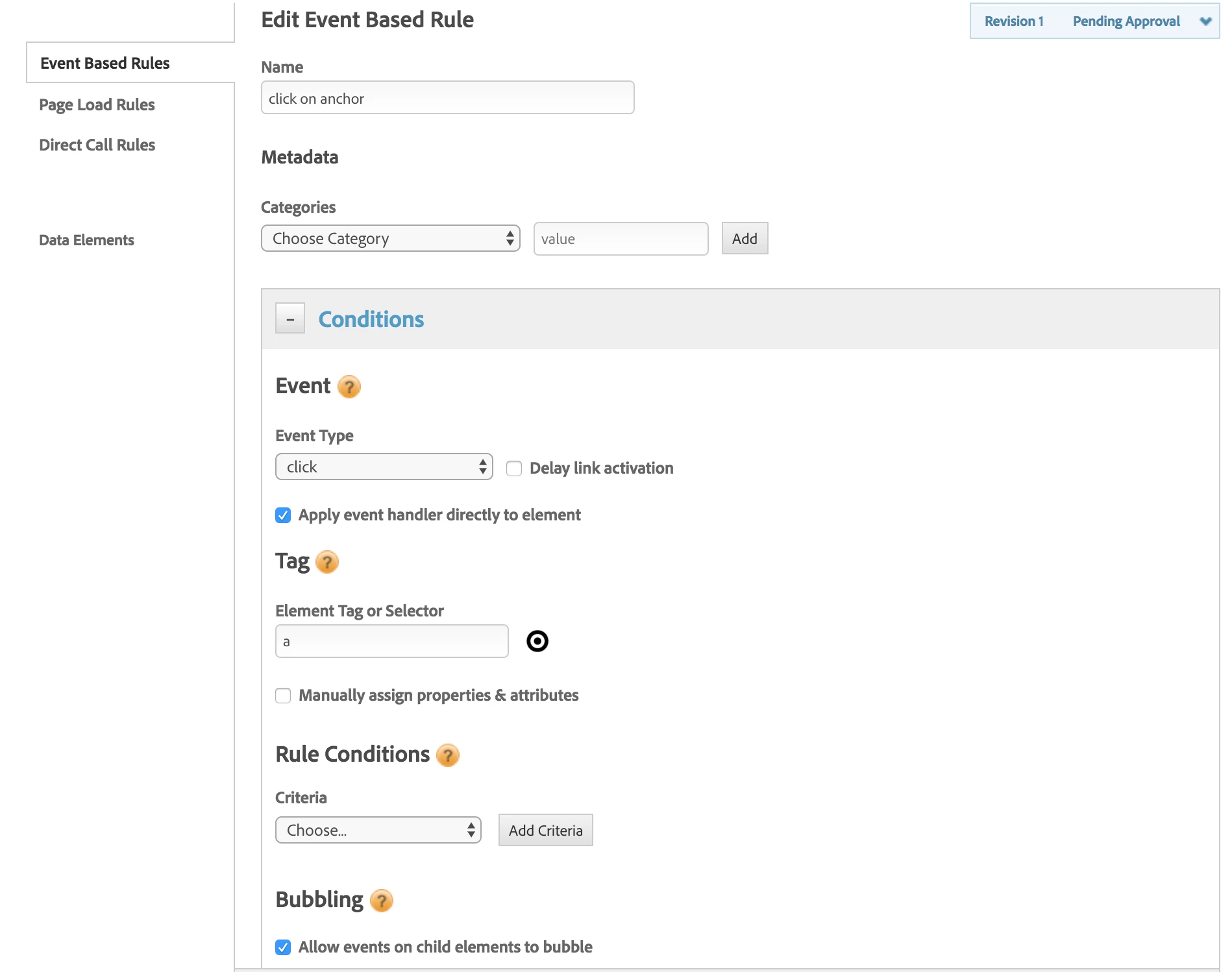
This all happens in the Conditions section of the rule:

Note the event type is "Click" and the Element Tag or Selector is set to "a" indicating that I want to set up a listener for any click on any anchor tag.  You can be as specific or as lax in the CSS selector that you put into this field.

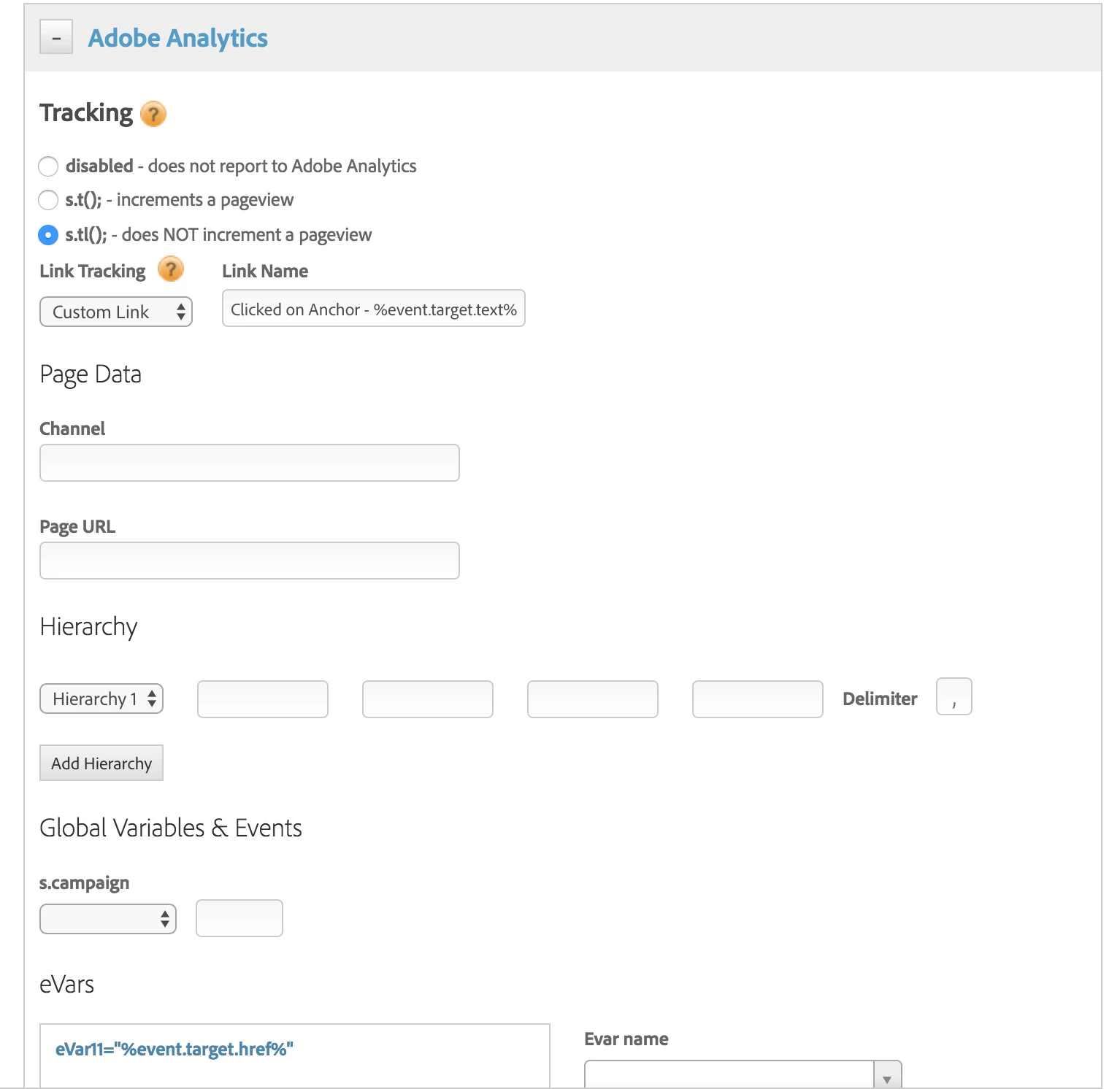
In the Actions part of the rule (Adobe Analytics in this case), we can set variables.

Below you'll see two examples.

1) In the AA custom link name, I am using the static text, "Clicked on Anchor - " and using data element syntax "%%" to wrap a reference to the event variable which is always available for DTM event rules.   In this case, I'm pulling the text of the anchor tag by specifying %event.target.text%.

2) For eVar11 I am simply grabbing the href of the anchor tag using %event.target.href%

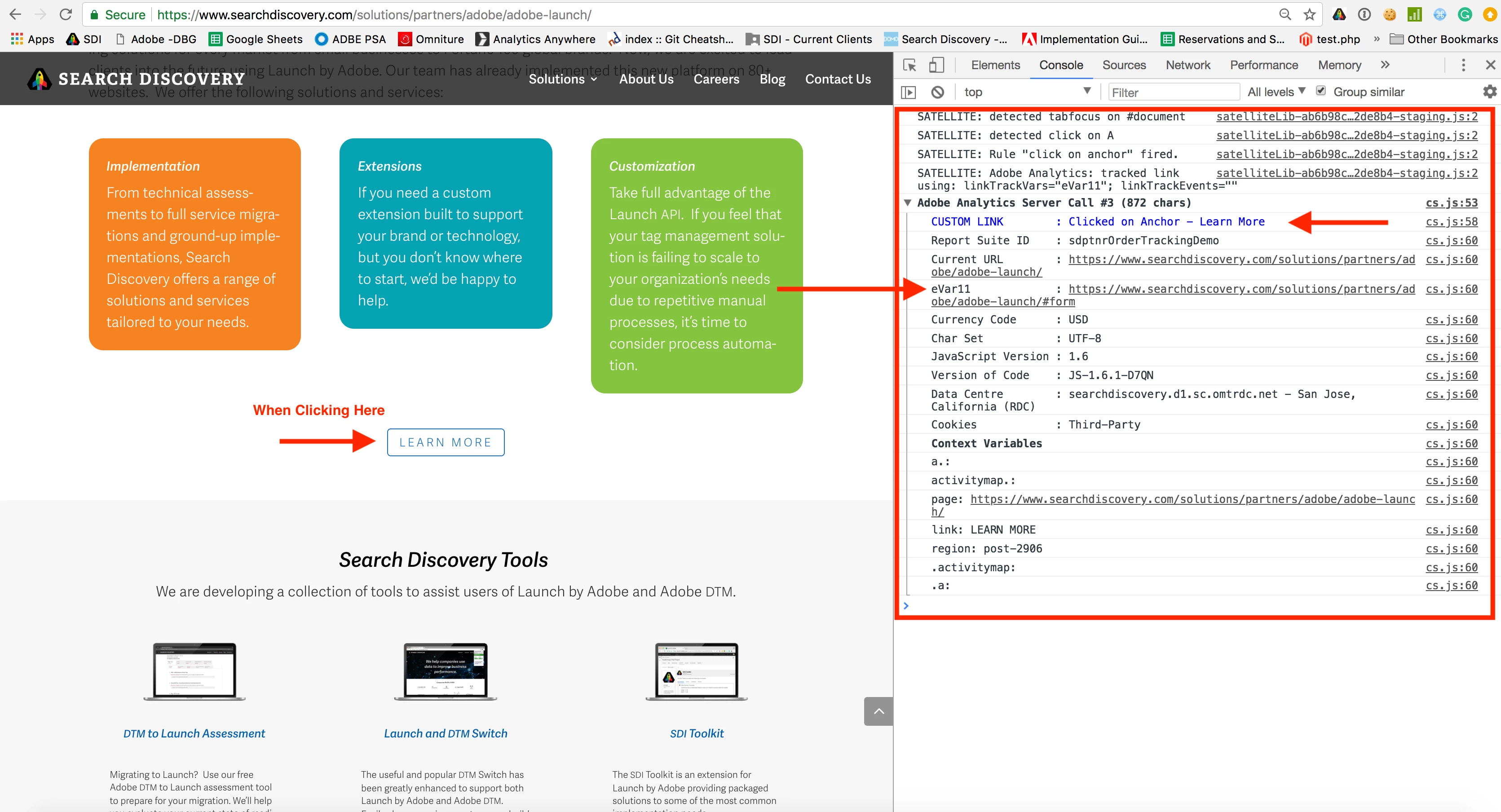
In action, here's what we get:

3 replies

Stewart_Schilling
Community Advisor
Stewart_SchillingCommunity AdvisorAccepted solution
Community Advisor
June 13, 2018

Yeah, you're working too hard...

In DTM, the onClick handler is created for you when you create an event rule.

This all happens in the Conditions section of the rule:

Note the event type is "Click" and the Element Tag or Selector is set to "a" indicating that I want to set up a listener for any click on any anchor tag.  You can be as specific or as lax in the CSS selector that you put into this field.

In the Actions part of the rule (Adobe Analytics in this case), we can set variables.

Below you'll see two examples.

1) In the AA custom link name, I am using the static text, "Clicked on Anchor - " and using data element syntax "%%" to wrap a reference to the event variable which is always available for DTM event rules.   In this case, I'm pulling the text of the anchor tag by specifying %event.target.text%.

2) For eVar11 I am simply grabbing the href of the anchor tag using %event.target.href%

In action, here's what we get:

vivekk58878436
Level 2
June 13, 2018

It works both ways. If you place this in thirdparty JS section, it should be able to bind. But yes, DTM binds links automatically Stewards explained

March 26, 2020

Can Anybody send me the step by step guide for launch?