Couldn't visualise the data elements data into Adobe analytics | Community
Skip to main content
Level 2
January 24, 2024
Solved

Couldn't visualise the data elements data into Adobe analytics

  • January 24, 2024
  • 2 replies
  • 1377 views

Hi All,

I was trying to send data to Adobe data collection 
1. I created a data element with extension as core and data element type as custom code and in the editor I gave return event.detail.userInfo
2. I created a rule a new rule as like below, the set variable is linked to an evar and a data element is also given for it.
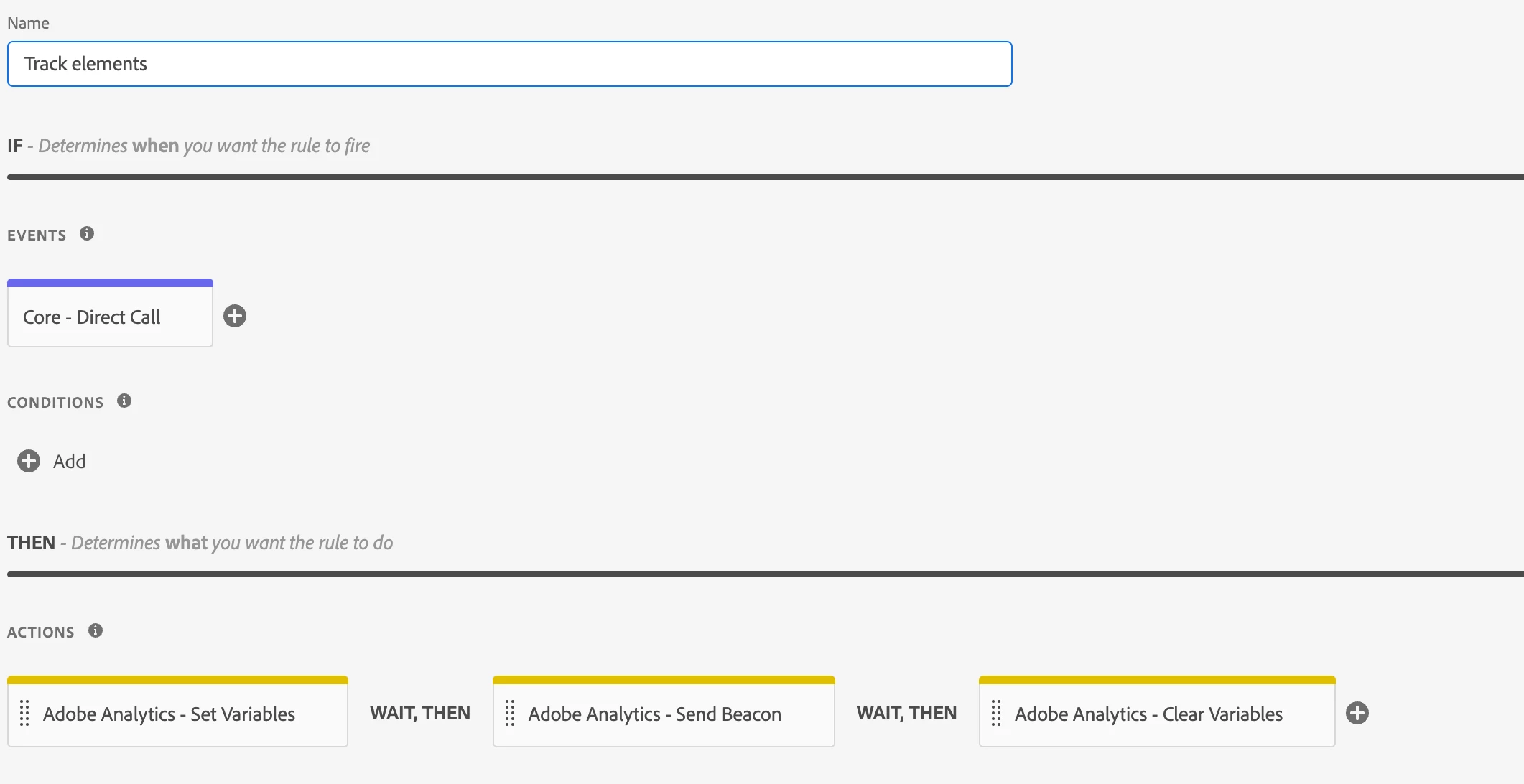
3. From UI i'm triggering _.satellite.track and it is also showing the proper values in omnibug.

4. The problem is I couldn't see the values in Adobe analytics dashboard when I drag the same evar into a table. Am I missing anything here? Can someone please help me on this?

This post is no longer active and is closed to new replies. Need help? Start a new post to ask your question.
Best answer by abhinavbalooni

Could you share the screenshot of the table from workspace and also the network call from omnibug.


Also, the date range in the workspace table is within the time range when u sent the data? Might be stating a few obvious things here to zero in on the cause.


Cheers,

Abhinav

2 replies

abhinavbalooni
Community Advisor
Community Advisor
January 24, 2024

Hey @karthik_22 


Are there other values in the eVar? Is the eVar enabled in the report suite ?

Level 2
January 24, 2024

Hi @abhinavbalooni 

No I'm trying to send only one value to that eVar but i'm seeing only unspecified in the visualisation. The eVar is also enabled in report suite and the rule is also in approved state 

abhinavbalooni
Community Advisor
abhinavbalooniCommunity AdvisorAccepted solution
Community Advisor
January 24, 2024

Could you share the screenshot of the table from workspace and also the network call from omnibug.


Also, the date range in the workspace table is within the time range when u sent the data? Might be stating a few obvious things here to zero in on the cause.


Cheers,

Abhinav

NimashaJain
Adobe Employee
Adobe Employee
February 6, 2024

@karthik_22 Did you find the suggested solutions helpful? It would be great if you can  mark the answer as correct for posterity. If you have found out solution yourself, share it with wider audience in the community.