Adobe Launch Environment - Create a Production Copy and Use it as DEV env | Community
Skip to main content
Luca_Lattarini
Level 9
June 30, 2020
Solved

Adobe Launch Environment - Create a Production Copy and Use it as DEV env

  • June 30, 2020
  • 1 reply
  • 1887 views

Hello everyone,

I am migrating DTM to Launch and I would like to create a Production env copy and use it as DEV. Could you advise how to do it properly?


Thanks

This post is no longer active and is closed to new replies. Need help? Start a new post to ask your question.
Best answer by raj_mandalapu

You should not use the Production env copy for DEV. the production env copy is built to send track information to the production report suite.


If you want to test launch script on dev environment then you can get it by clicking on the install button of the development environment, and to get the script for other environments you need to follow the same steps.

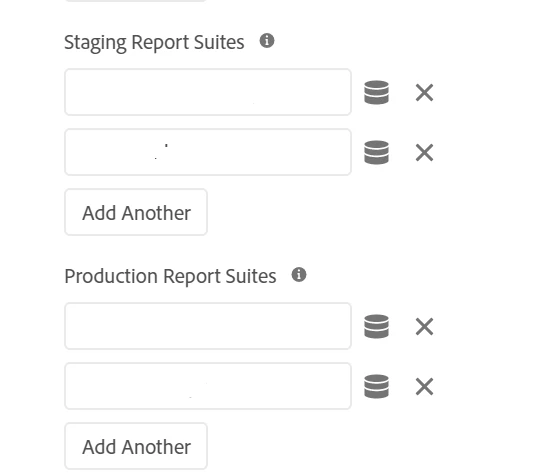
In the Adobe analytics extensions, you will see options to configure report suites, for development configure only development related report suite, and for production configure prod related report suite.

Once, the configuration is completed, go to the "publishing flow" and create a library and add all changes, then build and publish.

For testing your library should be in the approved state, for the production it should be in the published state.

You can use different report suites for development and production, you can configure a development report suite for both dev and stage environments.


1 reply

raj_mandalapu
raj_mandalapuAccepted solution
Level 7
July 1, 2020

You should not use the Production env copy for DEV. the production env copy is built to send track information to the production report suite.


If you want to test launch script on dev environment then you can get it by clicking on the install button of the development environment, and to get the script for other environments you need to follow the same steps.

In the Adobe analytics extensions, you will see options to configure report suites, for development configure only development related report suite, and for production configure prod related report suite.

Once, the configuration is completed, go to the "publishing flow" and create a library and add all changes, then build and publish.

For testing your library should be in the approved state, for the production it should be in the published state.

You can use different report suites for development and production, you can configure a development report suite for both dev and stage environments.


Luca_Lattarini
Level 9
July 2, 2020
Currently we dont have three environments and instead of developing from scratch the DEV env, it may be a starting point.