WKND Sites Project - Core FAILURE - Syncroning AEM 6.5 with Visual Code Studio | Community
Skip to main content
Level 3
November 11, 2021
Solved

WKND Sites Project - Core FAILURE - Syncroning AEM 6.5 with Visual Code Studio

  • November 11, 2021
  • 2 replies
  • 2101 views

Hello, 

i would to syncronize Visual Code Studio to AEM 6.5, i have followed the instructions of this video

At minute 3:23 of video i should install a package into WKND Sites project - Core with this command, in the terminal of Visual Code: 


"-PautoInstallBundle clean install"


but this is the result
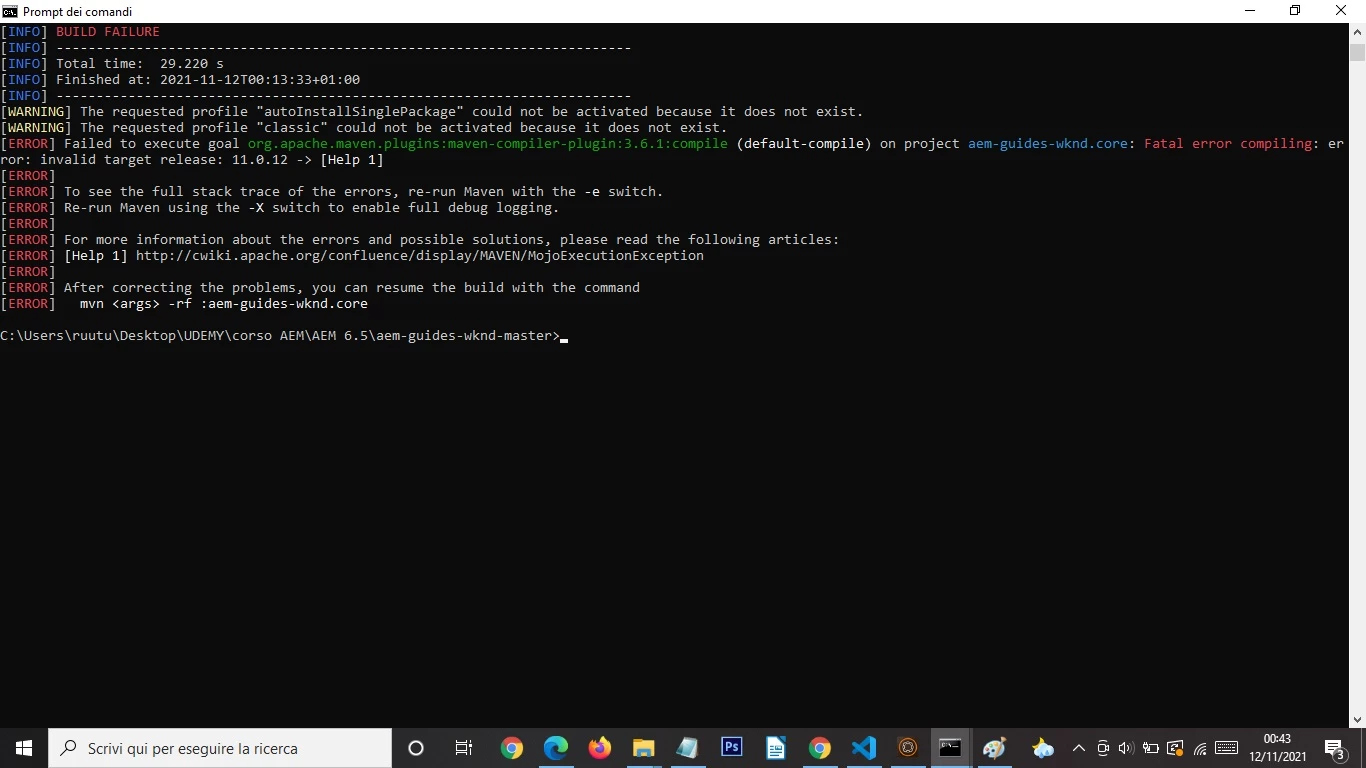


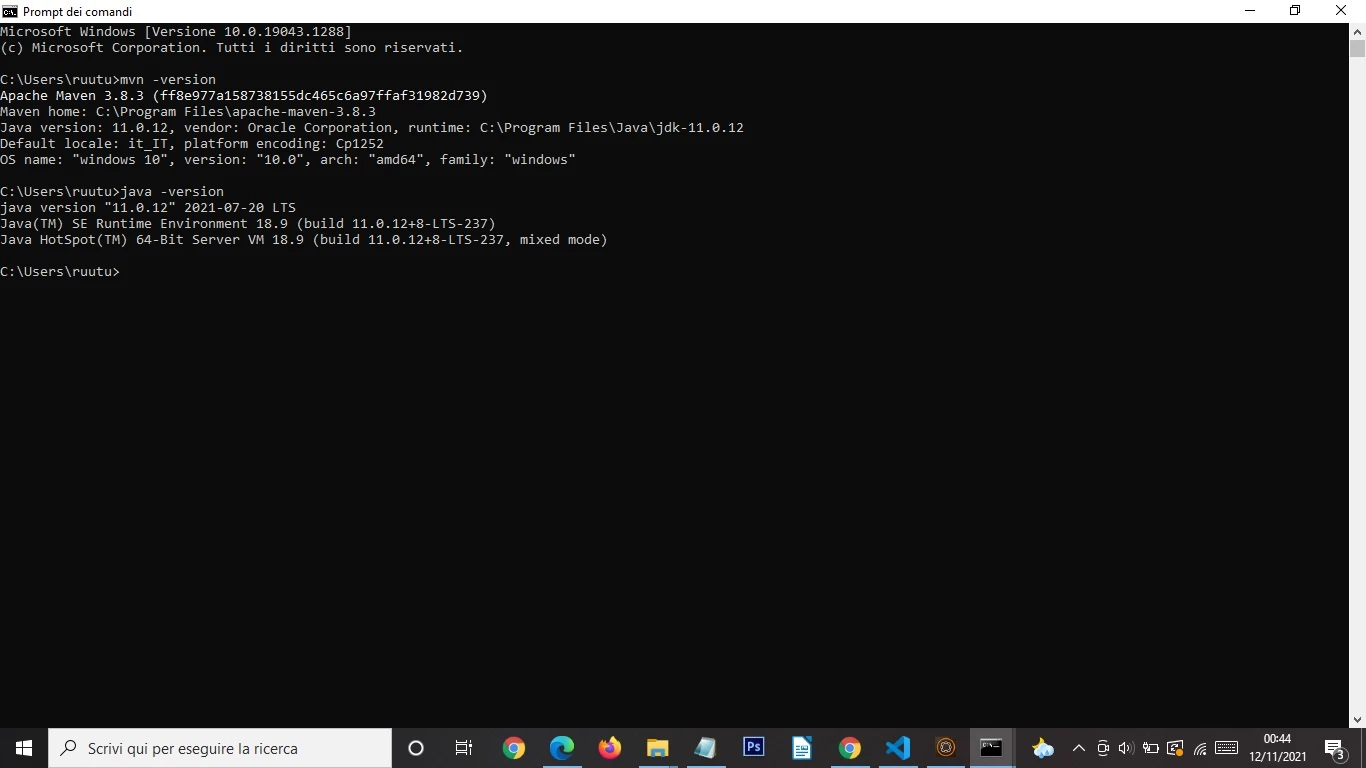
Why doesn't run?? These is my version of Java and Maven


And this is  the  Output of Visual Code
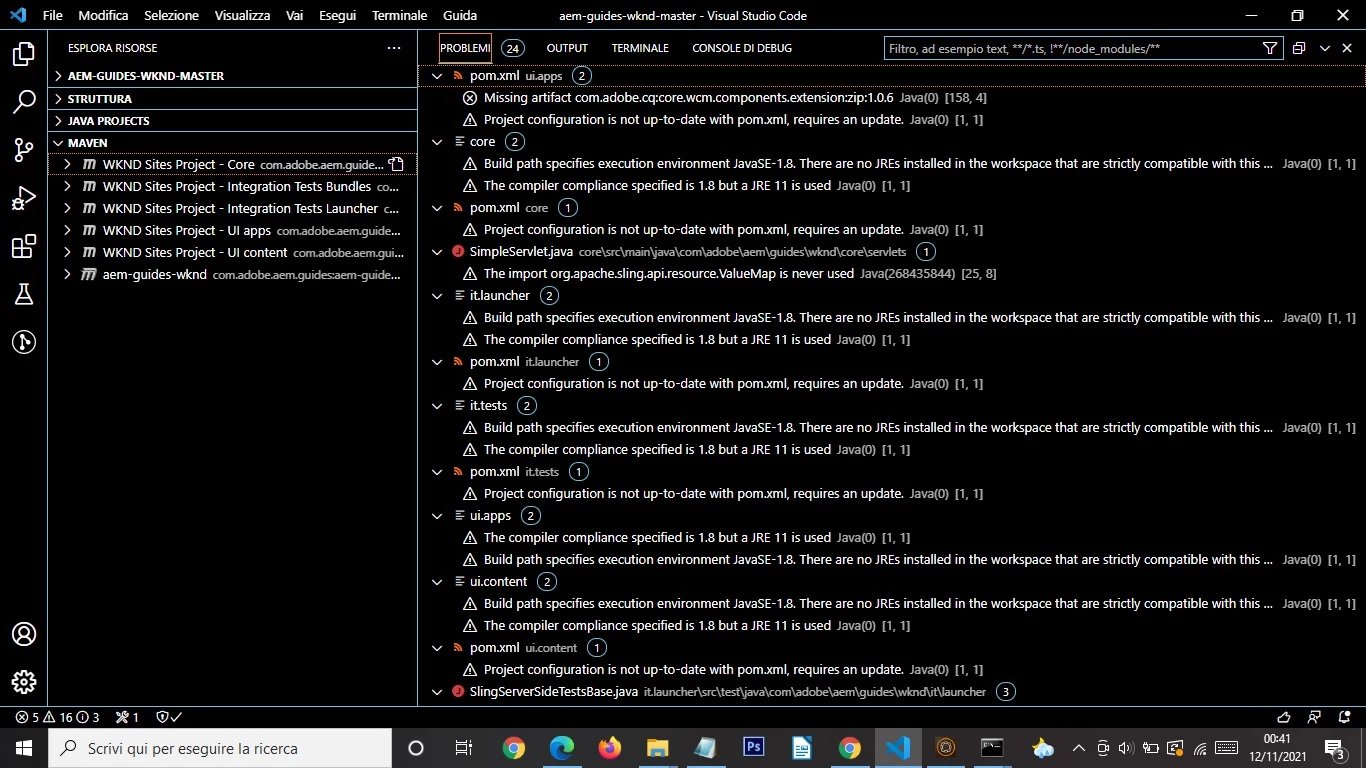
 

Before to run at 2:23 of video i have changed The pom.xml of the file AEM-GUIDES-WKND-MASTER, from Java 1.8 to 11.0.12 (it's correct). In fact it was run correctly and installed. But with CORE results FAILURE. Can you hel me please?


This post is no longer active and is closed to new replies. Need help? Start a new post to ask your question.
Best answer by Kiran_Vedantam

Hi @francobarresi 


This seems to be an issue with maven not knowing your JAVA version. Find similar issue with resolution here: https://stackoverflow.com/questions/54732787/maven-tells-me-fatal-error-compiling-invalid-target-release-though-java-versi


Hope this helps.


Thanks,

Kiran Vedantam.

2 replies

Asutosh_Jena_
Community Advisor
Community Advisor
November 12, 2021

Hi @francobarresi 


Please use the below command on the project parent directory.


mvn clean install -PautoInstallBundle


Thanks!

Level 3
November 18, 2021

No..this is the result. I have inserted your command above WKND - Sites Project - Core

[INFO] Scanning for projects...
[INFO]
[INFO] -------------< com.adobe.aem.guides:aem-guides-wknd.core >--------------
[INFO] Building WKND Sites Project - Core 0.0.1-SNAPSHOT
[INFO] -------------------------------[ bundle ]-------------------------------
[INFO] ------------------------------------------------------------------------
[INFO] BUILD FAILURE
[INFO] ------------------------------------------------------------------------
[INFO] Total time: 10.949 s
[INFO] Finished at: 2021-11-18T16:46:08+01:00
[INFO] ------------------------------------------------------------------------
[ERROR] Unknown lifecycle phase "mvn". You must specify a valid lifecycle phase or a goal in the format <plugin-prefix>:<goal> or <plugin-group-id>:<plugin-artifact-id>[:<plugin-version>]:<goal>. Available lifecycle phases are: validate, initialize, generate-sources, process-sources, generate-resources, process-resources, compile, process-classes, generate-test-sources, process-test-sources, generate-test-resources, process-test-resources, test-compile, process-test-classes, test, prepare-package, package, pre-integration-test, integration-test, post-integration-test, verify, install, deploy, pre-clean, clean, post-clean, pre-site, site, post-site, site-deploy. -> [Help 1]
[ERROR]
[ERROR] To see the full stack trace of the errors, re-run Maven with the -e switch.
[ERROR] Re-run Maven using the -X switch to enable full debug logging.
[ERROR]
[ERROR] For more information about the errors and possible solutions, please read the following articles:
[ERROR] [Help 1] http://cwiki.apache.org/confluence/display/MAVEN/LifecyclePhaseNotFoundException
PS C:\Users\ruutu\Desktop\UDEMY\corso AEM\AEM 6.5\aem-guides-wknd-master>

Kiran_Vedantam
Community Advisor
Kiran_VedantamCommunity AdvisorAccepted solution
Community Advisor
November 12, 2021

Hi @francobarresi 


This seems to be an issue with maven not knowing your JAVA version. Find similar issue with resolution here: https://stackoverflow.com/questions/54732787/maven-tells-me-fatal-error-compiling-invalid-target-release-though-java-versi


Hope this helps.


Thanks,

Kiran Vedantam.