WKND page not rendering when edited | Community
Skip to main content
June 19, 2021
Solved

WKND page not rendering when edited

  • June 19, 2021
  • 4 replies
  • 2832 views

Hi community, 

newbie here.


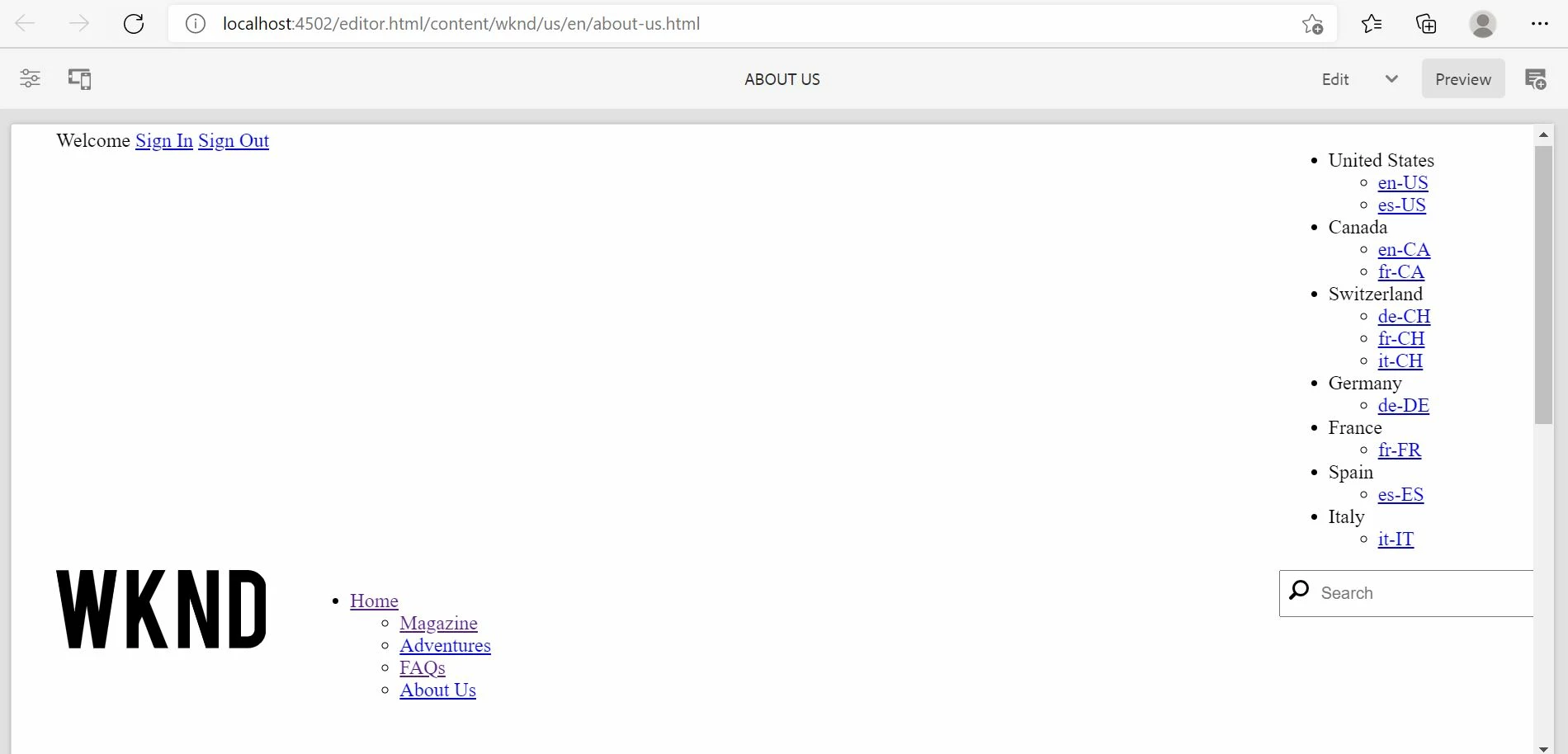
I am experiencing issue when a wknd site page is being edited the look and feel is not as it should be. Looks like css is not taking effect. Appreciated any pointers in order to fix this issue. I have installed AEM SDK.


Attached a screen grab.
Cheers


This post is no longer active and is closed to new replies. Need help? Start a new post to ask your question.
Best answer by Ritesh_Mittal

Hi @imalakaamir ,


Since you are using "AEM as a Cloud Service" SDK, so I hope you must have run specific command to install the code (for non cloud we have different command).


mvn clean install -PautoInstallSinglePackage


And also, I believe you must have followed the same steps for local setup

https://experienceleague.adobe.com/docs/experience-manager-learn/cloud-service/local-development-environment-set-up/aem-runtime.html.


Meanwhile, can you try creating a new instance and this time use the pre-compiled package, if it works fine then we can rule out what is missing in this environment.

4 replies

Ritesh_Mittal
Community Advisor and Adobe Champion
June 19, 2021

Hi @imalakaamir ,


How have you installed the WKND reference site, through git repo or pre-compiled AEM packages? Which version of AEM you are using? Have you inspected the browser and see if no CSS is loading?

June 19, 2021

Hi @ritesh_mittal


1. installed through git repo and build with IntelliJ

2.  using aem-sdk-2021.5.5368.20210529T101701Z-210527


This is what seen in browser inspect, attached as well.

This localhost page can’t be found

No webpage was found for the web address: http://localhost:4502/etc.clientlibs/wknd/clientlibs/clientlib-site/resources/fonts/wknd-icon-font.ttf

HTTP ERROR 404
 
Cheers
ChitraMadan
Community Advisor
Community Advisor
June 19, 2021

Hi @imalakaamir,


Can you please let us know if you are meeting the system requirements mentioned here - https://github.com/adobe/aem-guides-wknd

and also did you build with the correct profile? What error are you seeing in the console?

Ritesh_Mittal
Community Advisor and Adobe Champion
Ritesh_MittalCommunity Advisor and Adobe ChampionAccepted solution
Community Advisor and Adobe Champion
June 19, 2021

Hi @imalakaamir ,


Since you are using "AEM as a Cloud Service" SDK, so I hope you must have run specific command to install the code (for non cloud we have different command).


mvn clean install -PautoInstallSinglePackage


And also, I believe you must have followed the same steps for local setup

https://experienceleague.adobe.com/docs/experience-manager-learn/cloud-service/local-development-environment-set-up/aem-runtime.html.


Meanwhile, can you try creating a new instance and this time use the pre-compiled package, if it works fine then we can rule out what is missing in this environment.

June 20, 2021

Hi @ritesh_mittal

Thanks for bearing with me.


1. Yes, i am using "AEM as a Cloud Service" SDK therefore followed correct command without classic param

2. Yes, you are correct i have followed all the steps mentioned here (i am using IntelliJ Idea as IDE) https://experienceleague.adobe.com/docs/experience-manager-learn/cloud-service/local-development-environment-set-up/aem-runtime.html

3. Followed your last instruction of wiping out the current environment and created new instance then imported PRE-COMPILED packages from https://github.com/adobe/aem-guides-wknd/releases and you know what, it is working fine :). Have a look on attached screen shot. All css and fonts are loading fine without any errors. So, what is missing when code is imported from git hub instead of pre compiled packages ?

Cheers mate.

Nikhil-Kumar
Community Advisor
Community Advisor
June 21, 2021

@imalakaamir  - I would suggest you to cross check the WKND project structure which is made out for AEMaaCs. Also you can check for the clientlibs, if they are getting loaded in page source or not and check for the template's policies.