Where the Permission data gets stored in CRXDE. | Community
Skip to main content
Level 6
July 27, 2022
Solved

Where the Permission data gets stored in CRXDE.

  • July 27, 2022
  • 3 replies
  • 1357 views

Hi

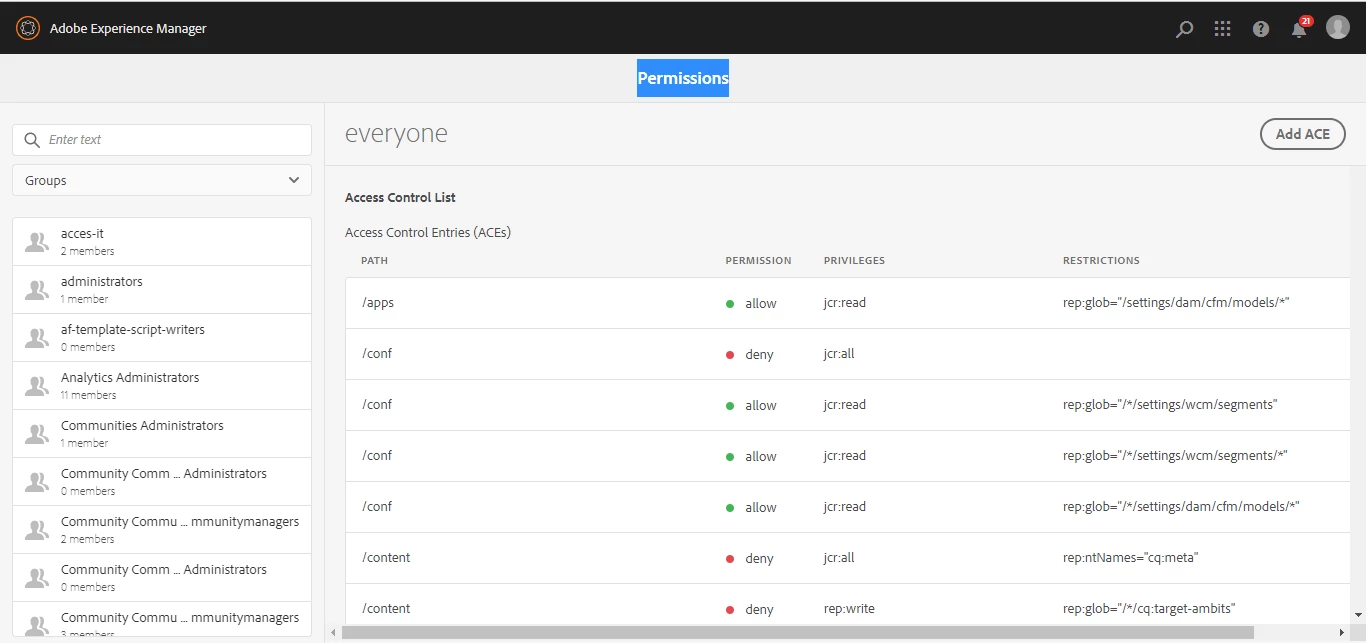
I want to retrieve permission data. Can I get to know where this data stored in CRXDE 

so that I can get it.

This post is no longer active and is closed to new replies. Need help? Start a new post to ask your question.
Best answer by HeenaMadan

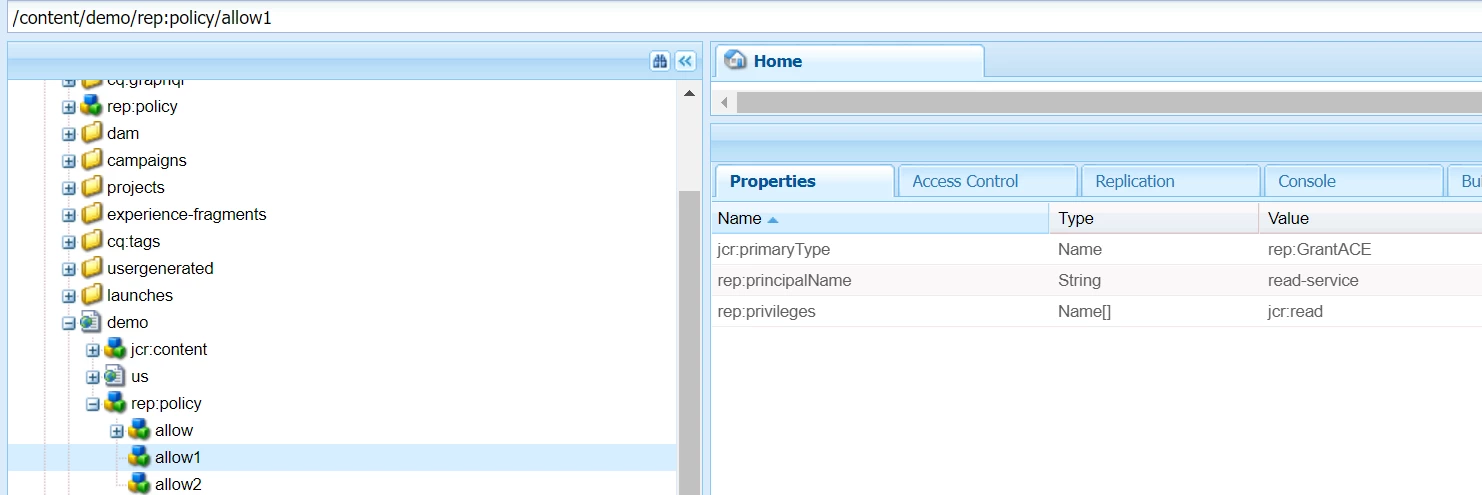
Permission data is stored in rep:policy nodes. For eg: you have given jcr read access of /content/<your-site> to "read-service" user and write access to "write-service". Then go to /content/<your-site>

click rep:policy, you will find allow nodes, check for rep:privileges


Thanks,

Heena

3 replies

Sachin_Arora_
Community Advisor
Community Advisor
July 27, 2022

Permission data is stored in rep:policy nodes. So for example you give permission to a node /content/a for user test then a rep:policy node will be created under /content/a having a child node allow/deny containing user name as rep:principalName, rep:privileges as type of permission.

For Example :


Below are the details of API that you can refer : 


Sample Code :

UserManager userMgr = ((org.apache.jackrabbit.api.JackrabbitSession) session).getUserManager();
AccessControlManager accessControlManager = session.getAccessControlManager();
Authorizable authorizable  = userMgr.getAuthorizable(groupName);
AccessControlPolicyIterator policyIterator = accessControlManager.getApplicablePolicies(nodePath);
Mohit_KBansal
Adobe Employee
Adobe Employee
July 27, 2022

Users and groups are stored under /home node. Please see [1] for details.


[1] https://experienceleague.adobe.com/docs/experience-manager-64/administering/security/security.html?lang=en

HeenaMadan
Community Advisor and Adobe Champion
HeenaMadanCommunity Advisor and Adobe ChampionAccepted solution
Community Advisor and Adobe Champion
July 27, 2022

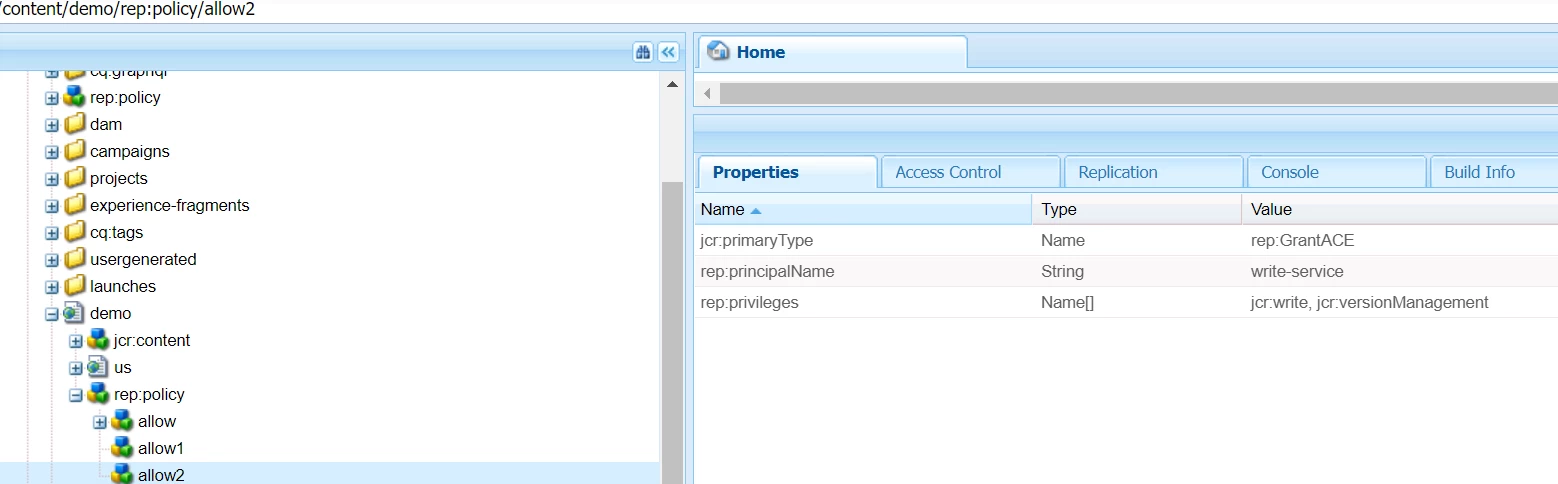
Permission data is stored in rep:policy nodes. For eg: you have given jcr read access of /content/<your-site> to "read-service" user and write access to "write-service". Then go to /content/<your-site>

click rep:policy, you will find allow nodes, check for rep:privileges


Thanks,

Heena