Unable to store rich-text content in a custom property name | Community
Skip to main content
Level 2
March 19, 2025
Solved

Unable to store rich-text content in a custom property name

  • March 19, 2025
  • 2 replies
  • 503 views

Hello,

 We are using AEM 6.5 with SP 22

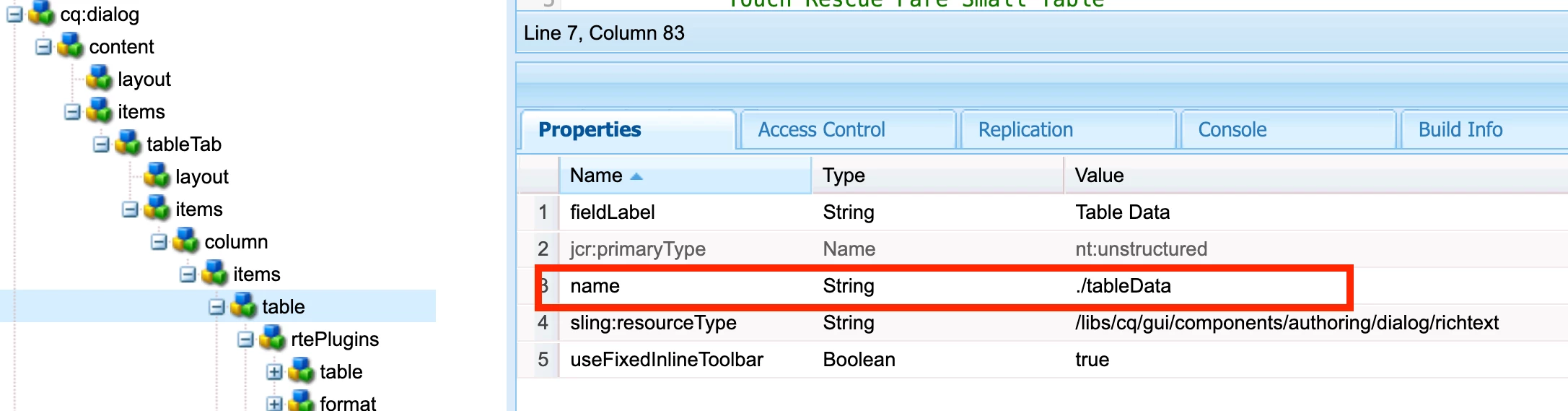
 We have a component with rich-text field with some custom property name (tableData), and we have enabled the InPlaceEditing for this.


 I have configured the cq:editConfig/cq:inplaceEditing node  after going through the documentation


(https://experienceleague.adobe.com/en/docs/experience-manager-65/content/sites/administering/operations/rich-text-editor#:~:text=Customizing%20in%20place%20editing,be%20persisted%20after%20inline%2Dediting.)


But the content is saved under "text" property whenever I add the content to this field using InPlace edit option.

When I use the regular dialog option and add the content, it would be saved in the custom property - tableData.


Please refer to the screenshots below
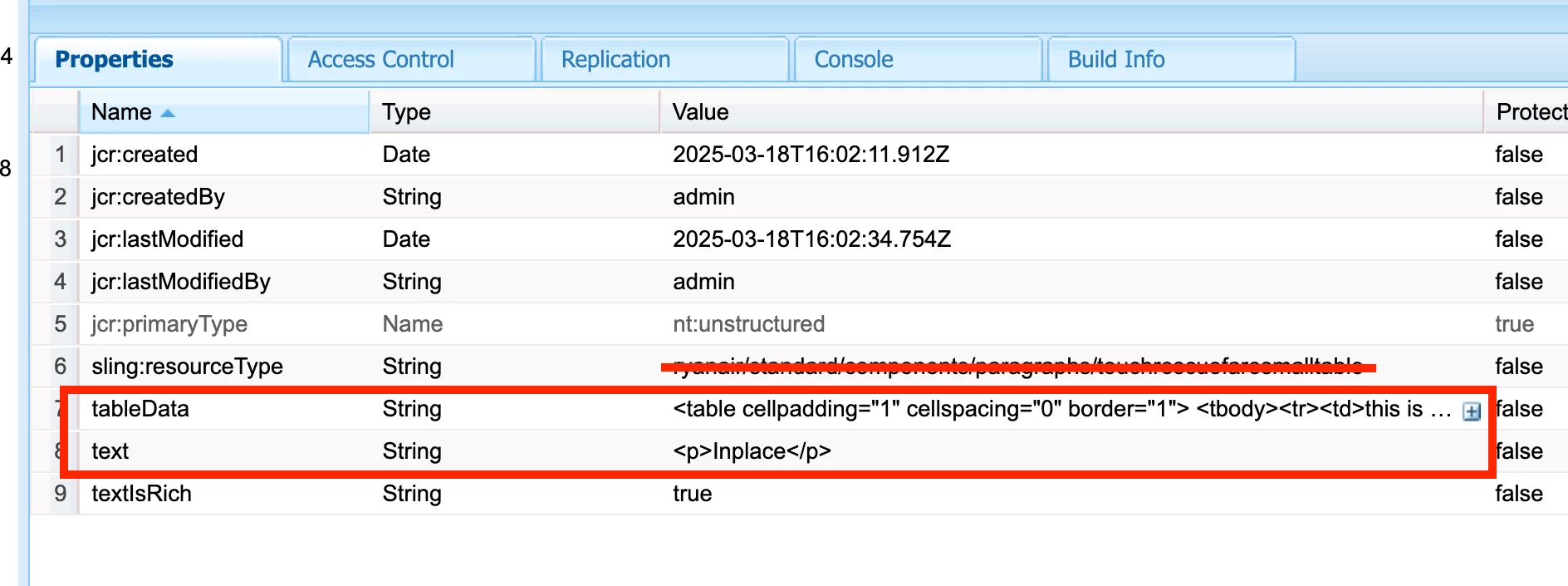


Ideally, I expect the content to be saved in "tableData" in both the cases. 

Have I configured something wrong here or the implementation is as expected?

Please suggest the correct approach for this.


Thank you in advance.


2 replies

arunpatidar
Community Advisor
arunpatidarCommunity AdvisorAccepted solution
Community Advisor
March 19, 2025
Level 2
March 19, 2025

Thank you @arunpatidar  I got the solution I am looking for in http://www.sgaemsolutions.com/2019/02/cqinplaceediting-in-cqeditconfig-node_7.html 


one more quick question : I have a custom css defined for this component's dialog. so that author's will get the glimpse of how it looks like on the page. 

I could add this in the component's cq:doialog with the property "extraClientlibs"


But, while doing the inPlaceEditng, this style disappers.

Is there a way I could add the custom styles in the inplaceEdit config?

arunpatidar
Community Advisor
Community Advisor
March 19, 2025

Hi @rohitk31991147 

For inplace editing you may need to load css clientlibs from head HTL with condition edit or preview mode.

Example

<!--/* Authoring CSS */--> <sly data-sly-test.author="${wcmmode.edit || wcmmode.preview}" data-sly-use.clientLib="/libs/granite/sightly/templates/clientlib.html" data-sly-call="${clientlib.css @ categories='mysite.site..util.author'}"/>


Arun Patidar
giuseppebaglio
Level 10
March 19, 2025

It may be helpful for troubleshooting if you can share the contents of the dialog and cq:inplaceEditing files.