Unable to show Asset size restriction popup only for Images in AEM 6.5
Hi All,
I have a requirement to restrict and show a popup to my web masters to do not upload more than 20mb assets (png, jpg, tif .. etc but not pdf, zip), while I was searching web, I found this link https://experienceleaguecommunities.adobe.com/t5/adobe-experience-manager/aem-6-5-19-on-prem-restrict-dam-upload-size-not-by-mime-type/m-p/668689.
I followed this, but I have couple of questions,
- Even though the Process step throws an error, but the Asset is already been uploaded to DAM (we shall delete through code though), hence not able to restrict from upload, right?
- Can we show a popup to the web master, so that he is aware of what went wrong.
In continuation to achieve my requirement, I decided to overlay(/apps/dam/gui/content/assets/jcr:content/actions/secondary/create/items/fileupload) OOTB file upload component/JS as suggested by @EstebanBustamante in his response in the above question and here also https://experienceleague.adobe.com/en/docs/experience-manager-65/content/assets/managing/managing-video-assets#configuration-to-upload-assets-that-are-larger-than-gb
After overlay, my could see a popup with my custom sizelimit, which is good.
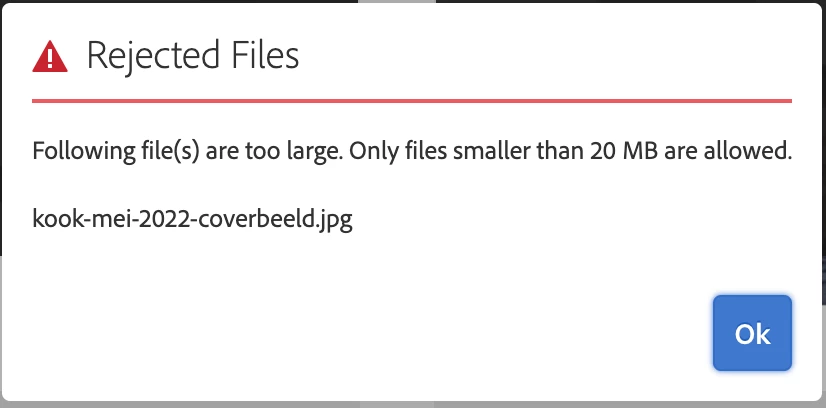
But, the problem is I’m not able apply this restriction only for Images(png, jpg, tif .. etc but not pdf, zip).
Is there a different way to achieve this or property at fileUpload (when I checked library I didn’t find any such) to limit to only specific MIME types?
Thanks,
Raju.