Unable to see GraphQL tab while creating CFM AEM 6.5.17 | Community
Skip to main content
Uppari_Ramesh
Level 5
June 27, 2023
Solved

Unable to see GraphQL tab while creating CFM AEM 6.5.17

  • June 27, 2023
  • 2 replies
  • 1204 views

Hi Everyone,


Recently I have installed SP17 in my local AEM and I am trying to create a new content fragment model. I am unable to see Graphql tab while creating the model after installing SP17.


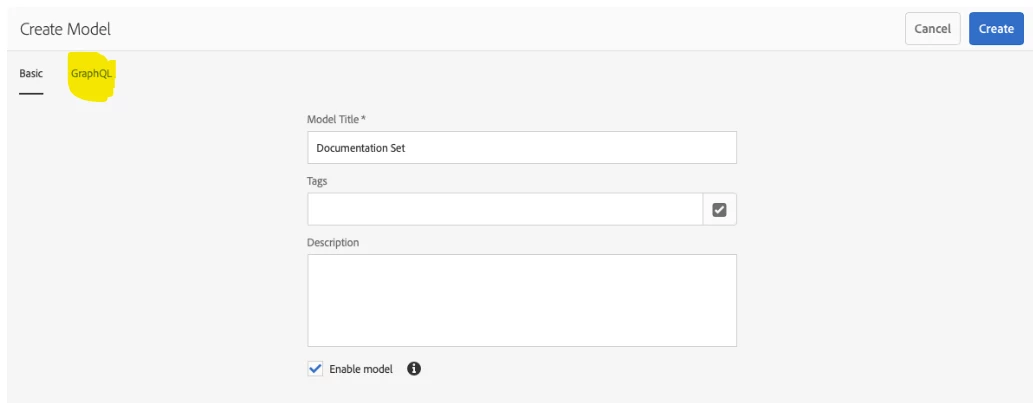
Expected as below

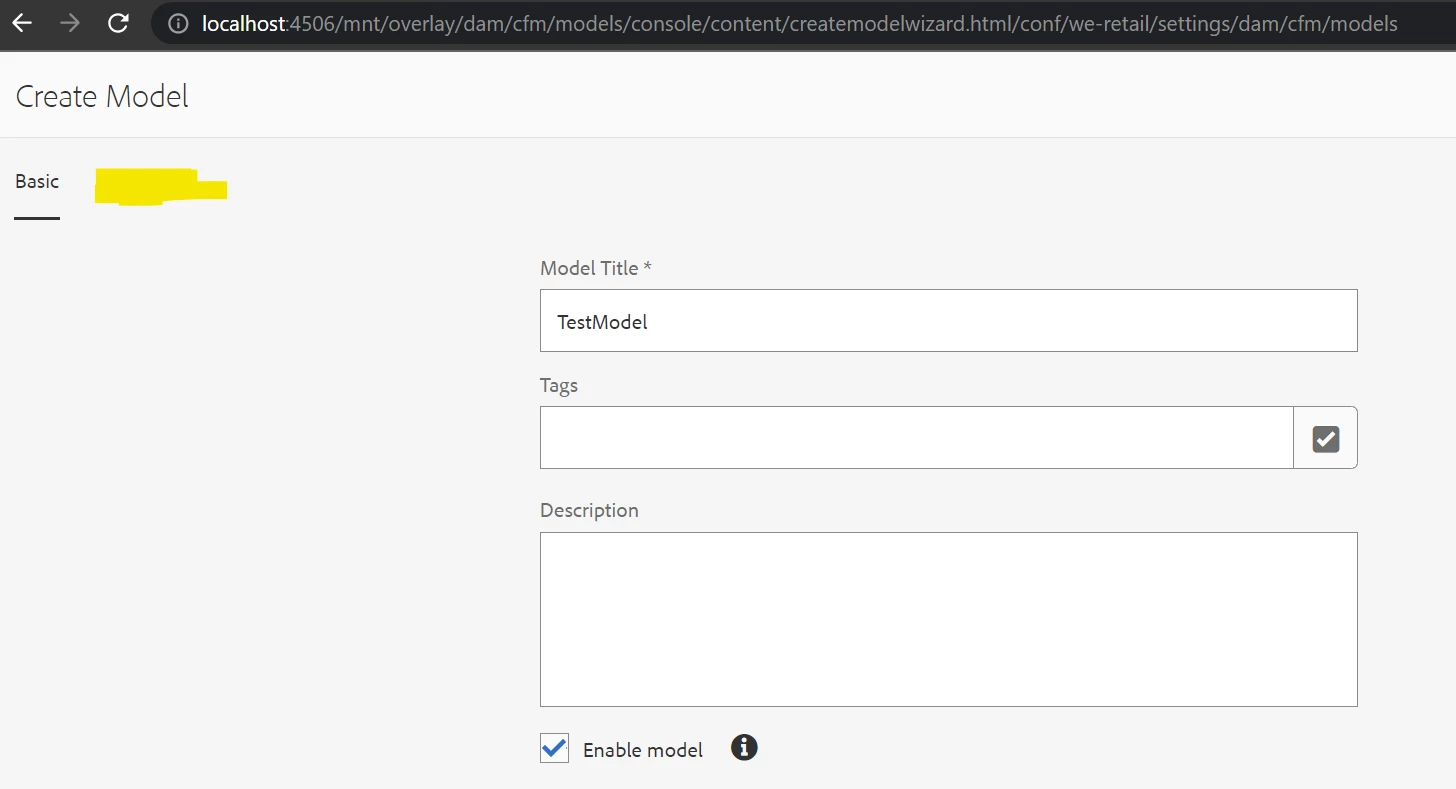
 But what I am seeing is below

 are there any other dependencies for GraphQL in SP17 like any additional packages do we need to install?


We need this Graphql tab for setting up API name, query field multiple, query field values.


@kautuk_sahni @lukasz-m 

This post is no longer active and is closed to new replies. Need help? Start a new post to ask your question.
Best answer by Uppari_Ramesh

SOLUTION:


It seems adobe removed GraphQL tab while creating the content fragment model.


The new way of defining API name , query field multiple, query field single values is 

If your model name is Test Model then ,

  1. If you want to execute query field multiple then you have to append your model jcr:title to the List i.e.., testModelList. By using this testModelList you can query multiple.
  2. If you want to execute query field single then you have to append your model jcr:title to the ByPath i.e.., testModelByPath. By using this testModelByPath you can query single path.


Note: If you install sp17 then you should update the existing persistent queries to match above naming conventions. 

Example to change old queries for new SP17 for model named Test Model:

If earlier multi filed name is : testList

Then new multi filed name is : testModelList


If earlier single filed name is : testByPath

Then New single filed name is : testModelByPath


Adobe mentioned this as known issue :

https://experienceleague.adobe.com/docs/experience-manager-65/release-notes/release-notes.html?lang=en


Thanks!!

 

2 replies

Uppari_Ramesh
Uppari_RameshAuthorAccepted solution
Level 5
June 27, 2023

SOLUTION:


It seems adobe removed GraphQL tab while creating the content fragment model.


The new way of defining API name , query field multiple, query field single values is 

If your model name is Test Model then ,

  1. If you want to execute query field multiple then you have to append your model jcr:title to the List i.e.., testModelList. By using this testModelList you can query multiple.
  2. If you want to execute query field single then you have to append your model jcr:title to the ByPath i.e.., testModelByPath. By using this testModelByPath you can query single path.


Note: If you install sp17 then you should update the existing persistent queries to match above naming conventions. 

Example to change old queries for new SP17 for model named Test Model:

If earlier multi filed name is : testList

Then new multi filed name is : testModelList


If earlier single filed name is : testByPath

Then New single filed name is : testModelByPath


Adobe mentioned this as known issue :

https://experienceleague.adobe.com/docs/experience-manager-65/release-notes/release-notes.html?lang=en


Thanks!!
 

kautuk_sahni
Community Manager
Community Manager
June 28, 2023

@uppari_ramesh Thank you for sharing the solution with the AEM community. This would be of much help in posterity. 

Kautuk Sahni