
Unable to run local environment for aem franklin using aem up command | Community
Skip to main content
Nandheswara
Level 4
February 18, 2024

Unable to run local environment for aem franklin using aem up command

  • February 18, 2024
  • 3 replies
  • 1519 views

Hi All,

While setting up the local envirinment for aem franklin, I'm unable to run the aem using the aem up command its throwing the error "unable to get local issuer certificate" which is attached below, kindly give suggestion to resolve this error.
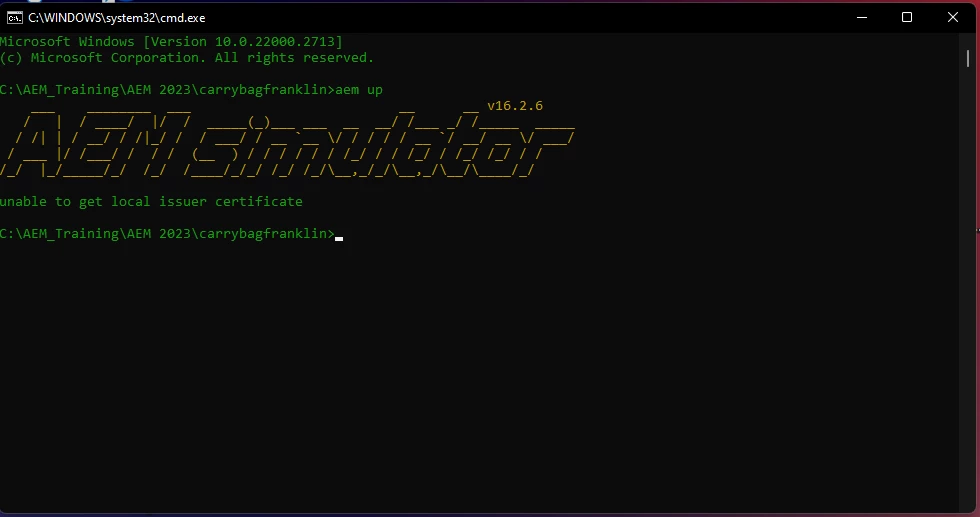
 

Regards,

Nandheswara

This post is no longer active and is closed to new replies. Need help? Start a new post to ask your question.

3 replies

Imran__Khan
Community Advisor
Community Advisor
February 18, 2024

Try things mentioned in below link

https://github.com/adobe/helix-cli/issues/2271

kautuk_sahni
Community Manager
Community Manager
February 21, 2024

@nandheswara Did you find the suggestions from users helpful? Please let us know if more information is required. Otherwise, please mark the answer as correct for posterity. If you have found out solution yourself, please share it with the community.

Kautuk Sahni
Som_Adobe
Level 2
November 14, 2024

Did you find the solution to this problem ? I am also facing with the same problem and whatever solutions I see on forums does not resolve it. If you could resolve the problem can you please share it here ?


error: https://admin.hlx.page/sidekick/<owner-name>/<project>/main/config.json is using an invalid certificate, please check https://github.com/adobe/helix-cli#troubleshooting for help.
unable to get local issuer certificate. This crops up on executing command - aem up

but the same URL is accessible using browser.

Som_Adobe
Level 2
November 14, 2024

Ok this approach has worked for me on my local Windows 11 -


I accessed this URL on my Chrome browser - https://admin.hlx.page/sidekick/owner-name/repo-name/github-branch-name/config.json
I extracted the Base64 encoded Certificate Chain (second option on Save As dialog while Exporting certificate) as *.pem from the browser.
I put it in a directory called certs under the cloned boilerplate repository folder.
Then from the cloned repo folder I executed - set NODE_EXTRA_CA_CERTS=./certs/hlx.page.pem
Then executed - aem up