


Tuesday Tech Bytes – AEM Week 03: Utilizing Feature Flags in AEM to Restrict Component Dialog Fields

Overview
Feature flags are used when there is a need to enable or disable a specific feature. There are few ways to use feature flags.
- Feature flags can be provided by registering org.apache.sling.featureflags.Feature
- Feature flags can be provided by factory configuration with factory PID org.apache.sling.featureflags.Feature
Use case: Assume you are a part of an AEM development team and the team is working on multiple features. However, there is a need to restrict a field of a component dialog and it should be available in the dev environment only due to certain reasons.
- Create a static feature flag OSGI config in the project.
/apps/mynewsite/osgiconfig/config.author.dev/org.apache.sling.featureflags.impl.ConfiguredFeature~testFeature.json
# Configuration created by Apache Sling JCR Installer
enabled=B"true"
name="newTestFeature"
description="A\ feature\ flag\ to\ enable\ newTestFeature"
- The above OSGi configuration is placed in the relevant environment-specific node in runmodes. In this case, it is added under config.author.dev, ensuring that the feature flag is enabled only in the development environment. In other environments, the flag will default to false.

Applying the Feature Flag to a Component Field
To conditionally display a field based on the feature flag's value in an AEM component:
- Identify the field that needs to be conditionally available. In this example, we use the text2 field of a component.
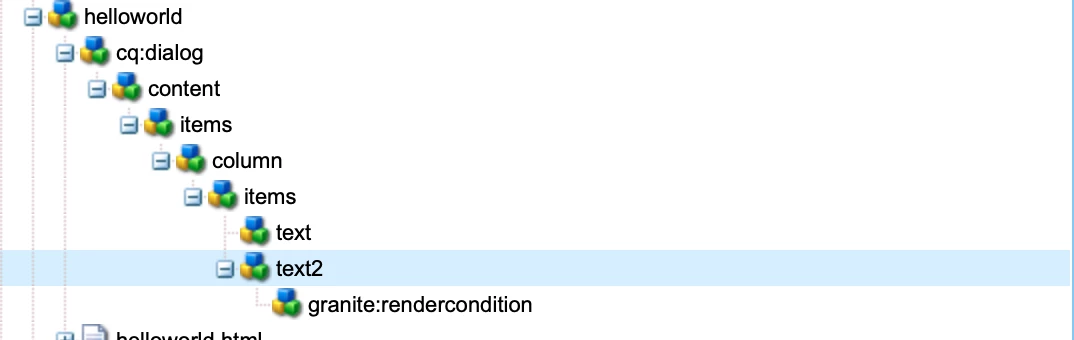
- Add a node “granite:rendercondition” with following properties in the above component field (text2).
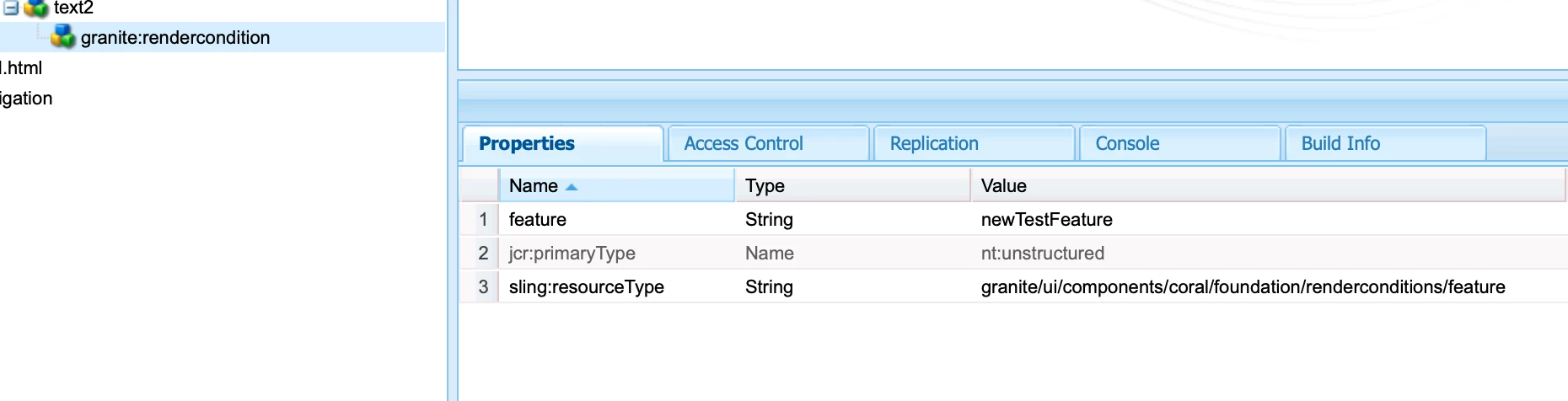
xml of this node can be referred below.<text2 jcr:primaryType="nt:unstructured" sling:resourceType="granite/ui/components/coral/foundation/form/textfield" fieldLabel="Text 2" name="./text2"> <granite:rendercondition jcr:primaryType="nt:unstructured" sling:resourceType="granite/ui/components/coral/foundation/renderconditions/featureflag" featureName="newTestFeature"/> </text2>
- Impact on the component can be seen below when the feature flag is enabled.
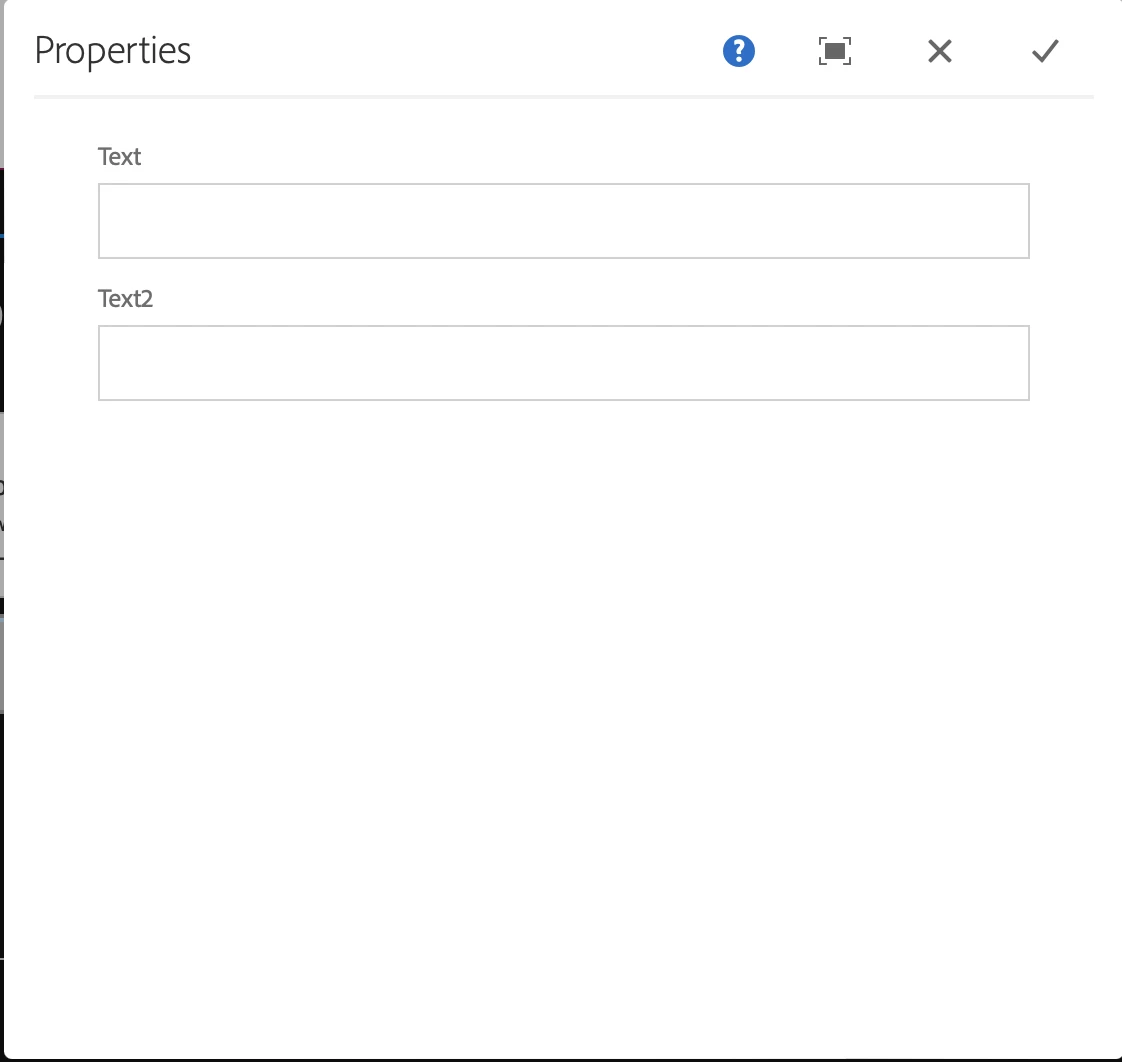
We can see “text2” in the component dialog.
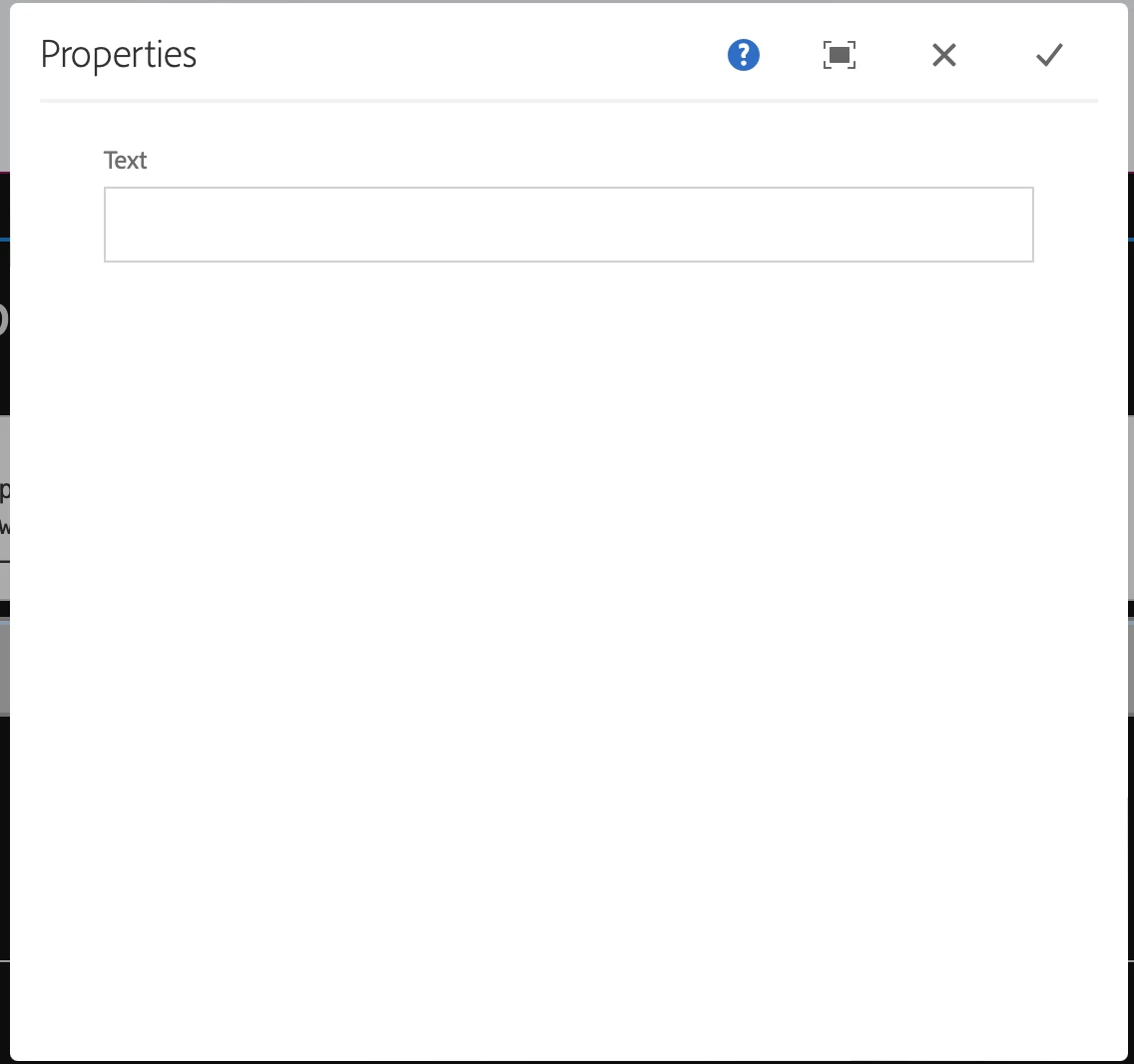
“Text2” is not available when the feature flag is set to false. - Validate feature flag in OSGI console.
It can be check using the URL such as http://localhost:4502/system/console/features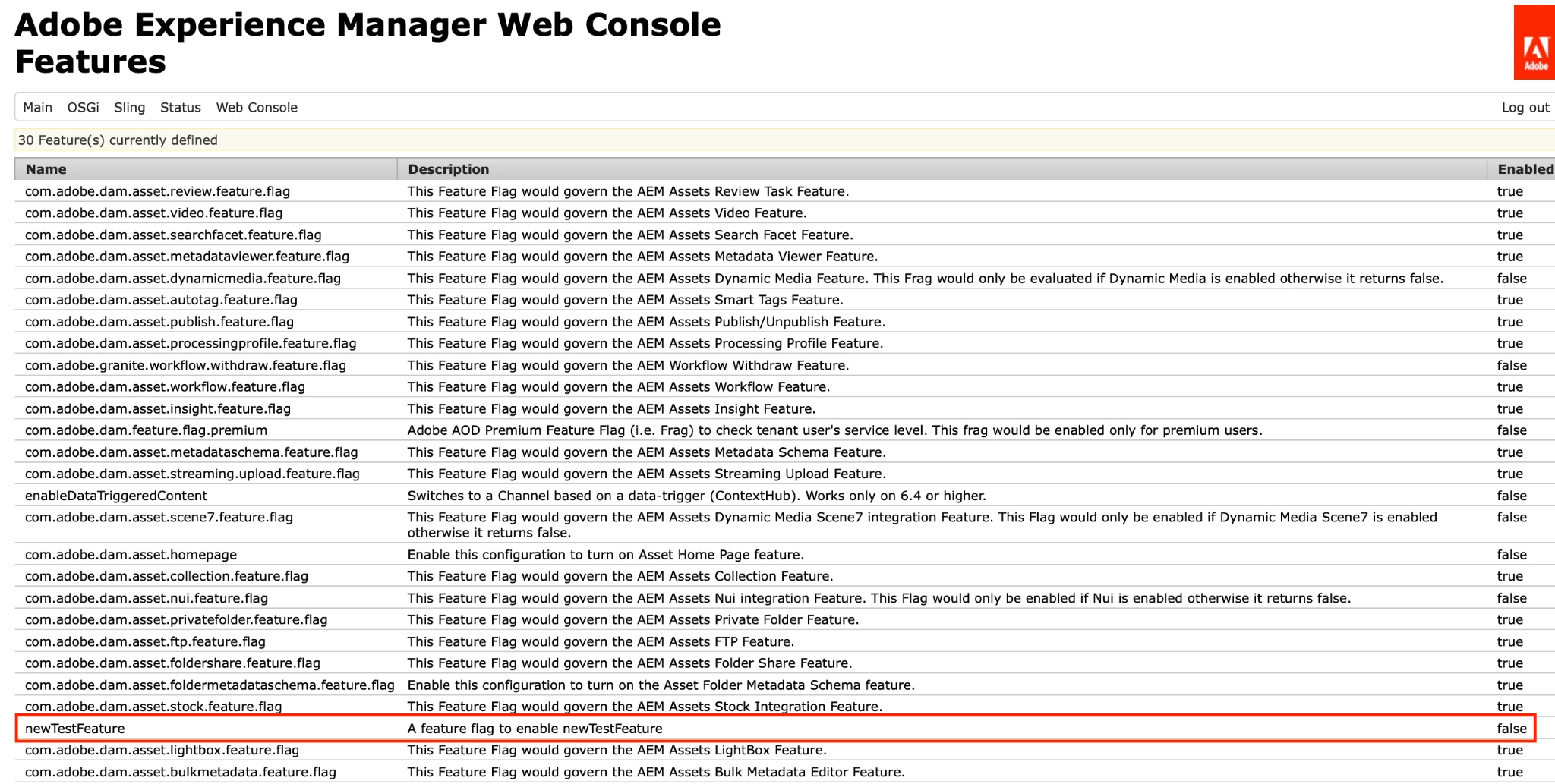
Feature flag using factory configurations
- Implement the interface org.apache.sling.featureflags.Feature.
import org.apache.sling.featureflags.Feature; import org.apache.sling.featureflags.ExecutionContext; import org.osgi.service.component.annotations.Component; @Component(service = Feature.class, immediate = true) public class TestFeatureFlagService implements Feature { public String getDescription() { return "Test Feature Flag"; } public String getName() { return "test-feature-flag-name"; } public boolean isEnabled(ExecutionContext ec) { // add logic to enable or disable feature flag //The ExecutionContext interface provides access to the context for evaluating whether a feature is enabled or not. return true; } } - test-feature-flag-name can be used to compare it at the component level or in sightly to enable or disable the feature.
Summary
This approach allows you to control the availability of specific fields in component dialogs using feature flags, ensuring that certain fields are only accessible in the development environment. This methodology enhances flexibility and control over feature deployment in different environments within AEM.
Co-author: @shashi_mulugu