Andrey_Osadchuk
Level 10
May 21, 2019
Solved

Target integration with AEM 6.5 via IMS

Hi everyone,

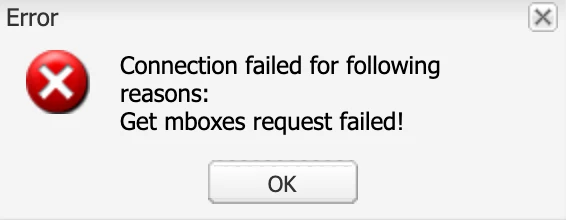
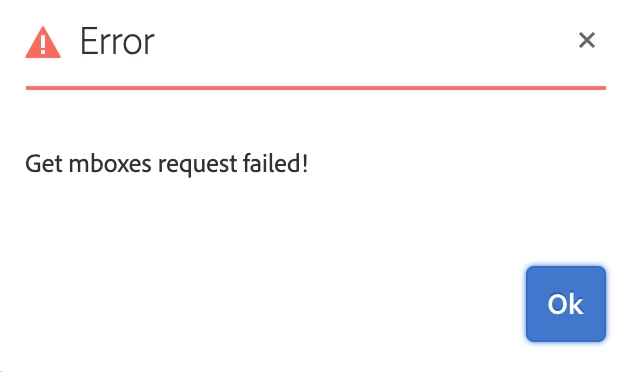
I have faced a challenge to integrate Adobe Target with AEM 6.5 via IMS. The IMS has been configured, the status is OK (Token retrieved successfully). However, when integrating Target either via "AEM Cloud Services Opt-In" dialog or via Cloud Services configuration an error message "Get mboxes request failed!" pops up.

Does anyone know the cause of this error?

---
This post is no longer active and is closed to new replies. Need help? Start a new post to ask your question.
Amuthesan
AmuthesanAccepted solution
Level 2
May 30, 2019

Hi Andrey,

Please check if you have provided IMS Tenant ID as your client code, It is not same as the client code used for earlier integration.

Client code - IMS Tenant ID, can be obtained from Adobe Experience Cloud > Launch Target > Copy IMS teant id from the URL

Reference:

Adobe Experience Manager Help | Understanding Adobe Target Standard integration with AEM Sites

Thanks,

Amuthesan.

15 replies

kautuk_sahni
Adobe Employee
Adobe Employee
May 21, 2019

Request you to please follow steps mentioned in this lab: Experience League Intelligent Guidance | Adobe

Or https://medium.com/adobetech/integrate-adobe-experience-manager-with-adobe-target-40fb935bb983

Worked charm for me.

-Kautuk

Translate
Kautuk Sahni
Andrey_Osadchuk
Level 10
May 21, 2019

Thank you for the links but they are irrelevant to the question above.

Translate
kautuk_sahni
Adobe Employee
Adobe Employee
May 21, 2019

I was suggesting another way if in case it was bit urgent. I did via Adobe Launch integrations in Adobe I/O.

Translate
Kautuk Sahni
Andrey_Osadchuk
Level 10
May 21, 2019

Thank you. The integration I am challenged by also leverages Adobe I/O (this is what I called IMS — IMS Configuration leverages Adobe I/O).

Look forward for other replies

Translate
Adobe Employee
May 21, 2019

Setting up a DEBUG logger on the following classes should provide more details about the failure.

com.day.cq.personalization

com.day.cq.analytics.testandtarget

Translate
Amuthesan
AmuthesanAccepted solution
Level 2
May 30, 2019

Hi Andrey,

Please check if you have provided IMS Tenant ID as your client code, It is not same as the client code used for earlier integration.

Client code - IMS Tenant ID, can be obtained from Adobe Experience Cloud > Launch Target > Copy IMS teant id from the URL

Reference:

Adobe Experience Manager Help | Understanding Adobe Target Standard integration with AEM Sites

Thanks,

Amuthesan.

Translate
Andrey_Osadchuk
Level 10
May 31, 2019

Amuthesan,

The Client code is always required and was set as needed. Do you have any insights about the error message I shared in the question?

Translate
Amuthesan
Level 2
May 31, 2019

Hi Andrey,

I ran in to the same error as you during my attempt at integration. While I trigger the health check AEM connects to Adobe IO to get mbox list. Please check the logs there should be clear information on to why it is failing for you.

If it helps, the error that I ran into,

From the logs I came to know that AEM was trying to connect to the Adobe IO via url,

https://mc.adobe.io/<clientcode>.experiencecloud/target/mboxes

Since the client code was incorrect it failed with message,

{"error_code":"502061","message":"Bad Gateway. No tenant associated with the user profile."}

Updating the client code as per the reference in my previous post, addressed the problem.

Thanks,

Amuthesan

Translate
Adobe Employee
September 19, 2019

Ran into the same issue in AEM 6.5.2. As Amuthesan said, now the tenant ID is required

Translate
October 1, 2019

Do we have a fix for this yet? Same issue and my clientID is 100% correct. Looks like the integration might be broken.

Translate