Static Template on the ADOBE AEM 6.4 | Community
Skip to main content
Level 3
January 23, 2019
Solved

Static Template on the ADOBE AEM 6.4

  • January 23, 2019
  • 18 replies
  • 13136 views

Hi Guys,

Anyone had the problem using the component parsys in the Static Template?

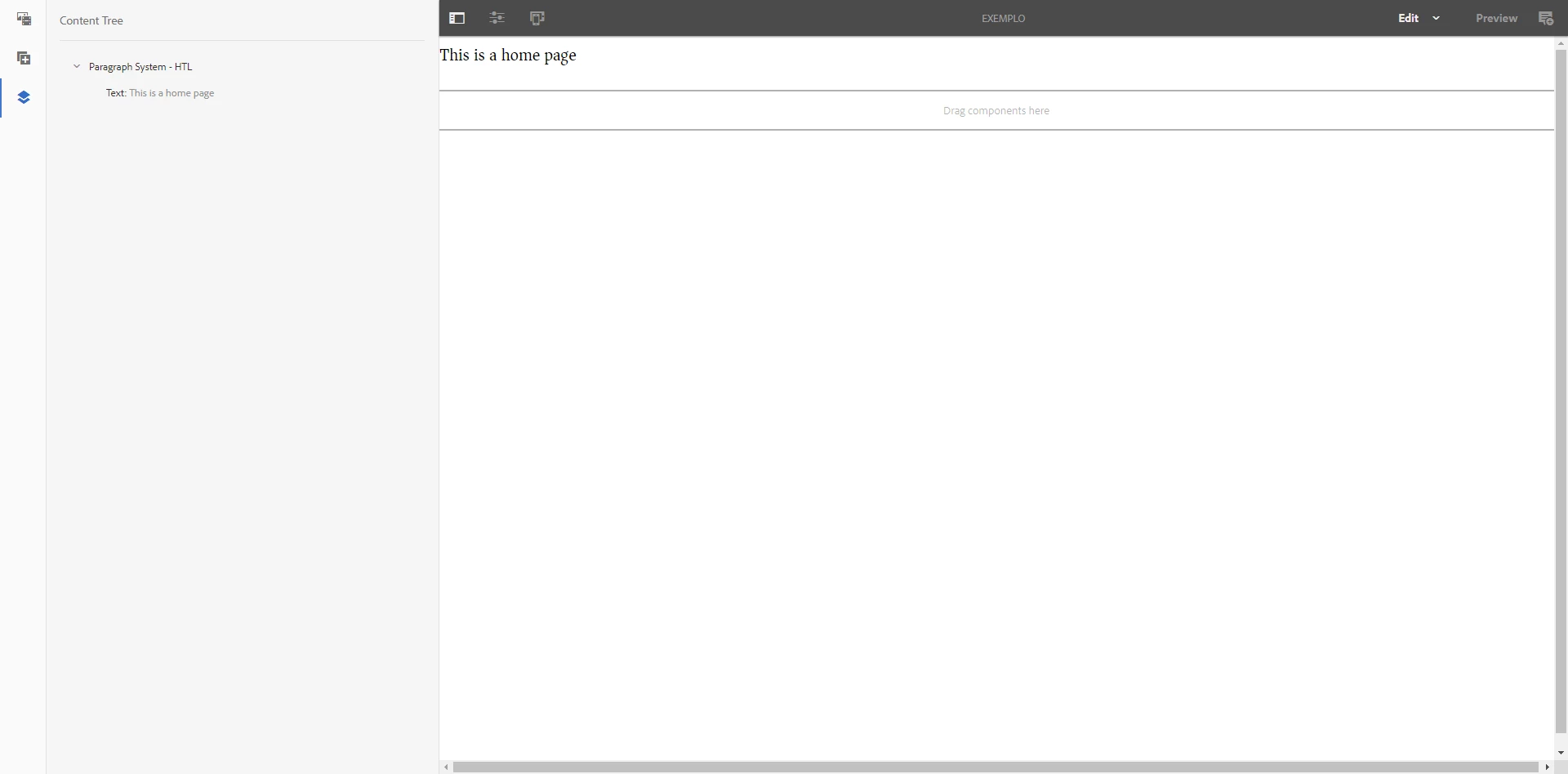
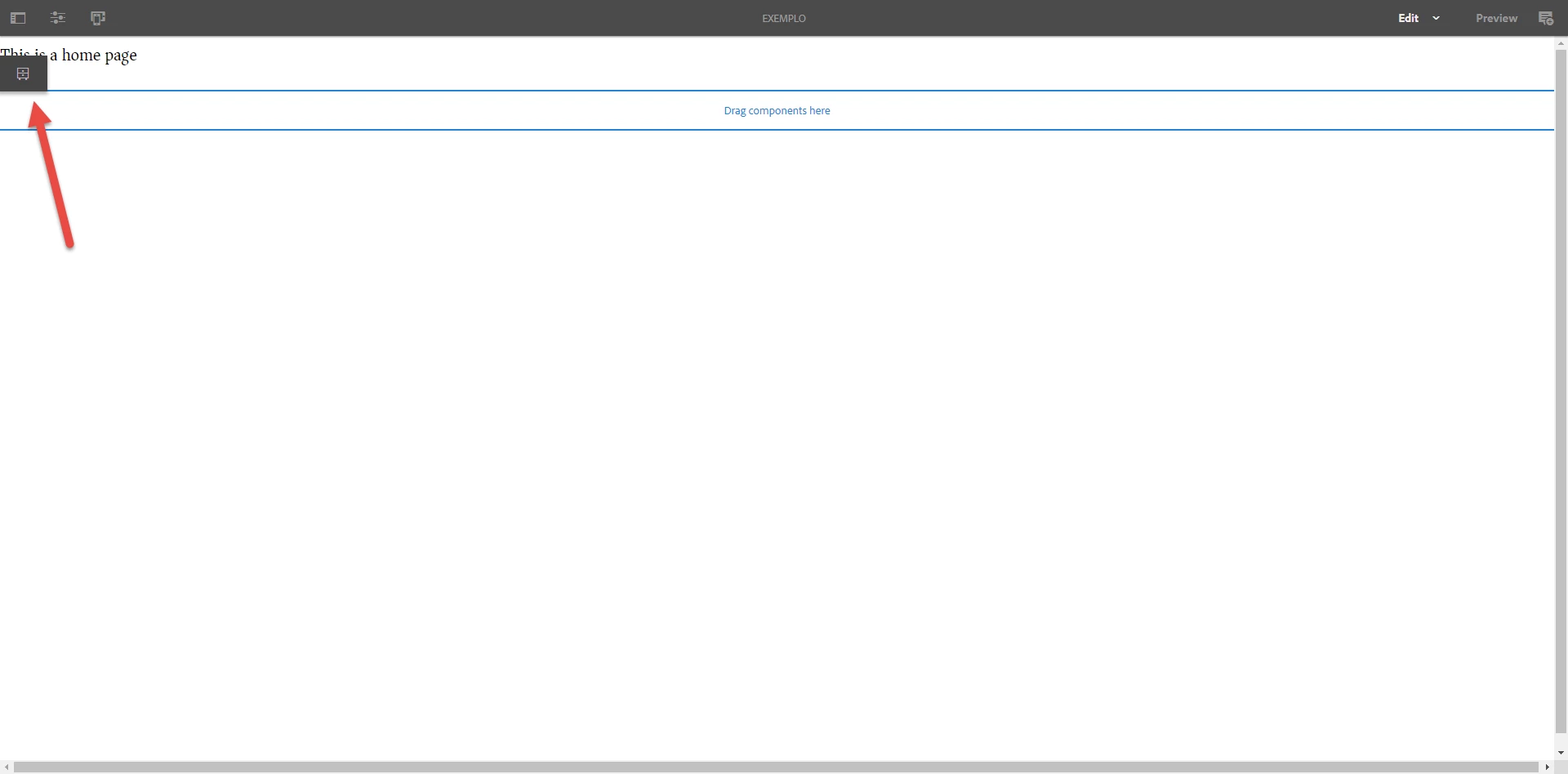
I was creating static template but it isn't showing the edit option on the parsys component.

Show the screens bellow.
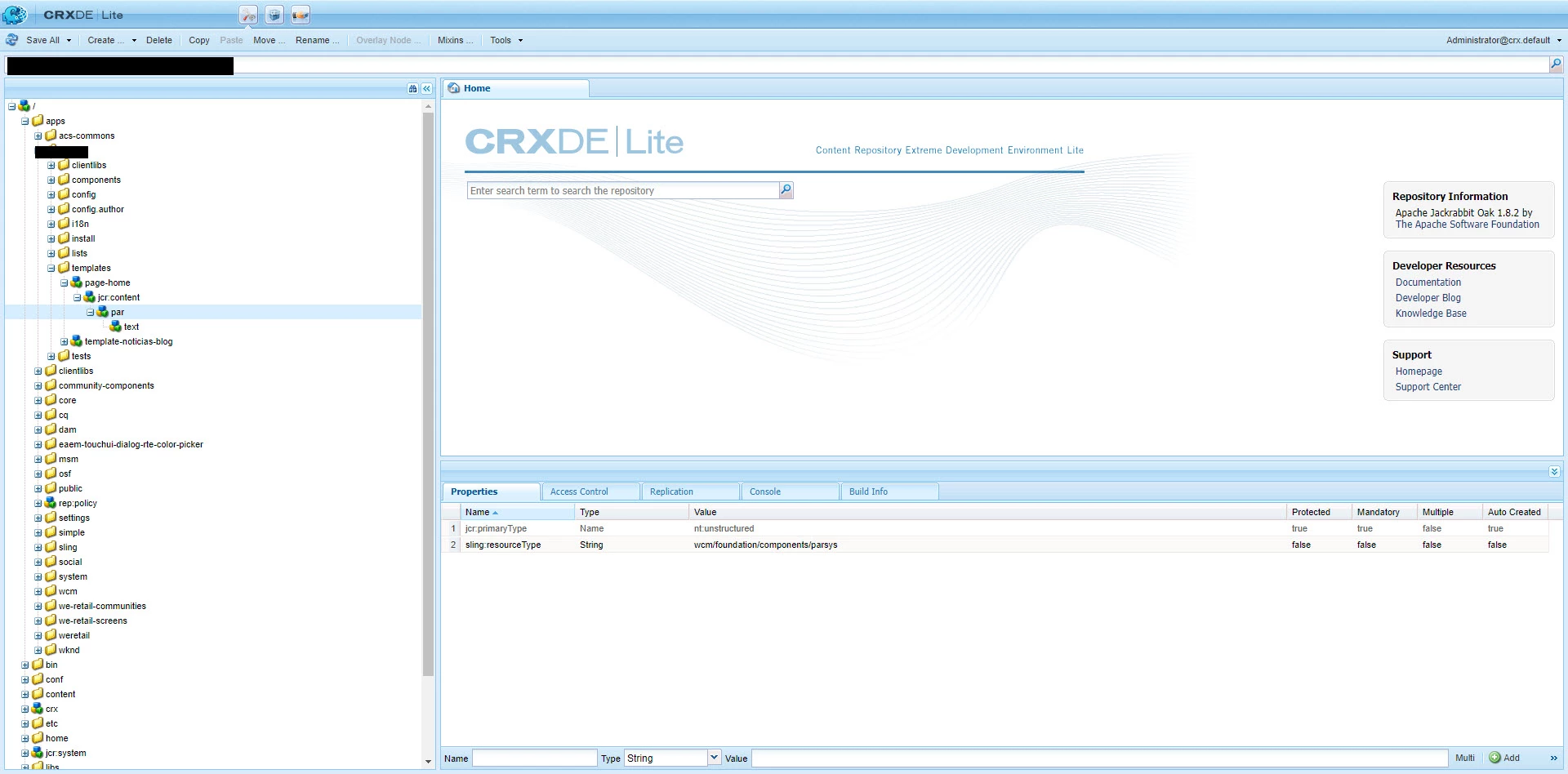
Anyone can I help me?

Alisson

This post is no longer active and is closed to new replies. Need help? Start a new post to ask your question.
Best answer by Gaurav-Behl

If you are using static template in touch UI, then you'd need to follow the old approach of adding the components/component group via 'template design'.

  1. Click on the dropdown/caret next to EDIT button, choose 'Design'
  2. Navigate to your parsys component
  3. Add the specific components/groups to that parsys component
  4. Change the mode back to EDIT
  5. Click on the parsys component and you should see '+' sign to add the component(s) to the parsys

HTH

18 replies

smacdonald2008
Level 10
January 23, 2019

I will look into this.

However - in AEM 6.4 - static templates no longer represent best practice. Adobe recommends Editable Templates -- Scott's Digital Community: Guided Journey for Experience Manager on Editable Templates

Level 3
January 23, 2019

smacdonald2008 thank you.

I'll be waiting for your answer.

Gaurav-Behl
Gaurav-BehlAccepted solution
Level 10
January 23, 2019

If you are using static template in touch UI, then you'd need to follow the old approach of adding the components/component group via 'template design'.

  1. Click on the dropdown/caret next to EDIT button, choose 'Design'
  2. Navigate to your parsys component
  3. Add the specific components/groups to that parsys component
  4. Change the mode back to EDIT
  5. Click on the parsys component and you should see '+' sign to add the component(s) to the parsys

HTH

smacdonald2008
Level 10
January 23, 2019

On 6.4 - i setup a little project where my parsys component was embedded into the script of the page - like this:

It works fine.

Level 3
January 23, 2019

gauravb10066713 Do we need to do this always when I create the new page?

smacdonald2008
Level 10
January 23, 2019

that is standard practice. Did it work for you?

Level 3
January 23, 2019

ok smacdonald2008​ but it isn’t working when I do in the main.html of the template.

Level 3
January 23, 2019

Yes. It worked.

Ratna_Kumar
Level 10
January 23, 2019

Hi,

It works for me as well.

What you need to do is simply test and include the parsys in the component JSP in the below way.

<html>

<%@include file="/libs/foundation/global.jsp" %>

<cq:include script="/libs/wcm/core/components/init/init.jsp"/>

<body>

<h1>Here is where your custom AEM Column component will go</h1>

<cq:include path="par" resourceType="foundation/components/parsys" />

</body>

</html>

It will work. It works for me. Below is the screenshots.

Hope this helps!!

Thanks,

Ratna Kumar.

Ratna_Kumar
Level 10
January 23, 2019

Hi,

If you use HTL i.e, ex: main.html then it is not recommended to use static templates.

Please use Editable templates.

Thanks,

Ratna Kumar.