Static Template on the ADOBE AEM 6.4 | Community
Skip to main content
Level 3
January 23, 2019
Solved

Static Template on the ADOBE AEM 6.4

  • January 23, 2019
  • 18 replies
  • 13136 views

Hi Guys,

Anyone had the problem using the component parsys in the Static Template?

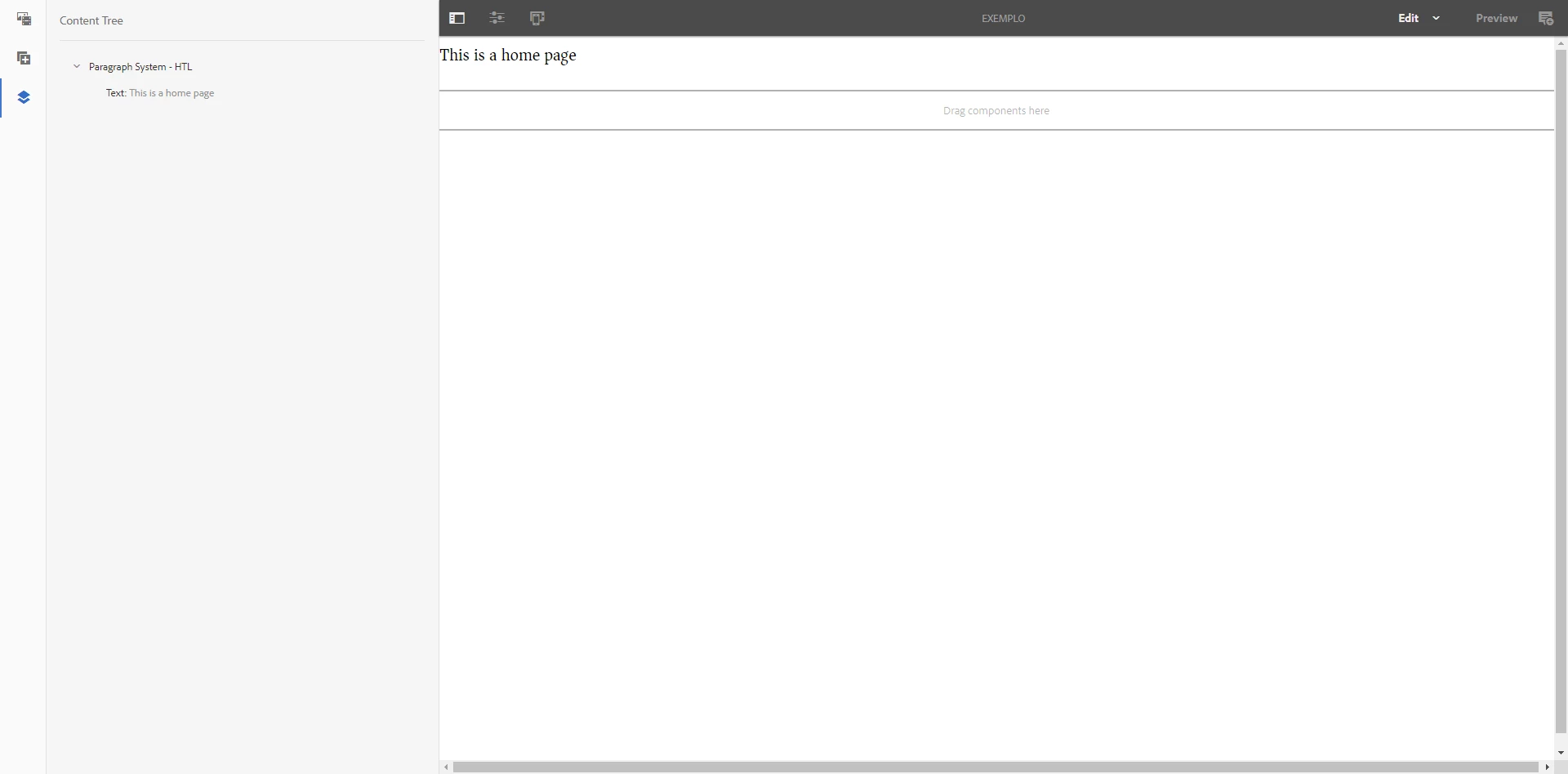
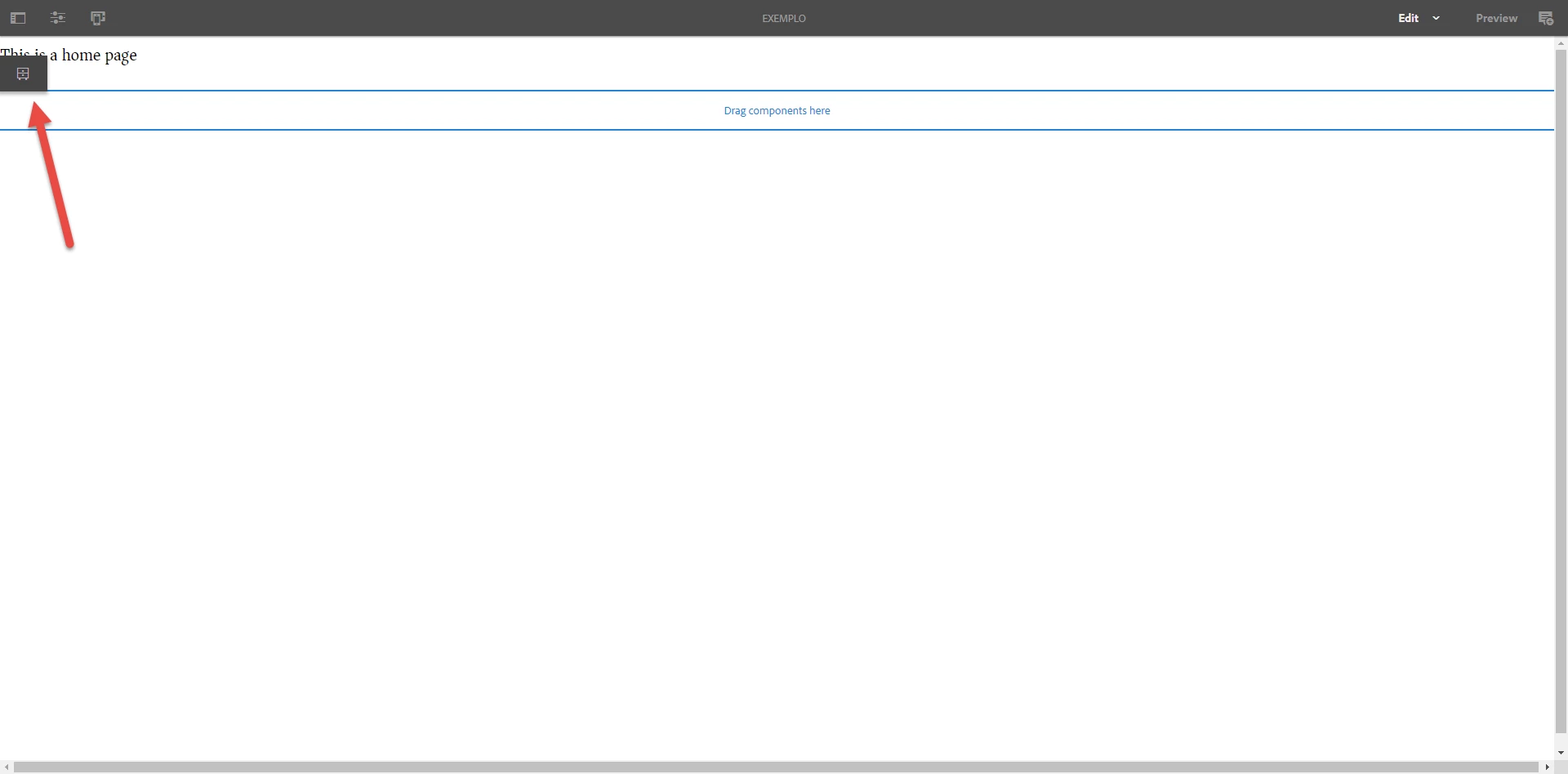
I was creating static template but it isn't showing the edit option on the parsys component.

Show the screens bellow.
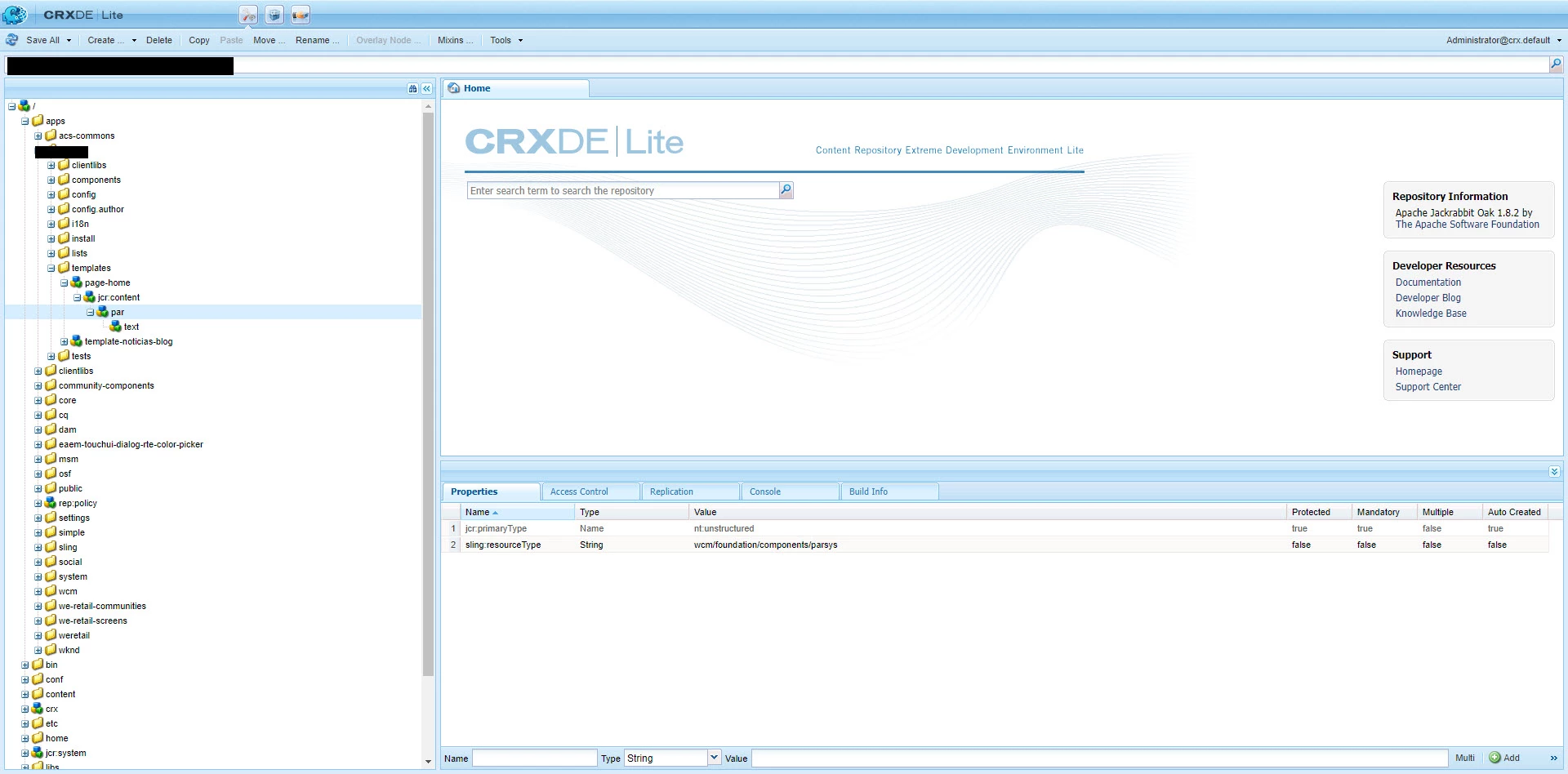
Anyone can I help me?

Alisson

This post is no longer active and is closed to new replies. Need help? Start a new post to ask your question.
Best answer by Gaurav-Behl

If you are using static template in touch UI, then you'd need to follow the old approach of adding the components/component group via 'template design'.

  1. Click on the dropdown/caret next to EDIT button, choose 'Design'
  2. Navigate to your parsys component
  3. Add the specific components/groups to that parsys component
  4. Change the mode back to EDIT
  5. Click on the parsys component and you should see '+' sign to add the component(s) to the parsys

HTH

18 replies

Gaurav-Behl
Level 10
January 23, 2019

you don't need to do it again for any number of pages that you create from that template.

Level 3
January 23, 2019

Awesome!

I’ll try do that and give you the Feedback.

thanks!

Level 3
January 23, 2019

Thanks, gauravb10066713.

It worked!

smacdonald2008
Level 10
January 23, 2019

Glad you got it working - this is the benefit of the AEM community!

Level 3
January 23, 2019

Thanks, smacdonald2008 too!

You are always helping us.

Level 3
December 8, 2019

smacdonald2008​ I have AEM 6.4.6. While i understand that editable templates are the best option in 6.4.6, does it mean that "normal" are not supported any more? i come from a 6.3 background. I created a few templates under /apps/<project>/templates. I also created a few configurable templates. When i go to sites and do a "new page" i dont see the templates i created under the /apps/<project>/templates but only see the ones which i created as configurable templates. Any idea whats going on here?

Ankur_Khare
Community Advisor
Community Advisor
December 9, 2019

Nothing to do with editable/static templates its issue with the allowedtemplate property on your content node likebelow-

You need add your apps folder path like below-

Level 3
December 9, 2019

I realized that yesterday. Stupid me.

September 11, 2024

Just want to check if we can use touch UI component (sightly) component in static template page?