Size filed option not available in core image component | Community
Skip to main content
Level 3
July 22, 2020

Size filed option not available in core image component

  • July 22, 2020
  • 2 replies
  • 1678 views

I am working on Project modernization for my client and they had following feature in their dialog and it is using sling:resourceSuperType to foundation/components/image
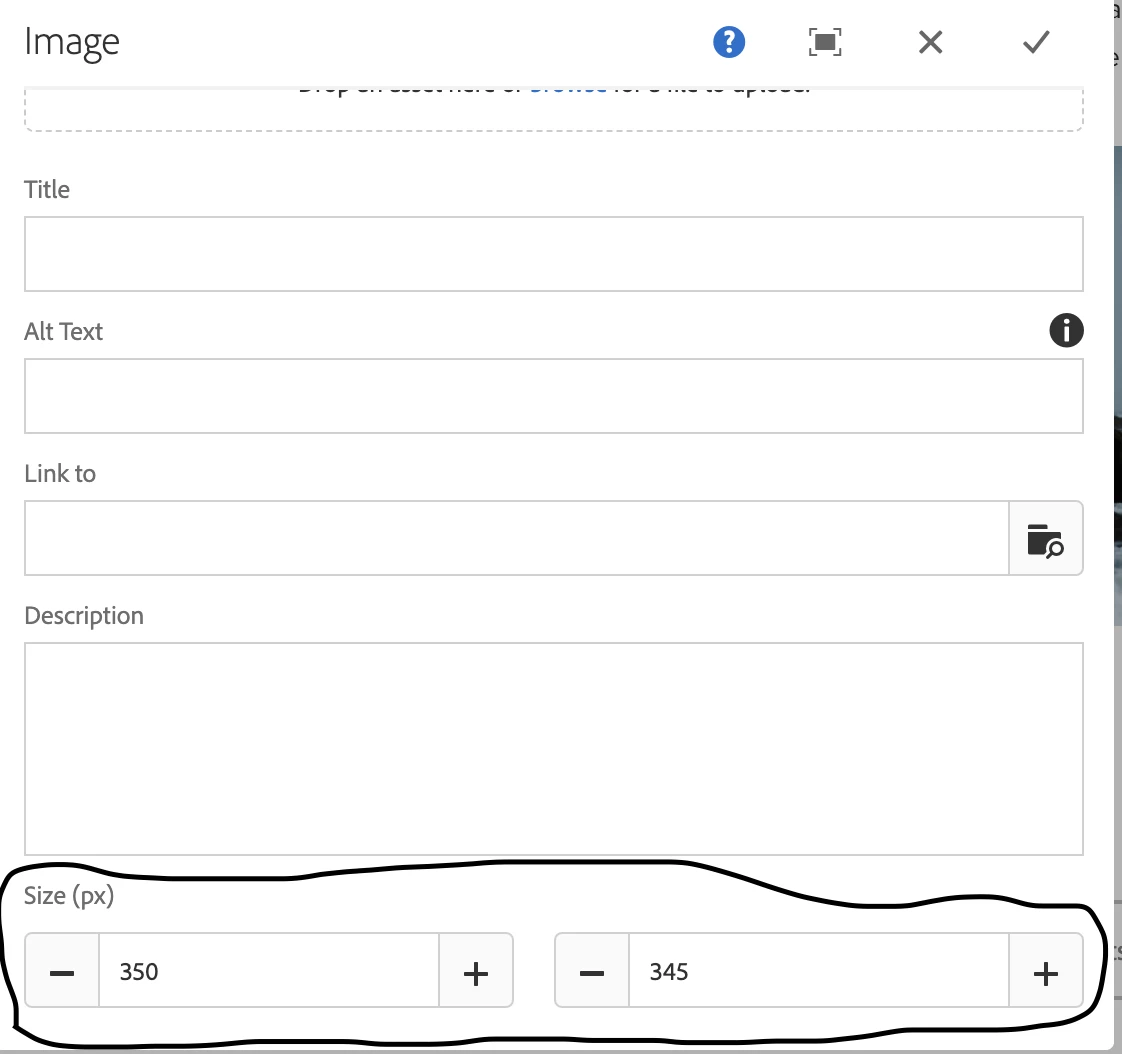
There is no much information on how it will render the page in the image.jsp class. When I went through the implementation, I realized this change added to the image on the page by OOTB implementation.


Issue:
Now I created my new Image component, and it is pointing to core/components/image/v2/image. When I add above the same sizefield and numberfield for height and width in my component, it is not rendering those values in the image on my page.

Why it got removed from the core component dialog and how they covered in new implementation ?

what would be the best implementation if we need to add in our dialog?


This post is no longer active and is closed to new replies. Need help? Start a new post to ask your question.

2 replies

Varun_Shakya
Community Advisor
Community Advisor
July 22, 2020

Go through these links for customizing the core components

https://www.albinsblog.com/2020/04/aem-core-components-deep-dive-how-to-extend-aem-core-cmponents.html#.Xxf-1igzbIU

https://docs.adobe.com/content/help/en/experience-manager-core-components/using/developing/customizing.html


If size field is not present in OOTB(image -v2) and you have added it yourself in dialog. Then take values from the field and manage the size of image. 


Nupur_Jain
Adobe Employee
Adobe Employee
July 22, 2020

Hi @ramaem12 


Core Image components provides more adaptive/responsive image options. There is no option for width and height but there are options to edit the image and crop it as per requirment. In design dialog(component policy) of the core component, there is otions to add crop predefined options. Refer https://docs.adobe.com/content/help/en/experience-manager-core-components/using/components/image.html to learn more about image component. You might get better option.


If you want to add the needed size options. you can refer https://docs.adobe.com/content/help/en/experience-manager-core-components/using/developing/customizing.html on how to customize the core comonents.


Below are few more links that can help you to customize core component :
https://www.netcentric.biz/insights/2017/05/new-core-components.html

https://levelup.gitconnected.com/aem-extend-core-component-models-using-resource-type-association-and-delegation-b8855ed281e2(This seems more appropriate as the example used is core vs image component).


Hope it helps!

Thanks!

Nupur