Search asset in the asset admin search rail by current user. | Community
Skip to main content
May 1, 2025
Question

Search asset in the asset admin search rail by current user.

  • May 1, 2025
  • 1 reply
  • 440 views

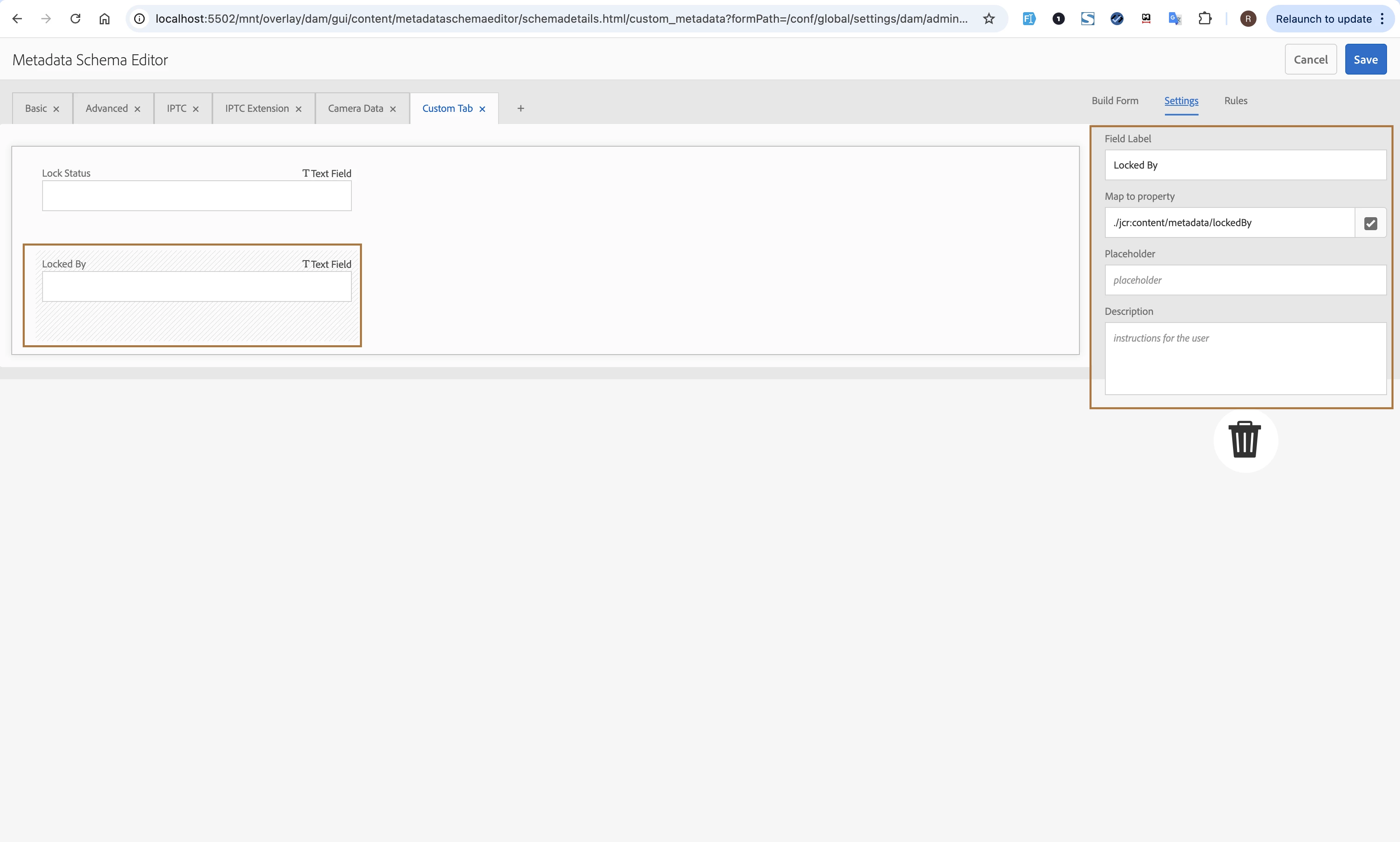
In the asset metadata schema I have added a metadata field called lockedBy. In this field I will enter userId. I want to search assets using logged in user's Id from the asset management screen filter option. 


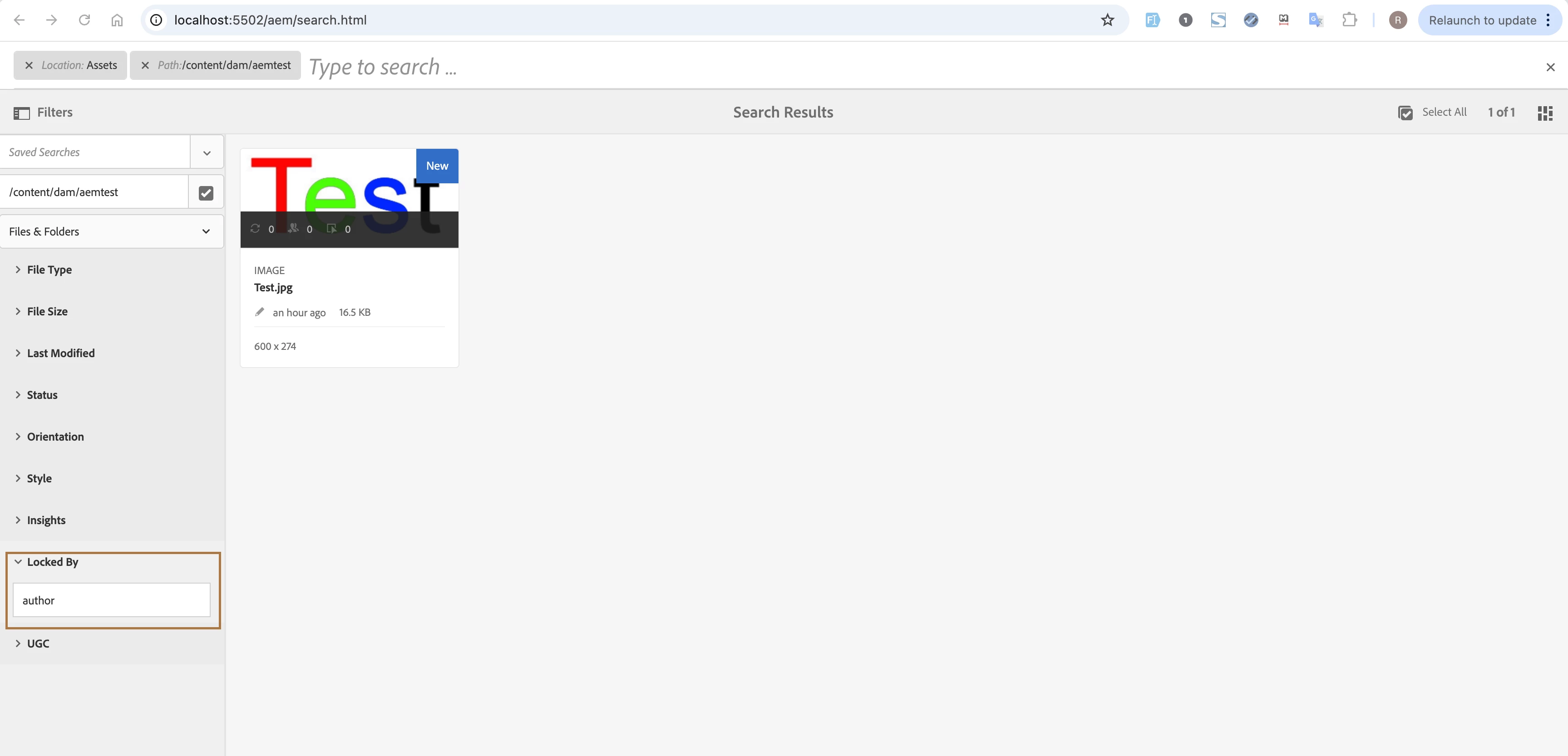
In the asset management screen I have added a filter option as LockedBy. 

In this field I can enter userId manually and can search assets by it.

For example, If I search with the text "author" in the Locked By field then I get assets of which the metadata field "lockedBy" is set to "author".

I want to make it an automatic search with current logged in userId rather than manually inputting it. How can I achieve this? 


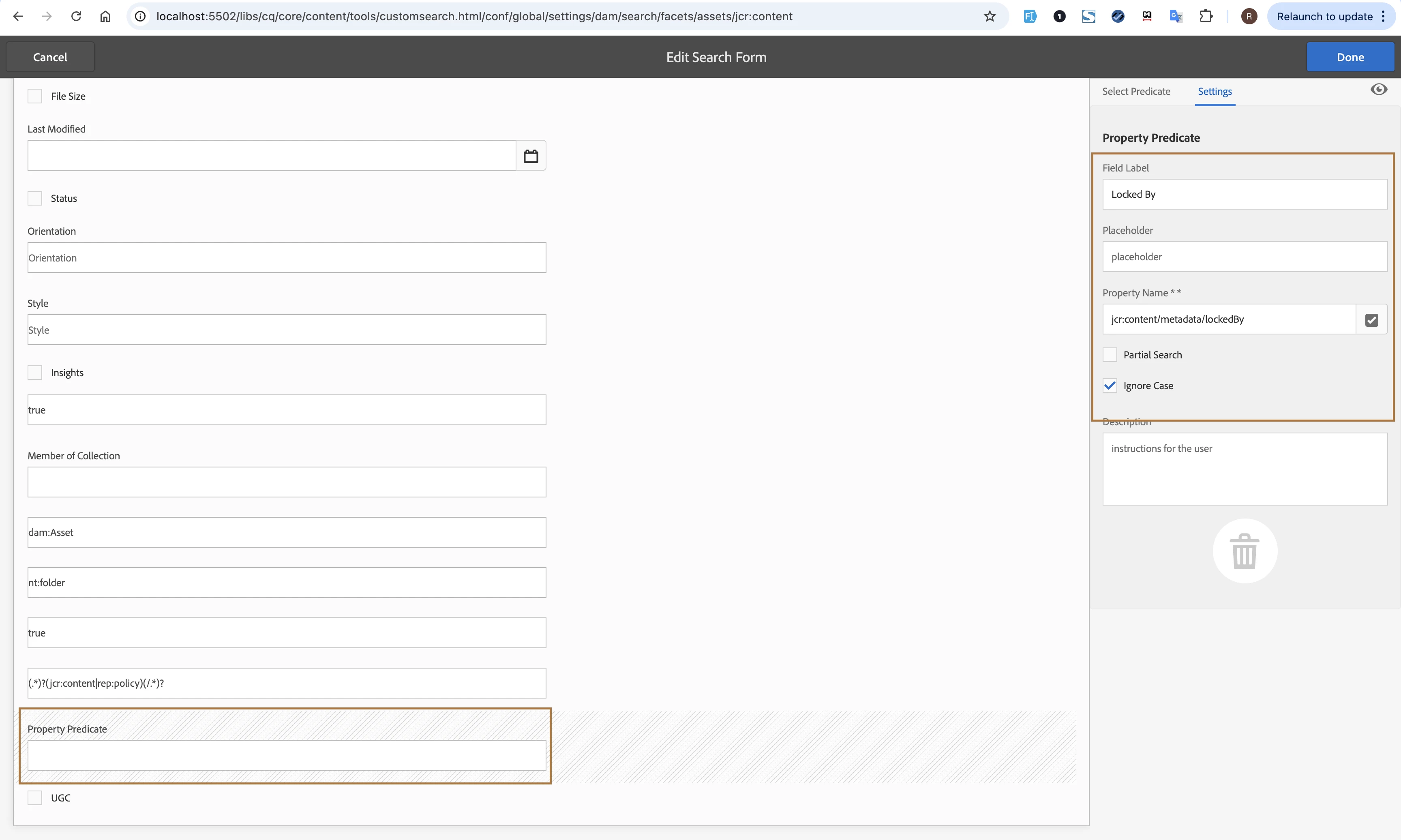
I have added the filter property predicate like this
 

And added the metadata schema like this
This post is no longer active and is closed to new replies. Need help? Start a new post to ask your question.

1 reply

AmitVishwakarma
Community Advisor
Community Advisor
May 2, 2025

Hi @musta-e-nur_rahman ,

To make the “Locked By” filter in Adobe Experience Manager (AEM) search automatically populate with the currently logged-in user's ID, you can leverage AEM’s support for tokens like ${currentUser} in the Property Predicate configuration.

Here's how you can achieve this:

1. Edit the Custom Search Form Predicate

In your current configuration (shown in your second screenshot), you're manually entering values in the search filter. To make it dynamic:

  - Go to the Edit Search Form for Assets.

  - In the "Locked By" predicate (which points to jcr:content/metadata/lockedBy):

       - Set the default value or input to ${currentUser}

However, the UI does not always support tokens directly via the dialog, so this often requires a manual update in CRXDE Lite.

CRXDE Lite Configuration (If needed)


1. Go to:
http://localhost:4502/crx/de/index.jsp#/conf/global/settings/dam/search/facets/assets (or wherever your facet config lives)

2. Find the node related to the Locked By predicate.

3. Add or update the property:

name: default type: String value: ${currentUser}

This will inject the logged-in user’s ID automatically as the value when the filter loads.

Alternative (with Custom JavaScript Logic)

If ${currentUser} doesn’t work in your version or setup of AEM, another solution is to write a small custom clientlib (JavaScript) that:

  - Grabs the logged-in user’s ID from Granite.author.User or similar context.

  - Sets the value of the input field programmatically.

(function(document, $) { $(document).on("foundation-contentloaded", function() { var userId = Granite && Granite.author && Granite.author.User ? Granite.author.User.getUserID() : null; if (userId) { $("input[name='property']").each(function() { if ($(this).attr("placeholder") === "Locked By") { $(this).val(userId).trigger("change"); } }); } }); })(document, Granite.$);

You'd include this script as part of a clientlib that targets the DAM search interface.

Regards,
Amit