
Page continues to freeze when attempting to open it in edit mode in AEM 6.3 | Community
Skip to main content
chirran414
Level 4
December 14, 2017
Solved

Page continues to freeze when attempting to open it in edit mode in AEM 6.3

  • December 14, 2017
  • 3 replies
  • 2687 views

Hi All,

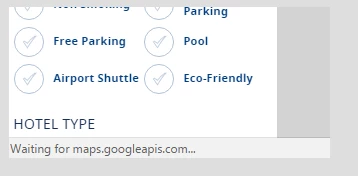
We recently upgraded to AEM 6.3 from 6.1. In 6.3 there are some destination pages are continues to freeze when attempting to open it in edit mode and indicates a Google map search at the bottom of the browser.

I am not seeing any errors in the log, on network tab and did take out and add the components to see if it is because of any components we are having this issue still no use.

But when we create a package with these pages and installed in 6.1 they are working fine, they are not freezing.
Thanks,

Narayana

This post is no longer active and is closed to new replies. Need help? Start a new post to ask your question.
Best answer by MC_Stuff

Hi Narayan,

  One of the possibility is in case you have some component that has loop algorithm going into infinite causes it. In our case we had custom columns controlsin with column controls and was getting the node count.  6.3 was returning -1 due to index timeout caused the issue & fixed our code base. 

Thanks,

3 replies

MC_Stuff
MC_StuffAccepted solution
Level 10
December 15, 2017

Hi Narayan,

  One of the possibility is in case you have some component that has loop algorithm going into infinite causes it. In our case we had custom columns controlsin with column controls and was getting the node count.  6.3 was returning -1 due to index timeout caused the issue & fixed our code base. 

Thanks,

kautuk_sahni
Community Manager
Community Manager
December 15, 2017

In 6.3, can you remove the component using google maps and check?

Kautuk Sahni
chirran414
Level 4
December 15, 2017

If we take out that component which is working fine but we need to have component on that page. Same page with same components are loaded and working fine in AEM 6.1 though.

Thanks,

Narayana