Oak index definition generator XML output is blank | Community
Skip to main content
November 12, 2024
Question

Oak index definition generator XML output is blank

  • November 12, 2024
  • 2 replies
  • 1025 views


I see a similar issue is asked on this forum, so I thought I'd raise my problem here to hopefully find the owner/manager of this tool.

https://experienceleaguecommunities.adobe.com/t5/adobe-experience-manager/oak-index-definition-generator-url-not-working/td-p/634336


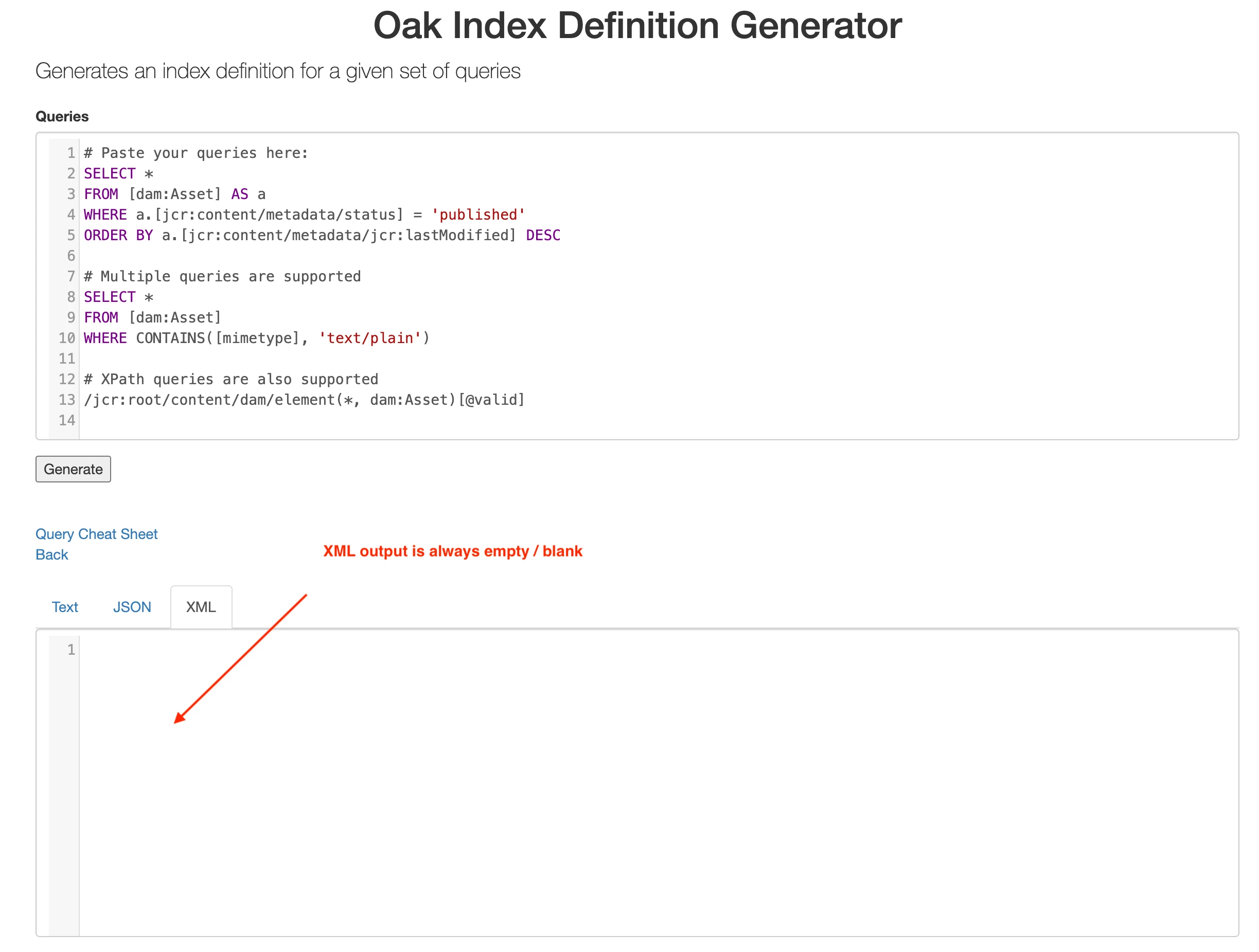
We deploy indexes as .content.xml files, so having XML feature working in this tool is very helpful & important - as it stands it doesn't work and forces us to construct indexes manually.

Steps to reproduce:
1. Open https://oakutils.appspot.com/generate/index 
2. Using default query, click 'Generate' button
3. Click "XML" tab to view outpuit

Expected results:
3. index generated and formatted as XML

Actual results:
3. XML content is empty (blank)
 

2 replies

EstebanBustamante
Community Advisor and Adobe Champion
November 12, 2024

Hi, 

Something may be broken with the tool, but it seems the JSON tab is working. That tab will show you how the index definition should be created. Although it's not the most convenient way, it is still a feasible way to create the index. I think you could create an issue in this GitHub account to report the problem: https://github.com/chetanmeh/oakutils/issues


Hope this helps

Esteban Bustamante
AdamSt7Author
November 13, 2024

Thank you Esteban - that's exactly what I'm doing now. Generating the index in JSON format and then manually translating it to XML. 

It's very inconvenient and prone to human error. Since I (and likely others) would greatly prefer a working tool, then I will raise an issue on that link that you shared - appreciate your help!

Adobe Employee
September 4, 2025

This tool is replaced with a new tool here: https://thomasmueller.github.io/oakTools/

It has a separate section to generate the XML from the JSON index definition.